 GoLocomotive
Every change comes back as a card, before and after
The result of a request comes back as a card, next to the running app: you approve it, ask for a fix, or reject it.
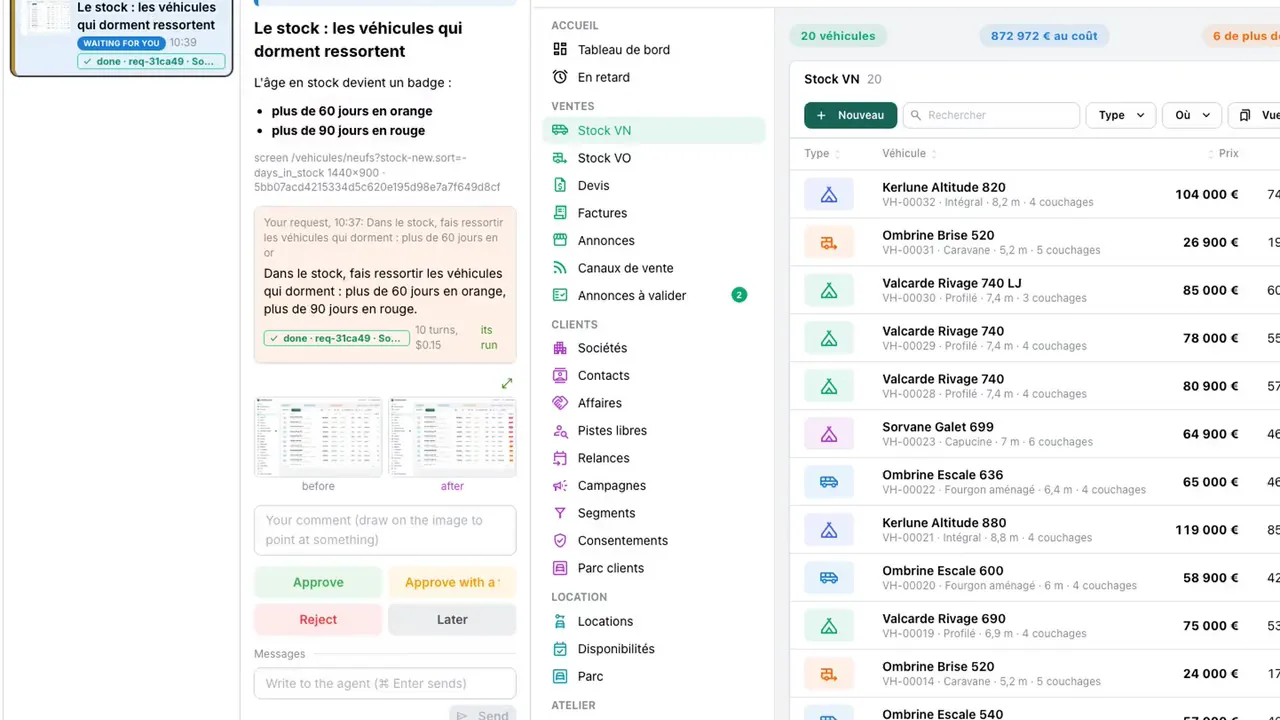
You never read a specification or code. When the agent is done, the change comes back as a card: a picture before, a picture after, and the live app beside it so you can try it yourself. Your answer is the agent's next instruction.
- Four answers: approve, approve with a fix, reject with a comment, or later.
- A rectangle or a pin on the picture shows what is wrong, at that spot.
- A fix or a rejection goes back to the same agent, which sends a new card.
- When you are ready, you release the approved changes. Your users see a short "What's new" note at their next sign in.