 GoLocomotive
Supplier orders
Order, receive, check, with nothing typed again
The order goes to the supplier from the app, the delivery is received in one gesture, the back order stays awaited and followed up, and the supplier’s invoice is checked line by line against what really came in.
What the module does
Four parts that hold together: the order, the receipt, the supplier’s invoice, the order book.
The order
The supplier picked from your file, the lines with their reference and price filled in by themselves, carriage and discount. Sent by mail as a PDF from the app, or marked sent by phone or on a portal.
The receipt
A delivery is received in one gesture: a scan or a quantity per line, stock up to date at landed cost, carriage and discount spread. What is missing stays on back order, a mistake or a return is corrected with nothing erased.
The supplier’s invoice
Its lines checked against what was received: another price, too much billed, a line never ordered or never billed. Each difference is accepted or disputed.
The order book
A vehicle ordered from the factory before it exists: its configuration, the factory’s order number, the customer it is ordered for, its milestones, editable until its freeze date.
Not there yet
- The supplier’s confirmation read from their mail to fill in the milestones.
- Returning a vehicle already received to its maker.
- Tiered prices, blanket orders and approving an order above an amount.
Screen by screen
The screens come from the example app of a leisure vehicle dealer, on made up data. In your app, they carry your suppliers, your items and your words.
Storekeeper, buyer
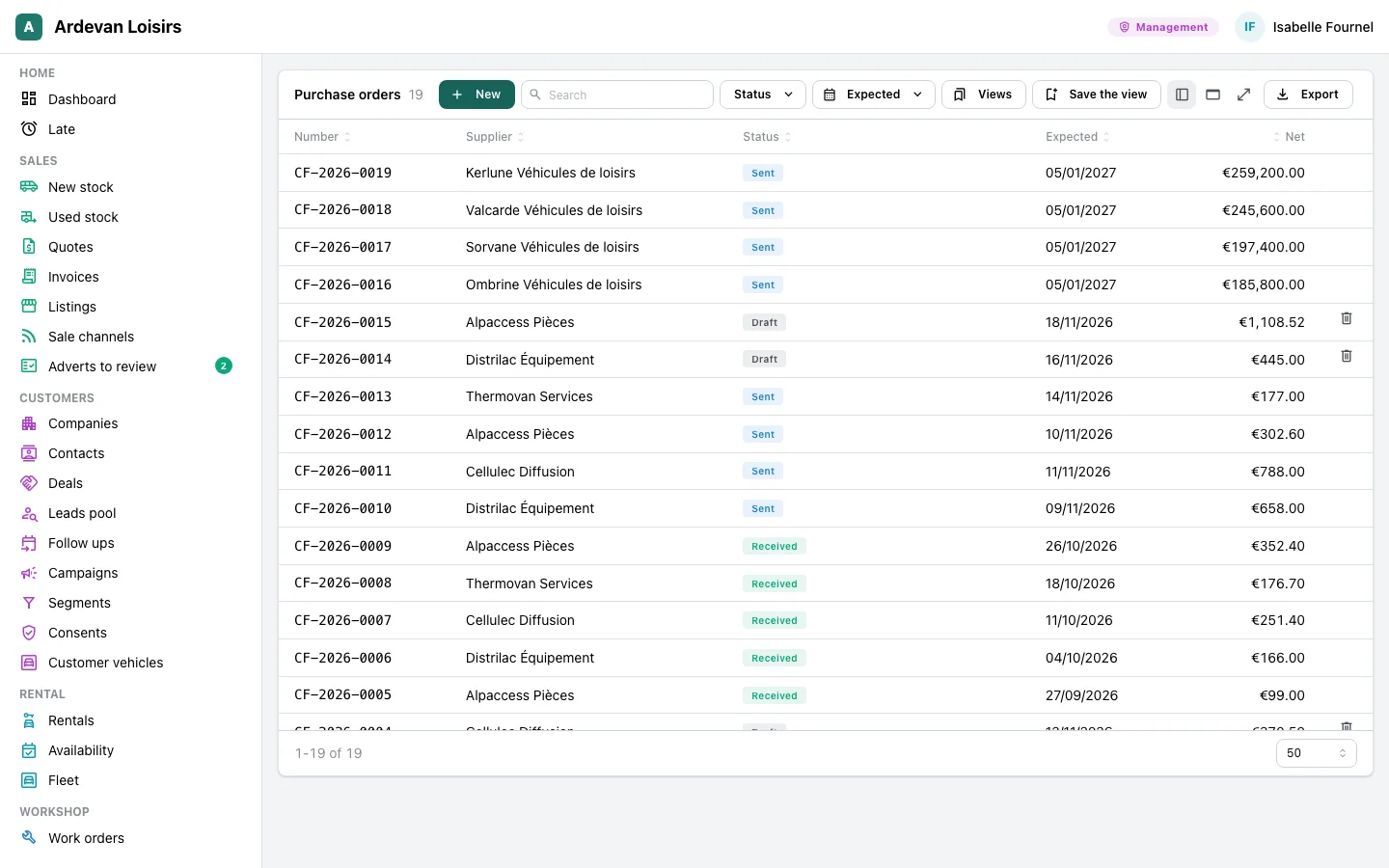
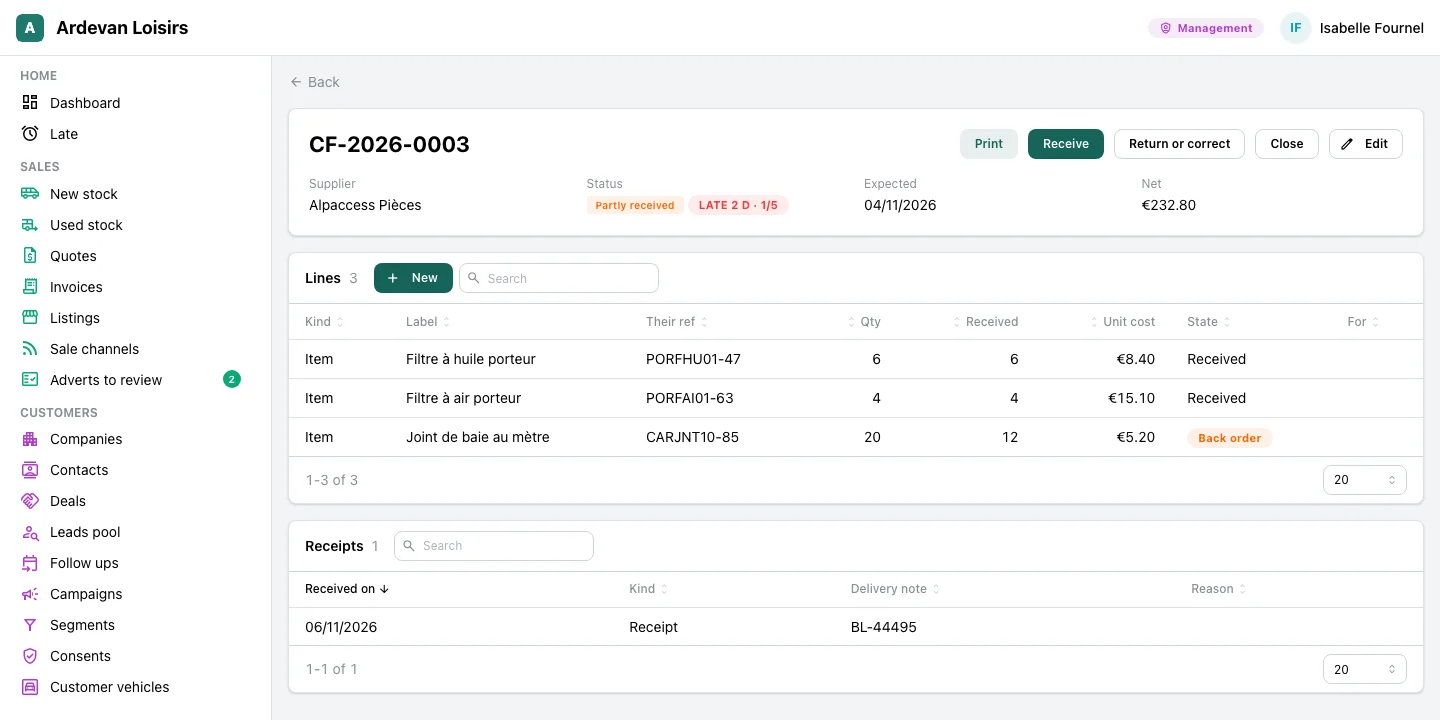
Order, and know what is coming
Each order with its status, what came in, what is still awaited, and what is late.
- The stock’s reorder list becomes one order per supplier in one click, with no duplicate when clicked twice.
- The supplier’s reference and price fill in from their offer.
- A late order carries its delay and is followed up by itself with the buyer.
- A part ordered for a job is reserved for it when it arrives.
Stores
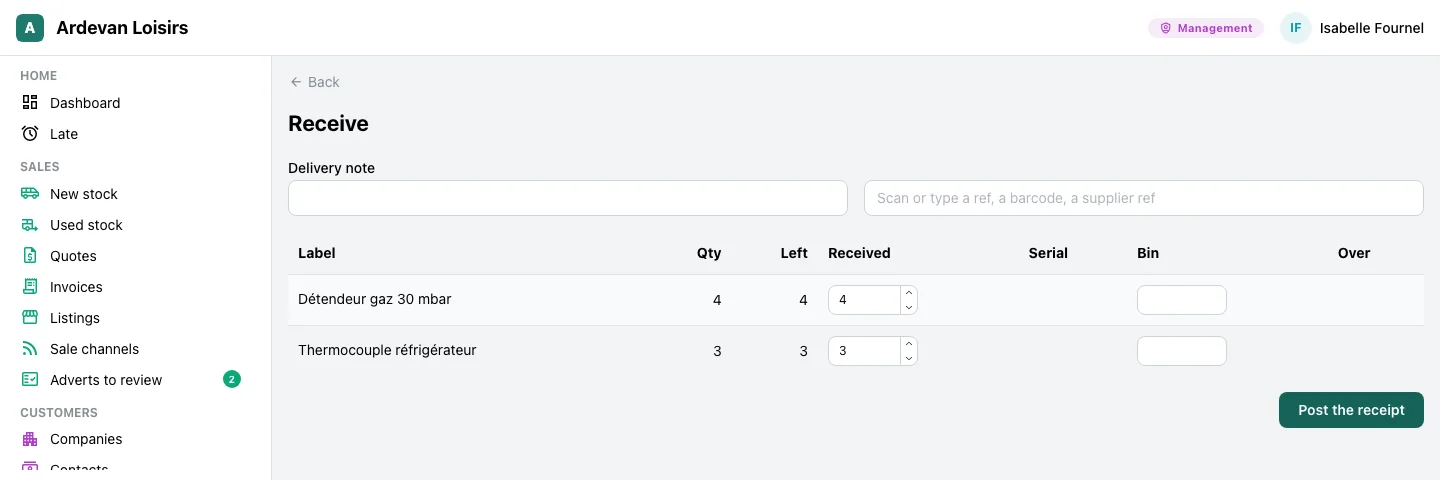
Receive a delivery in one gesture
The delivery note, a scan or a quantity per line, and stock follows.
- A reference, a barcode or the supplier’s reference adds the line by scan.
- More than ordered is received only when you say so; a serial number per vehicle received.
- The cost enters stock landed, carriage and discounts spread over the lines.
- A return to the supplier or a typing mistake is corrected by a new line, the receipt stays as it was.
Management, sales office
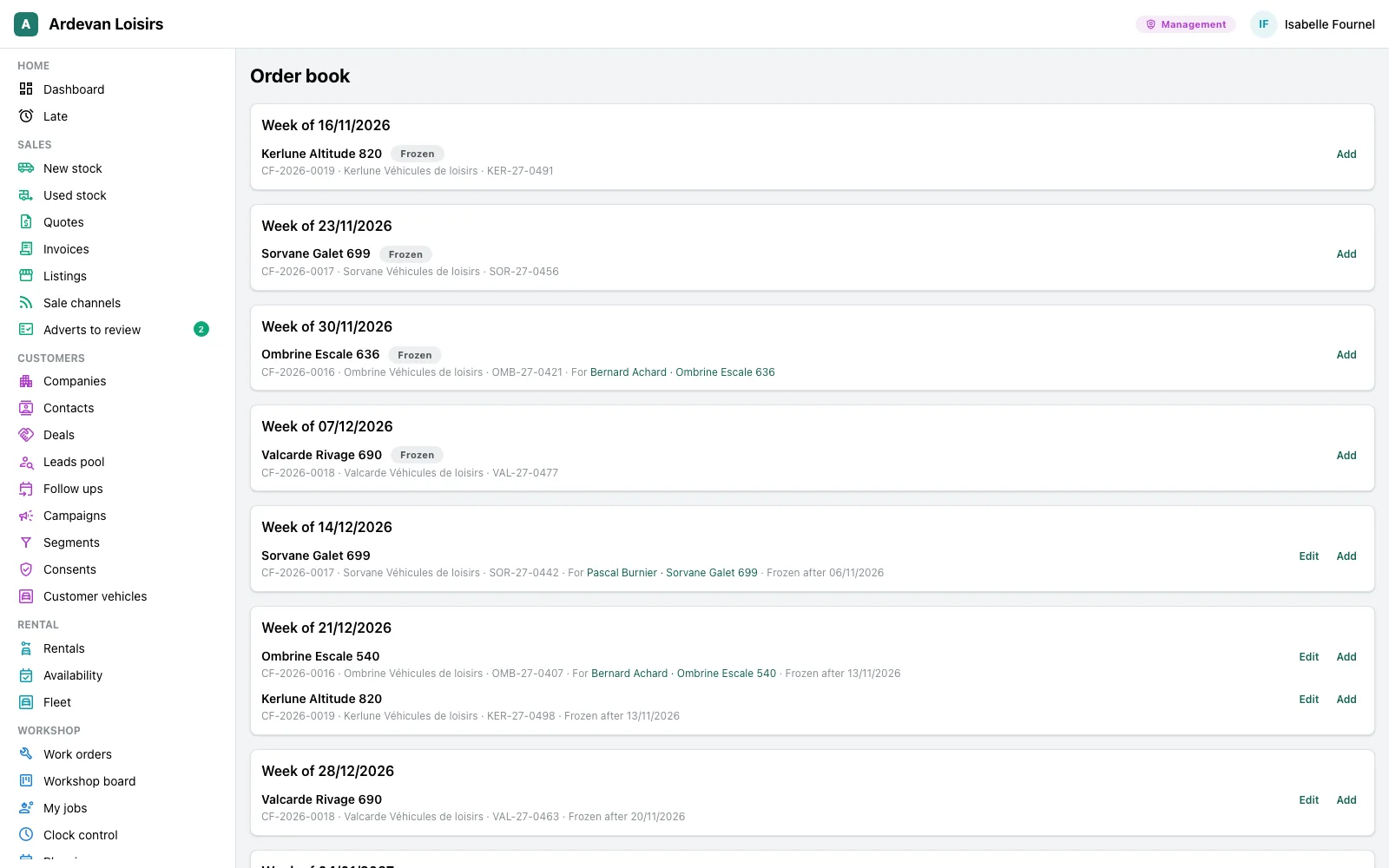
The factory order book
The vehicles ordered from the maker, week by week, with the customer waiting for them.
- Each vehicle with its order, the factory’s number, its milestones, and the customer or deal it is ordered for.
- A milestone is marked done in one click, another one planned.
- The configuration changes until the freeze date, then the app refuses it.
- At receipt, the vehicle enters the fleet with its purchase cost.
The trades that use it
The same module, with the suppliers and items of each trade.
Leisure vehicle dealers
The workshop’s parts and the accessories, the motorhomes ordered from the factory for a customer, the supplier’s invoice checked. The dealers’ page tells the parts desk.
At the parts desk →Your trade
A bakery ordering its flour from the miller, receiving it and checking the invoice: the same screens, with your suppliers.
Let’s talk →
With the other modules
Purchasing reads and writes what the other modules hold, with nothing typed twice.
Stock and parts
Each receipt enters stock, and the reorder list becomes orders.
See the module →Customers and deals
Suppliers are companies of the file.
See the module →Work orders and workshop
A part ordered for a job is reserved for it when it arrives.
See the module →
Your suppliers, your orders
GoLocomotive is in private testing. Access is by invitation. Once you are invited, we show you this module on your trade, with your own suppliers.