 GoLocomotive
Stock and parts · Adverts
Your stock online, withdrawn everywhere the day it leaves
The vehicles for sale, their advert on each site, the text the AI drafts and a person confirms, and at the store the parts, their stock per site and what to order again: the stock the app knows is the one online and on the shelves.
What these modules do
Two modules that hold together: the adverts publish what you sell, the stock keeps the parts move by move.
One advert per good and site
Each good for sale becomes an advert on each channel: the listing sites read their feed, your website too. Its price, its state and its days online, channel by channel.
Withdrawn the day it sells
A good sold or delivered leaves all its adverts in the same act. An advert left published by mistake is never served to a site, nor are its photos.
The price right everywhere
A price changed on the good goes again to each site that shows it. An advert can also have its own price on one channel.
The AI drafts, a person confirms
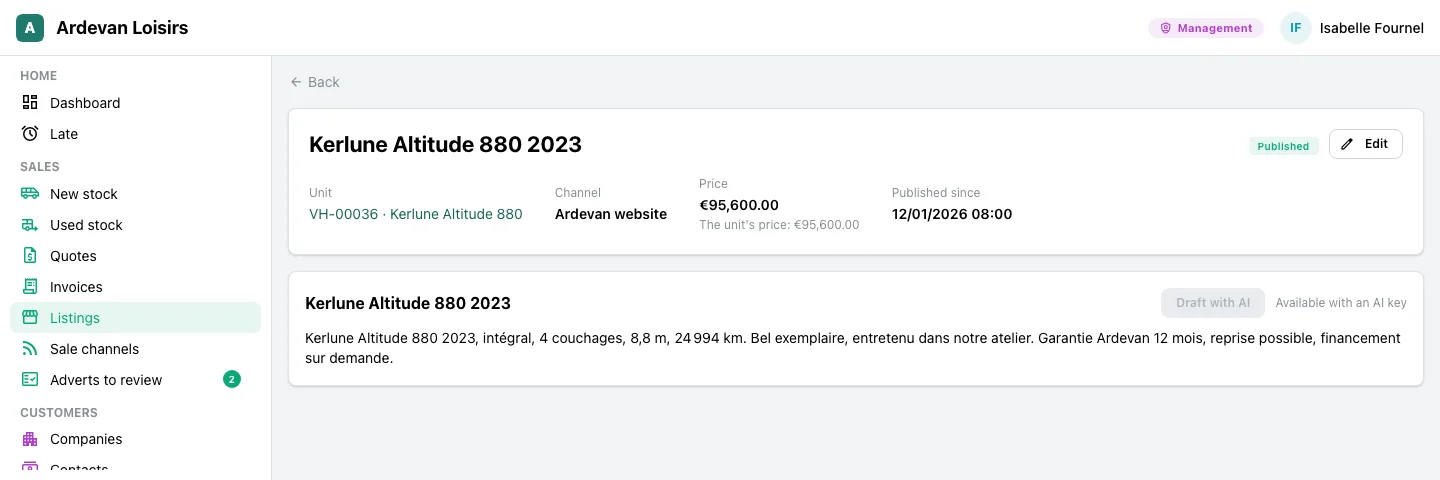
“Draft with AI” writes a title and a text from the good’s facts. The text waits in “Adverts to review”: nothing goes before a person accepts or corrects it.
Parts, move by move
The parts and their suppliers, each site’s stock computed from what came in and went out, never typed by hand, and the parts held for a work order.
The reorder list
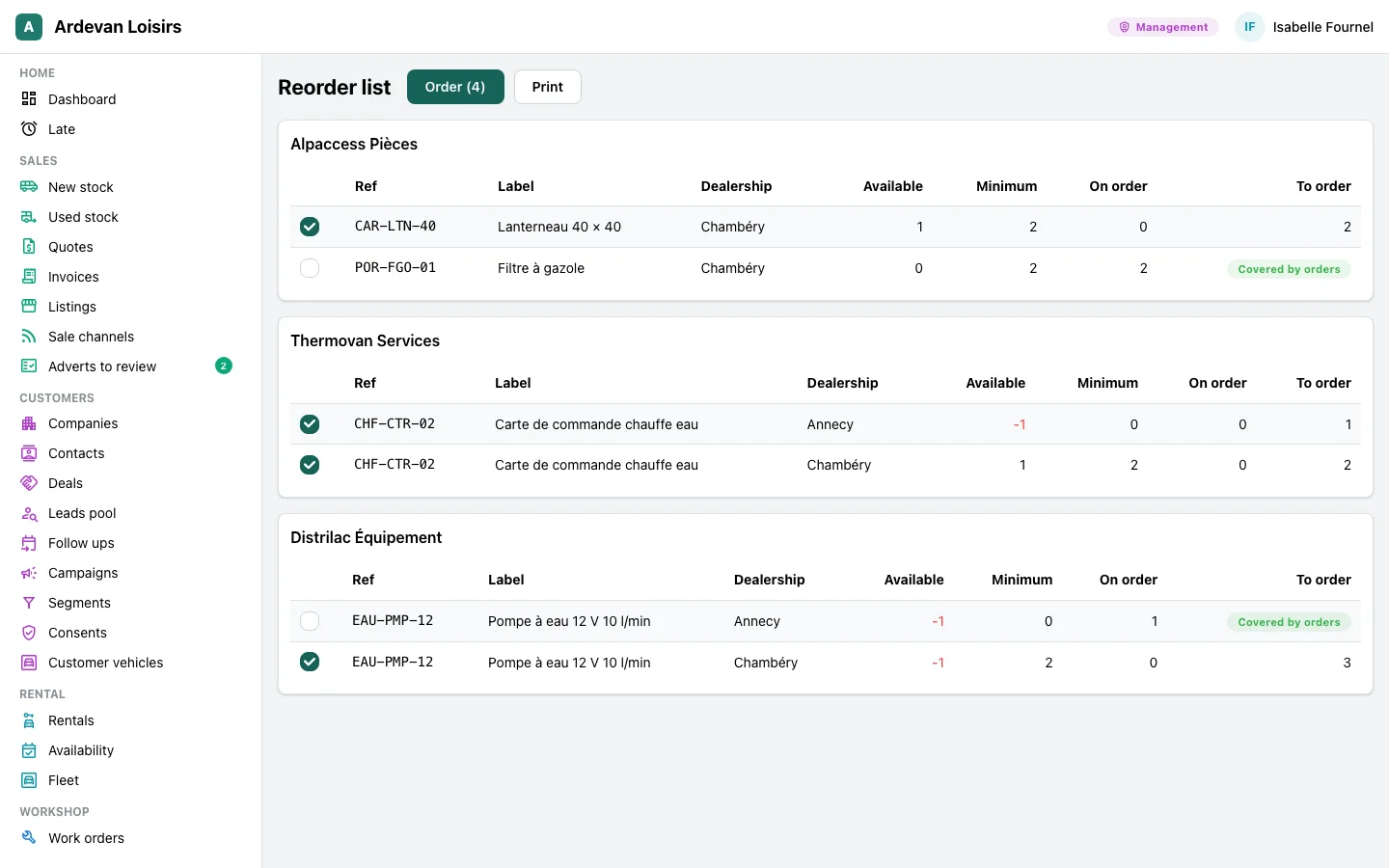
What falls under its minimum or is short already, grouped by supplier with the quantity to order; what an open order already covers is marked.
Not there yet
- A ready made link to the API of one given listing site: the one you need is written in your app, with your account on that site. The sites that read a feed read it from day one.
- An advert for goods sold by quantity: an advert publishes one good at a time.
- An advert in several languages at once: one text per advert, in the site’s language.
- Batches and expiry dates on parts, and a stock value other than the average cost.
Screen by screen
The screens come from the example app of a leisure vehicle dealer, on made up data. In your app, they carry your words, your goods and your parts.
Management, sales manager, sales staff
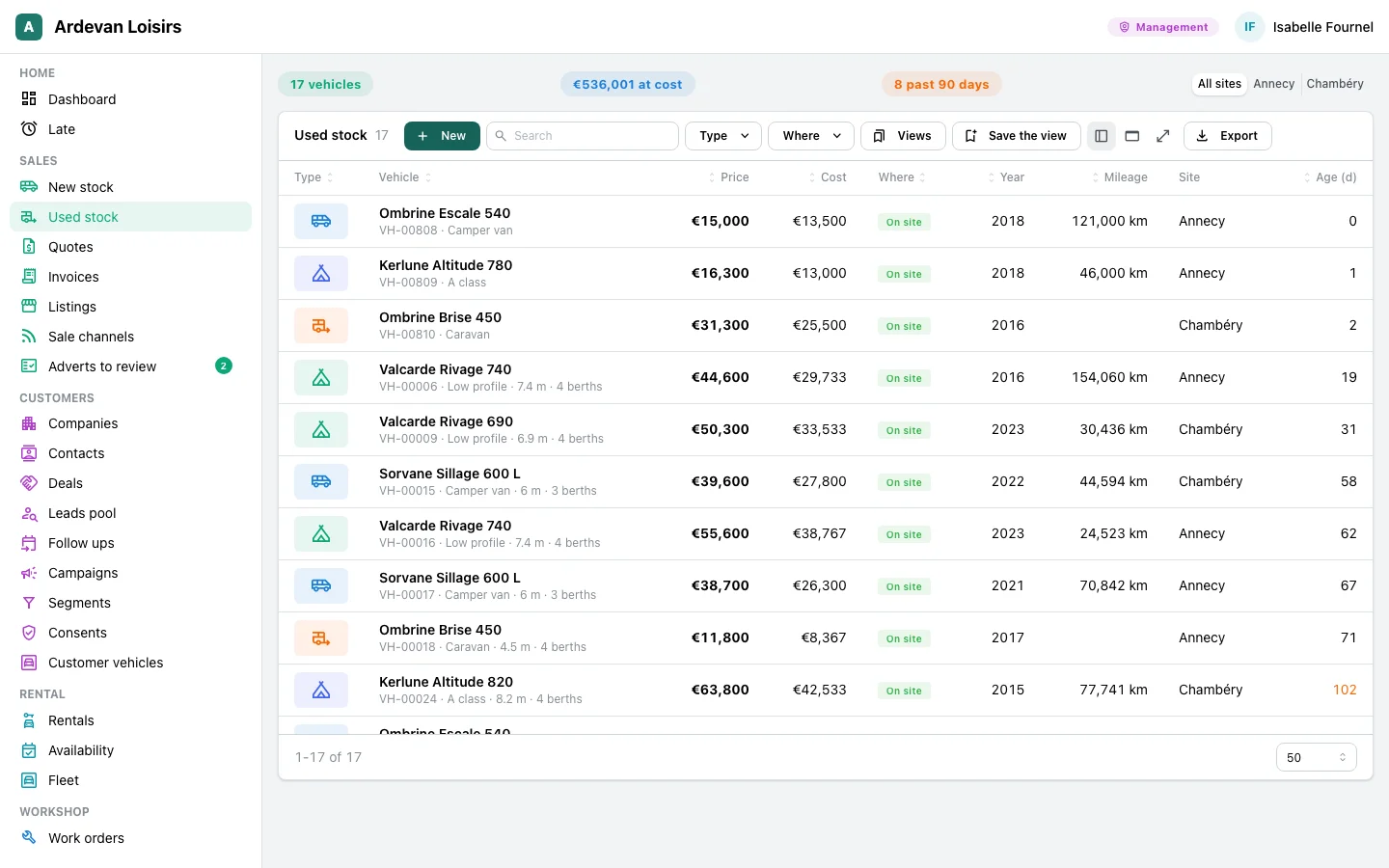
Know what is for sale
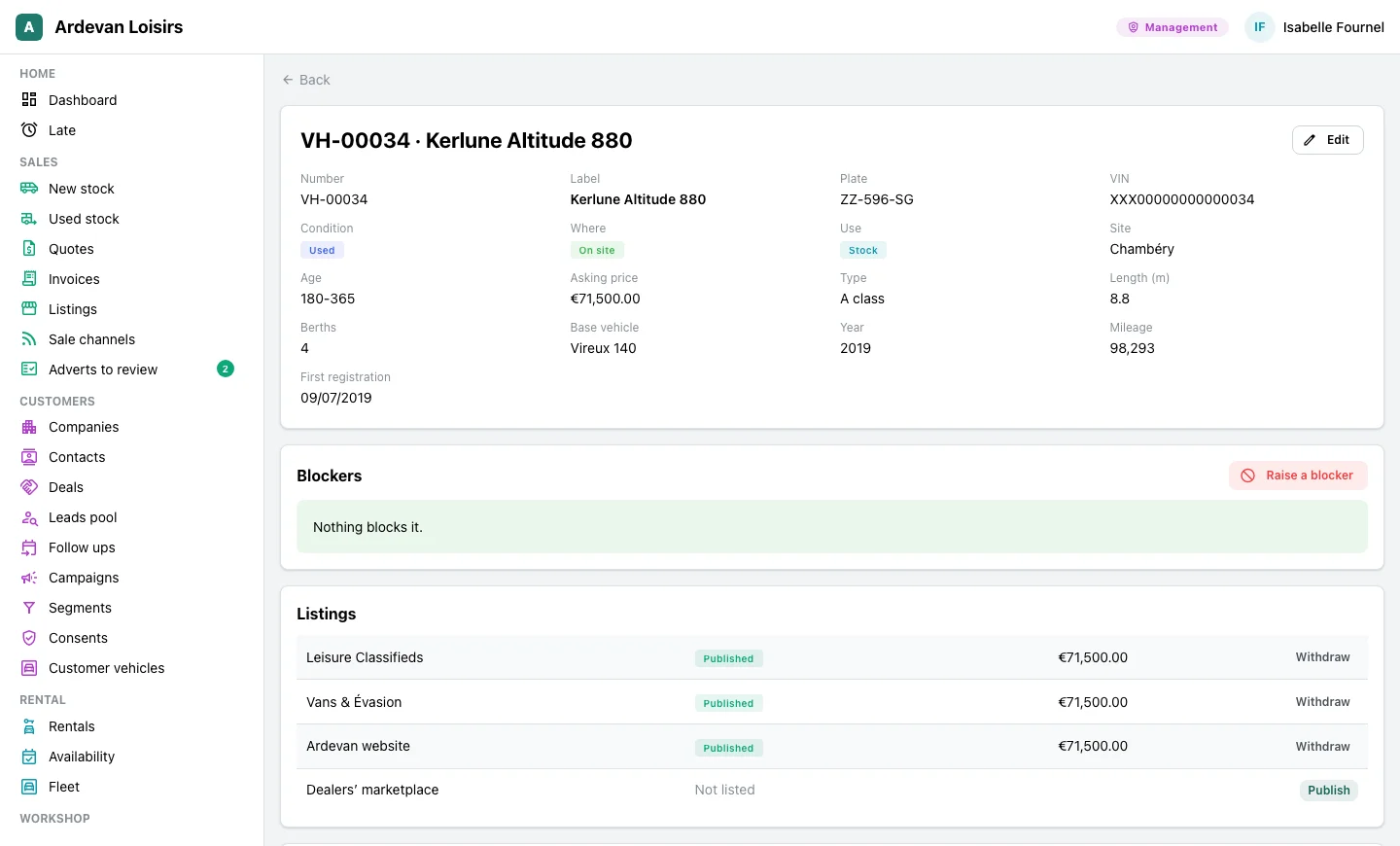
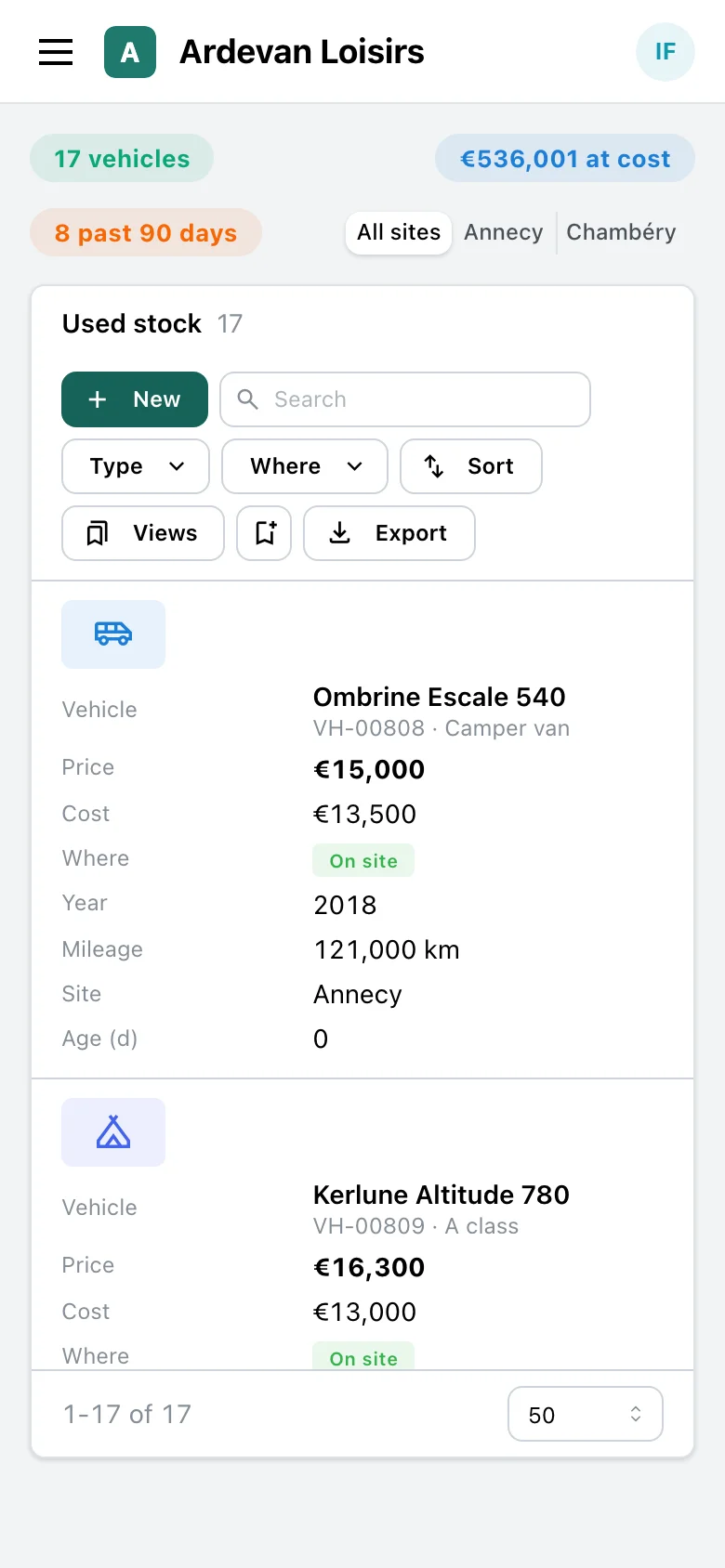
The used stock on one screen, each vehicle with its price, its cost, where it is and its age in stock. Its page says what blocks its sale and where it is online.
- At the top, the number of vehicles, their value at cost and those past 90 days, for every site or for one.
- Search, filters, saved views and the export, on a computer as on a phone.
- On the vehicle’s page, its blockers and its state on each channel, with “Publish” or “Withdraw” in one click.
Sales manager, used vehicle manager
Publish, and withdraw everywhere the day it sells
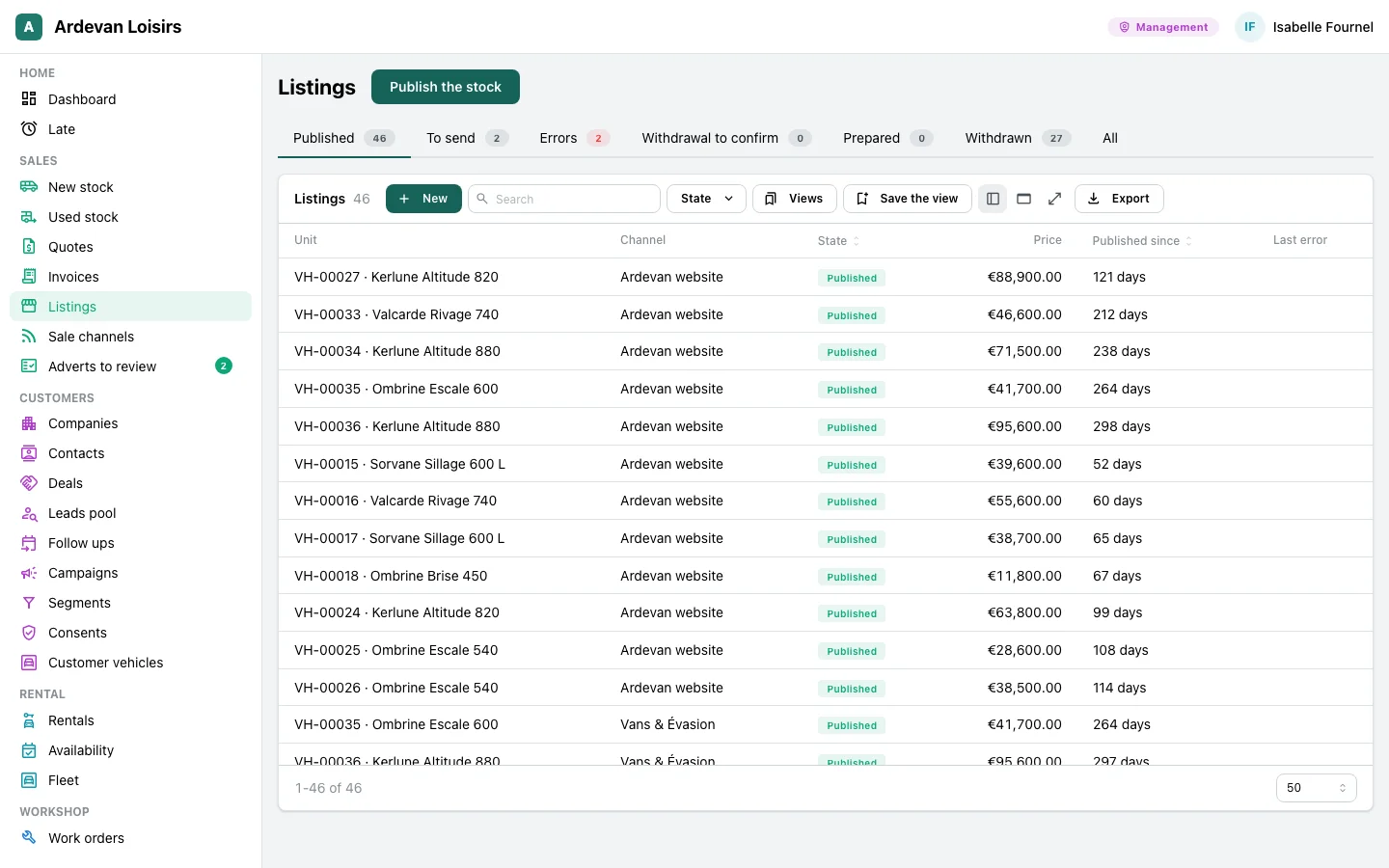
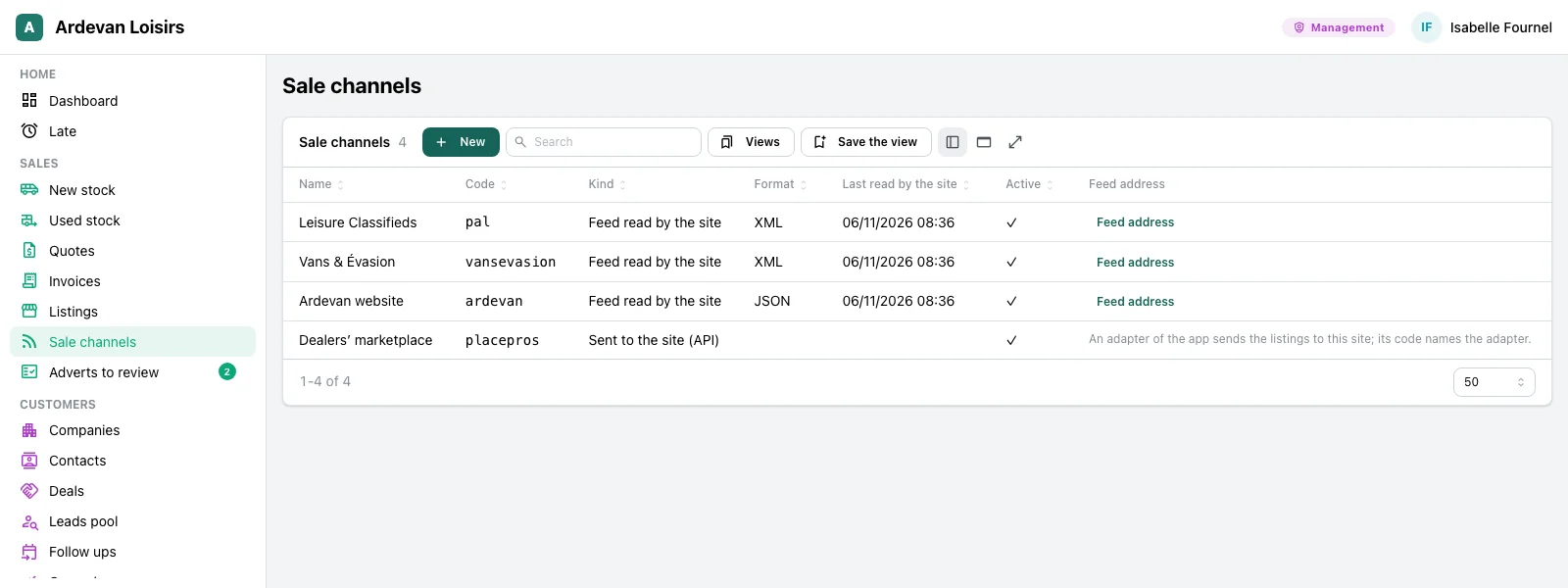
Each vehicle becomes one advert per site. The app follows each one, published, to send, in error or withdrawn, and takes the vehicle off every site the day it leaves.
- “Publish the stock”: each good in stock becomes an advert on the channel picked, in one act.
- The worklists: published, to send, errors, withdrawal to confirm, prepared, withdrawn, each with its count.
- The sale channels: a site reads its feed, in XML or JSON, at a secret address you can renew, and the app notes each read.
- A delivery takes the vehicle off all its adverts in the same act as its invoice; if the invoice fails, nothing moves.
Management, sales manager
The AI’s text, confirmed by a person
An advert text that sticks to the vehicle’s facts, drafted by the AI. A person reads it, corrects it if needed, and confirms it before it goes.
- “Draft with AI” on an advert: a title and a text from the good’s facts, its price and the site’s language, in the tone you set.
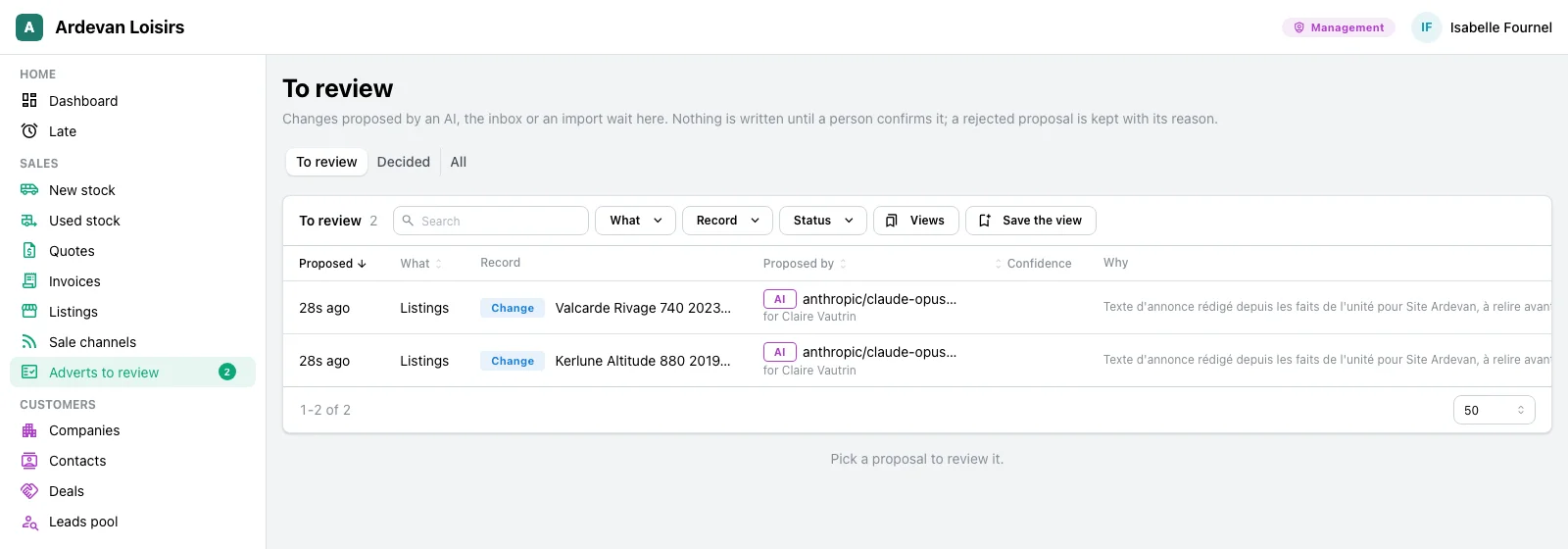
- The proposal waits in “Adverts to review”, with the model that wrote it, for whom, and why.
- Nothing is written on the advert before a person confirms it; a rejection is kept with its reason.
- Once confirmed, the new text goes again to each site that shows the advert.
Storekeepers, parts counter, workshop
Parts, move by move
The stock of each part at each site, computed from what came in and went out, and the list of what to order again, supplier by supplier.
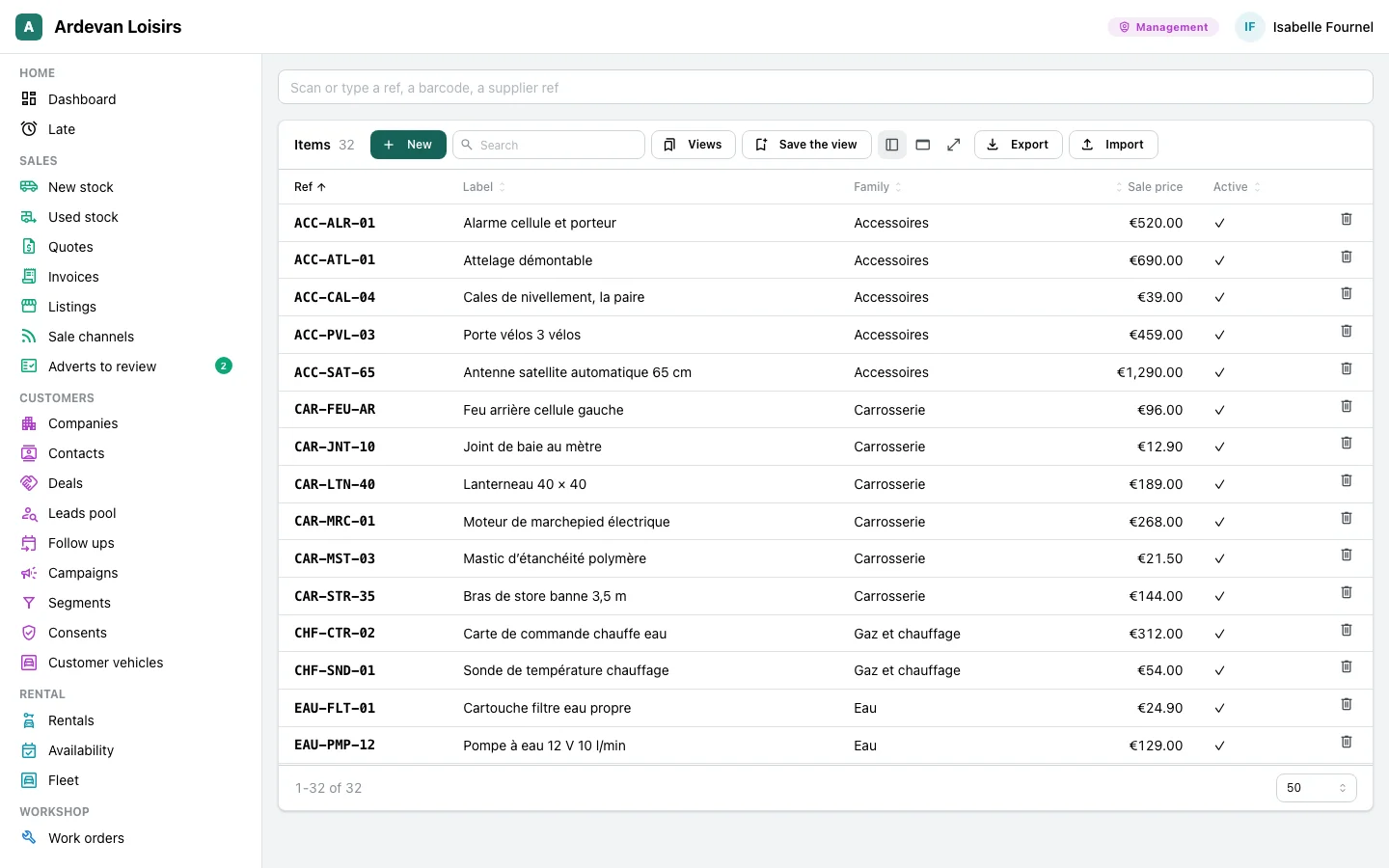
- The parts with their ref, family and price; a field takes a barcode scanner and opens the part by its ref, its barcode or the supplier’s ref.
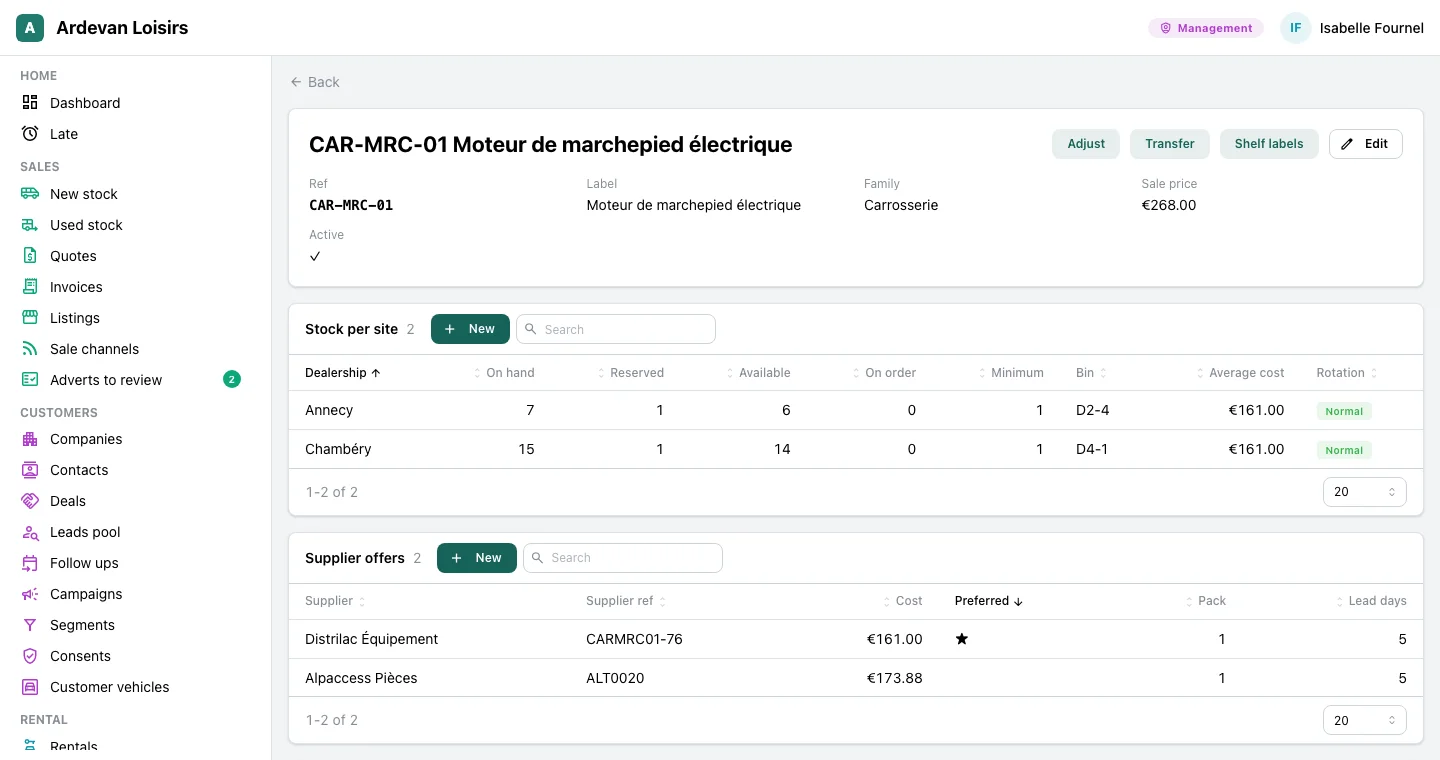
- On a part’s page, its stock per site, reserved and available, the minimum and the bin, and its supplier offers with the preferred one.
- “Adjust” asks for a reason, “Transfer” moves a part from one site to the other, and shelf labels print.
- The reorder list: what falls under its minimum or is short already, the quantity to order, what an open order already covers.
The trades that use them
The same modules, with the words, the goods and the parts of each trade.
Leisure vehicle dealers
The used stock online on the listing sites and the dealer’s website, withdrawn at delivery, and the workshop’s parts store. The dealers’ page tells these desks.
Adverts and campaigns →Heating firms and field service
The parts of each agency, held for a job then taken out of stock when fitted, and the reorder list per supplier.
At the parts depot →Your trade
An equipment hire firm selling its used machines, a second hand furniture shop, a shop and its items: the same screens, with your words and your data.
Let’s talk →
With the other modules
They read what the other modules already hold, with nothing typed twice.
Tracked goods
A vehicle for sale is a tracked good: when it leaves the stock its adverts are withdrawn, and its photos go with them.
See the module →Work orders and workshop
A work order holds its parts and takes them out of stock when the work is done.
See the module →Supplier orders
The reorder list prepares the supplier orders, and a receipt enters the stock.
See the module →Quotes and invoices
An invoice takes the items it sells out of stock; an invoiced delivery withdraws the vehicle’s adverts.
See the module →
Your stock, your adverts
GoLocomotive is in private testing. Access is by invitation. Once you are invited, we show you these modules on your trade, with your own stock.