 GoLocomotive
How it works
You ask in plain words. An AI agent changes your app. You judge the result by looking at it, next to the running app. Nothing reaches your users before you say so.
It starts with a first version
You describe what you need, in writing or on a call. Within a few days, we show you a working first version of your app, on made up sample data. You try it, then you receive a fixed price for it. How a quote works
From there, every change follows the loop below.
The loop
You write a request
In the portal, describe a new app or a change to the one you have. Draw rectangles on a picture of the screen to show what you mean. How to write a request
An agent builds it
It reads your request, takes a picture of the screen as it is, changes the code, runs the app’s checks, and takes the picture after.
You review a card
The change comes back as a card: before and after, next to the live preview. You approve it, approve it with a small fix, or reject it with a comment.
The agent answers
A fix or a rejection goes straight back to the same agent, with your comment and your marks. Its new card replaces the old one.
You release and deploy
When you are ready, you release the approved changes and deploy them. Your users see a short “what’s new” note at their next sign in. Release and deploy
The review card is the interface
You never read a specification or a diff. Every change reaches you as a card, and your answer to it is the agent’s next instruction.
- A before and an after, and more views when it helps: the phone and the desktop size, an empty list and a full one, a short video for anything that moves.
- Four ways to compare: side by side, a swipe divider, one picture over the other, or the after with the before on hover.
- Marks: drag a rectangle or drop a pin on a picture, and write what is wrong there.
- The live page next to it, so you try the change yourself before you answer.
Your answer
| answer | when | what happens |
|---|---|---|
| Approve | it is right | the card closes |
| Approve with a fix | right, but for a small detail | the agent makes the fix |
| Reject | it is wrong | the agent fixes it and sends a new card |
| Later | not now | the card waits, nothing happens |
Only your approval approves. An agent never marks its own work as approved. When it needs to know something, it asks on the card and stops: no chat window that nobody reads. Review a change
Who does what
You
Ask for changes, judge them by looking, decide what ships and when. Manage your users and your app’s name, color, logo and address.
Using the portal →The agents
Change your app’s code, run its checks, write the “what’s new” line, save each step in the app’s history, and show you the result. Each run works in a closed space with a spending limit.
How agents are contained →Us
Run the build machine and the production server, keep the shared toolkit, the agent rules and the portal up to date.
How it works, in detail →
Why this shape
- You judge results, not documents. A picture before and after, next to the live app, is faster to judge than a specification.
- Small apps change safely. Your app holds only what is yours: your data and its rules, your screens, a few server actions. The rest comes from one shared toolkit, so an agent changes little code at a time.
- One rule set. The rules that decide who can read or change a record live in the app’s server. Screens, exports, agents and your own AI all go through them.
A real example
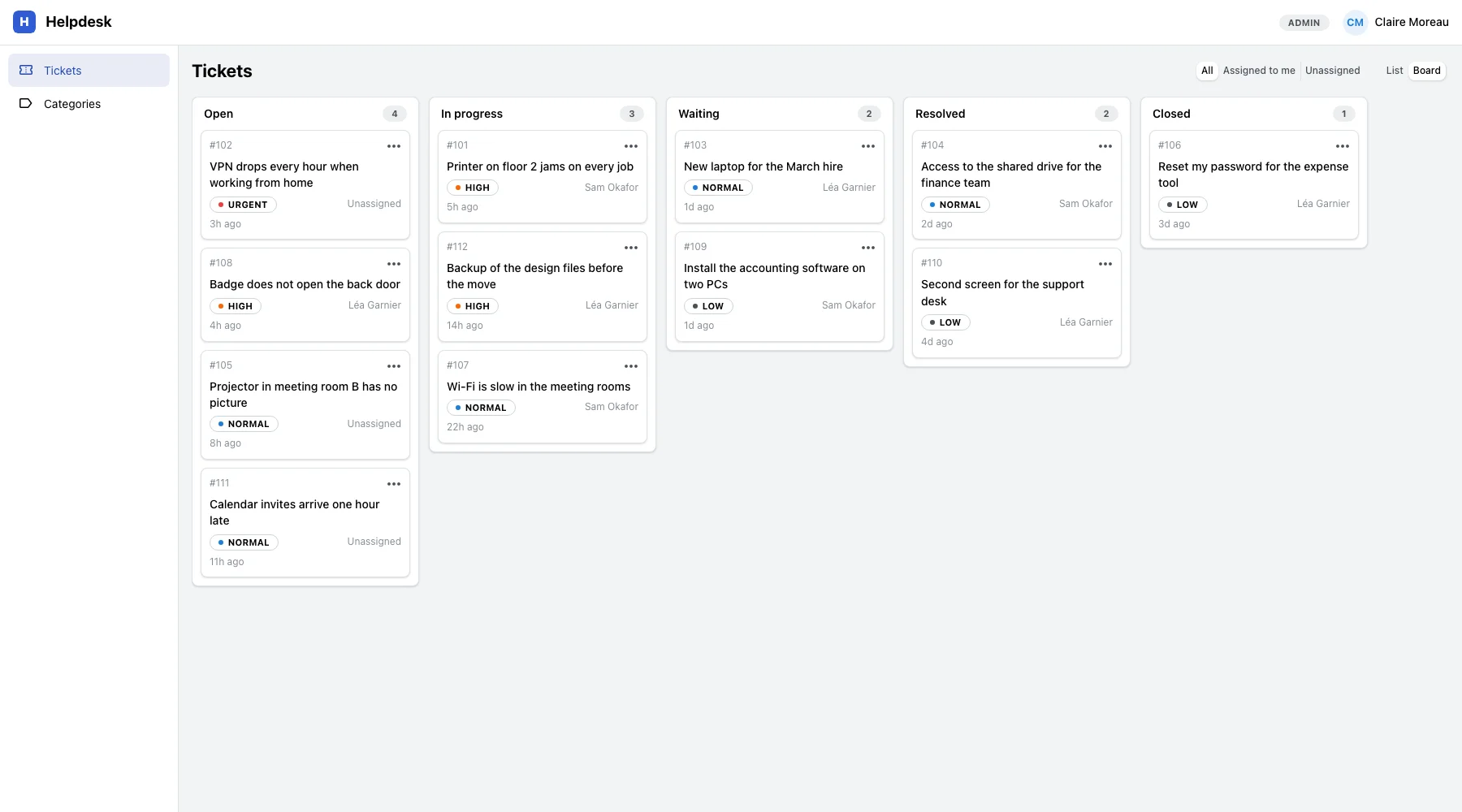
This helpdesk was built by our agents through this loop. A later request, “add a kanban view”, gave it the board below.
Start with one request
GoLocomotive is in private testing. Access is by invitation. Once you are invited, it starts with one request, and within a few days you see a first version that works.