 GoLocomotive
The modules
Your app is made of modules: each brings its screens, its rules and its automation for one part of the trade. Your app takes the ones your business needs, then our agents fit them to the way you work. You ask for the result (“remind the customers whose yearly check is due”), and the agent puts the right module in your app.
A monthly subscription, per module
You pay for the modules your business uses, and nothing else. Setup is included for the trades we cover, and there are no AI credits to buy. There is no public price list yet: each business we invite receives a quote.
Sales and customers
From the first contact to the paid invoice, and the mails that bring customers back.
Customers and deals
Your companies and contacts, customers and suppliers alike, the deals in progress on a board by stage, the follow ups due and the leads nobody owns yet.
Quotes and invoices
Quotes with their lines, turned into invoices in one act and numbered without a gap, a PDF in your colors, the payments received and what is left to pay. Deposits and credit notes too.
Screen by screen
Campaigns and consents
Write to the customers it concerns, such as those whose yearly check is due, and only to those who said yes, with the proof of their consent and an unsubscribe link in every mail.
See the module →
Operations
The work done for the customer, the people and the parts it needs.
Work orders and workshop
The job on a vehicle or an appliance: its lines and who pays each, the parts reserved, the technician’s clocking, the customer’s approval by a link, the workshop board.
Planning
People, bays and vehicles over the week, bookings moved with the mouse and never booked twice, absences asked and approved, the load of each one.
Screen by screen
Stock and parts
Items and their suppliers, the stock per site and per van, the parts reserved for a job, the reorder list when an item falls under its minimum.
See the module →Supplier orders
Supplier orders, a receipt that enters the stock and reserves for the customer who was waiting, late orders chased, the supplier invoice checked line by line.
Screen by screen
Adverts
The goods you sell published on listing sites and on your own website, withdrawn everywhere the day they are sold; a text the AI writes waits for your yes.
See the module →
Rentals and after sales
What you rent out, what you service and what you claim back.
Rentals
Bookings per category, never more than the fleet, rates per season, departure and return on a signed report, the deposit, the extra kilometres and the invoice.
Warranty claims
Warranty claims sent to the maker or the insurer, with the cover that held on the day of the failure, the lines asked and granted, and the acceptance rate.
Tracked goods
Each good followed one by one, a vehicle, a boiler or a machine: its owner and their history, its covers, its signed condition reports and what blocks its sale or its delivery.
For the whole team
What every desk uses, whatever the trade.
In every app
The journal
Who changed what and when, the before and after of each field, and every sign in, in your app’s words.
In every app
Saved views
A list filtered and sorted the way you like it, kept under a name, shared with the team when a manager allows it.
Documents and signatures
The files of each record, sensitive papers kept protected, contracts signed on screen and kept as they were signed.
AI that drafts, people who confirm
An incoming mail becomes a draft record, a question asked to the app answers with its sources, and nothing is written before a person confirms it.
Included in every app
Whatever its modules, every app has these parts. Each links to its page in the docs, with what it does and what it does not do yet.
Lists, records and forms
Lists with search, filters, sort, pages and export to CSV. A page per record. Forms that check what you type.
Lists, records and forms →Sign in and accounts
Password sign in, codes by email, a second step for sensitive roles, password reset, email change, alerts on a new device.
Sign in and accounts →Files and email
Attachments on any record, private files behind short lived links, emails with attachments, mail templates in English and French.
Files and email →Automation
Values computed on each change, tasks on a schedule, actions on a button, calls to other services.
Automation →Backups
A full copy of the app’s data on a schedule, kept on the server or in a storage bucket, and a restore.
Backups →What’s new
A short note at sign in with the changes since the user’s last visit, written by the agent in your app’s language.
Release and deploy →Two languages
The toolkit’s own screens and emails exist in English and French. Each user picks theirs. Your own screens follow your request.
What an app can do →Your own AI
Claude and other assistants that speak MCP work in the app as the signed in user, under the same rules.
Connect your AI →
One rule set behind every part
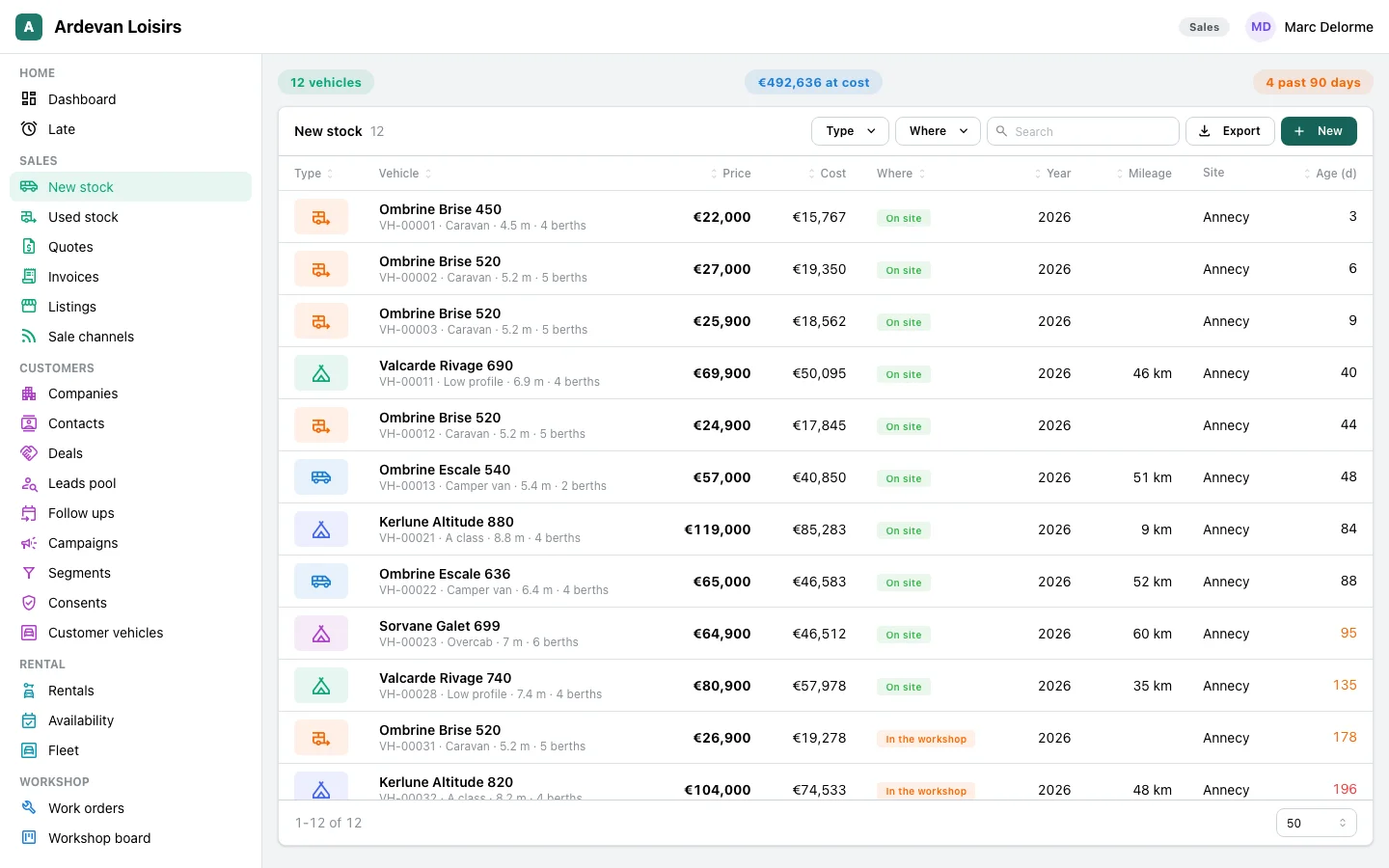
Every part goes through the same server rules: the screens, the journal, the exports, your own AI. A user who cannot see an order in a list cannot see it in an export, through the API, or through an AI either.
Below, the stock of the dealer app as a salesperson of one site sees it: the server leaves out every vehicle of the other site, in the list, the figures and the export.
In the browser, on any screen
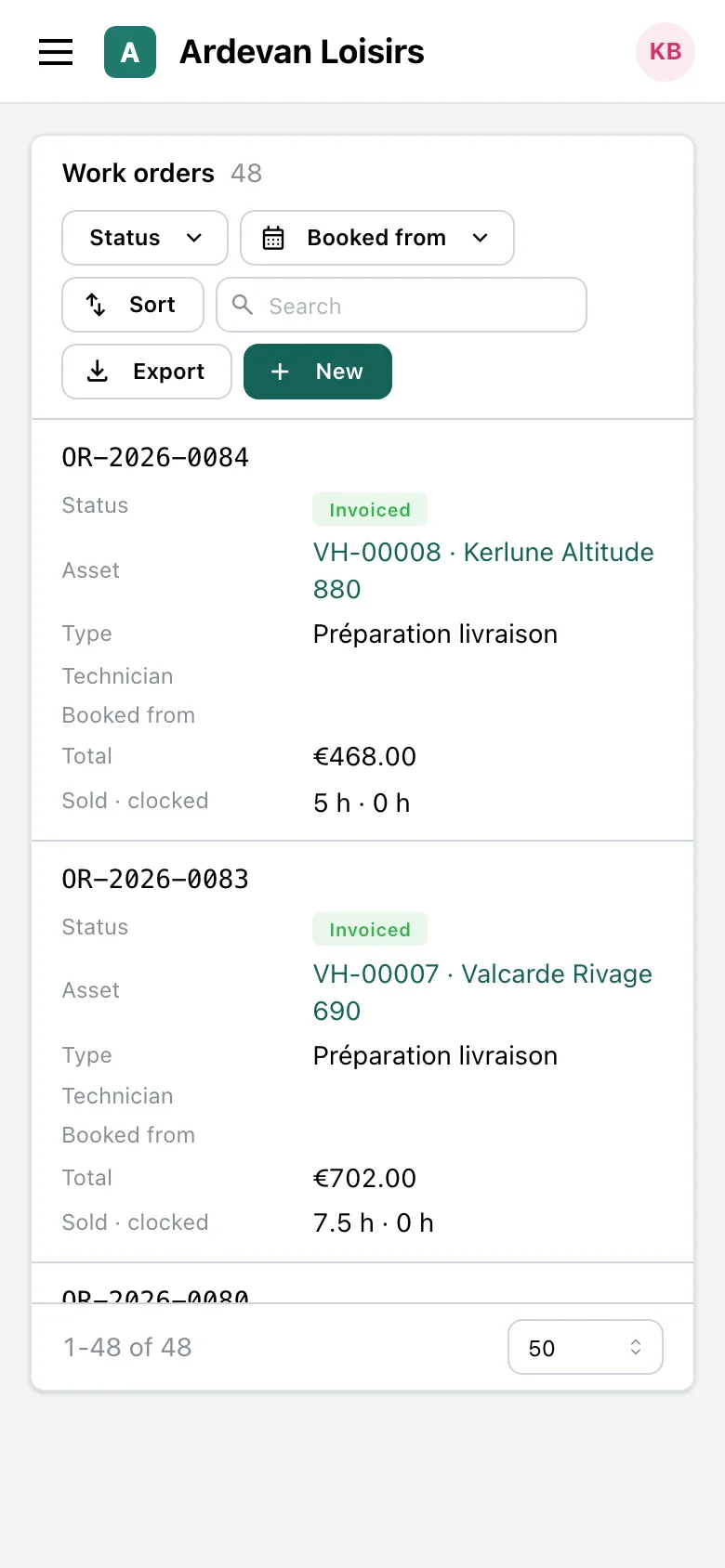
Your app runs in the browser, on a computer or a phone. Its screens adapt to the size of the screen. There is nothing to install.
Not there yet
- Phone apps from the app stores, and a desktop program.
- Chat apps: WhatsApp, Slack, SMS or phone calls.
- Live updates on screen: a change made by someone else shows after a refresh.
- Sign in with an outside account (Google, Microsoft and others).
- A marketplace of ready made apps: each app is built for one business.
None of these has a date. The full list is in Not available yet. If one matters for your business, tell us: it helps us choose what GoLocomotive does next.
Tell us what your app must do
GoLocomotive is in private testing. Access is by invitation. Once you are invited, we tell you what the toolkit covers today and what your app needs on top.