 GoLocomotive
SMS
Your customers’ texts, in your app
“Your car is ready”, “here is your quote”, “your booking is tomorrow”: the texts that matter go from the customer’s file, with the right link, and the answer comes back in the same thread. Follow ups and reminders go out on their own, once you have decided them.
What the module does
One thread per number, templates, links that count their opens, and the right to say no honoured.
One thread per customer
Each number has its thread, tied to the customer’s file. Their mails join it when your app receives your mail: one conversation.
From any record
A quote, a vehicle, an inspection: the text button opens the message already filled, with the link that goes with it.
Templates
The most common messages written once, filled from the record at send time. The count of characters and texts shows before you send.
Tracked links
The link of a quote, an inspection or a payment counts its opens: you know whether the customer opened it, and when.
Consent honoured
A service text goes unless refused; a marketing text needs a yes. A customer who answers STOP gets nothing more, and the thread says so.
Follow ups that go on their own
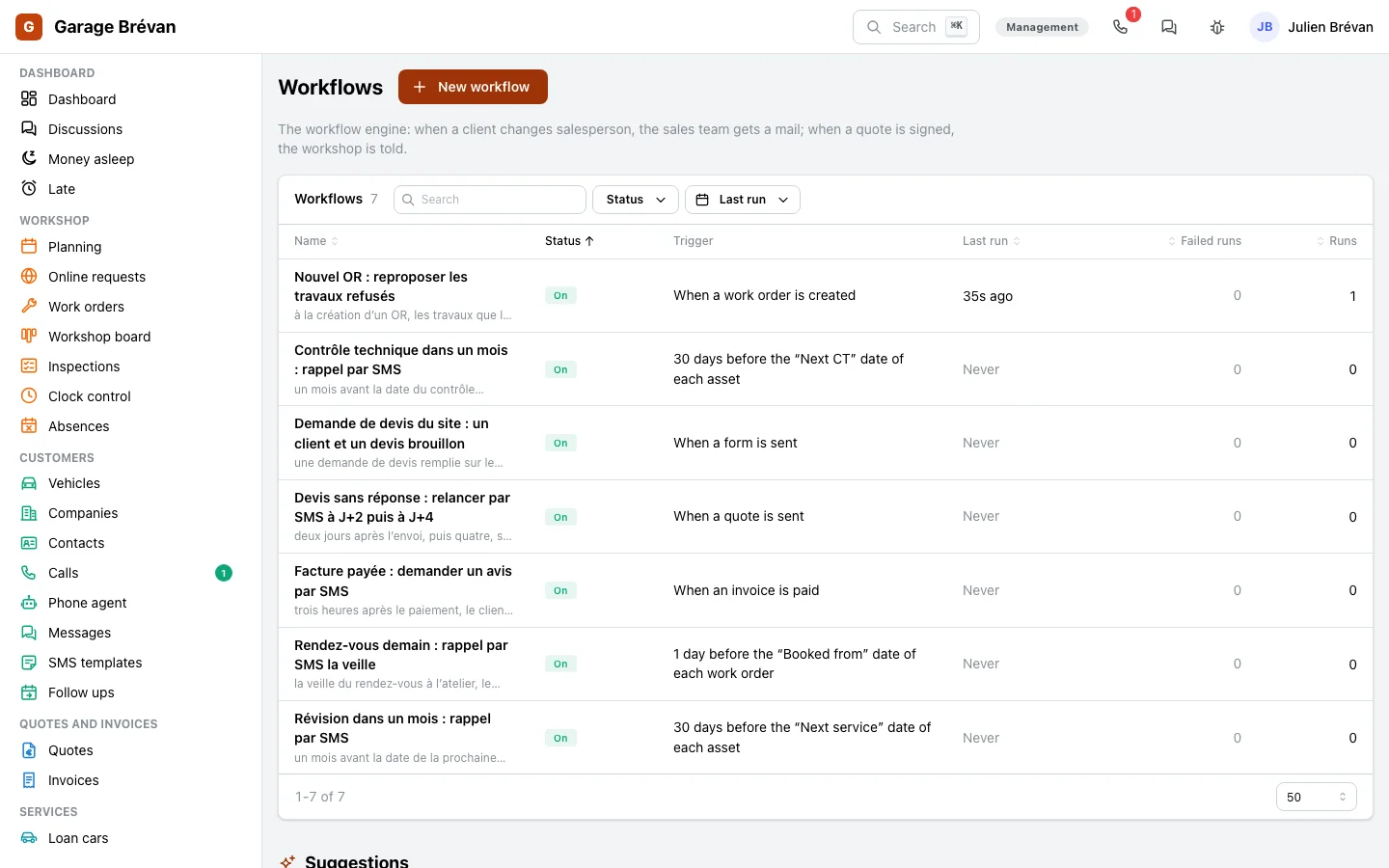
A “Send a text” step in the workflow engine: the quote follow up, the booking reminder, the review ask.
Being built
- Connecting to your operator: today the app writes, files and tracks each text; sending to real numbers comes with that connection.
- Pictures by text, and a campaign sent by text: campaigns go by mail.
Screen by screen
The screens come from the example app of a garage, on made up data.
Front desk, counter
Text the customer, and read their answer
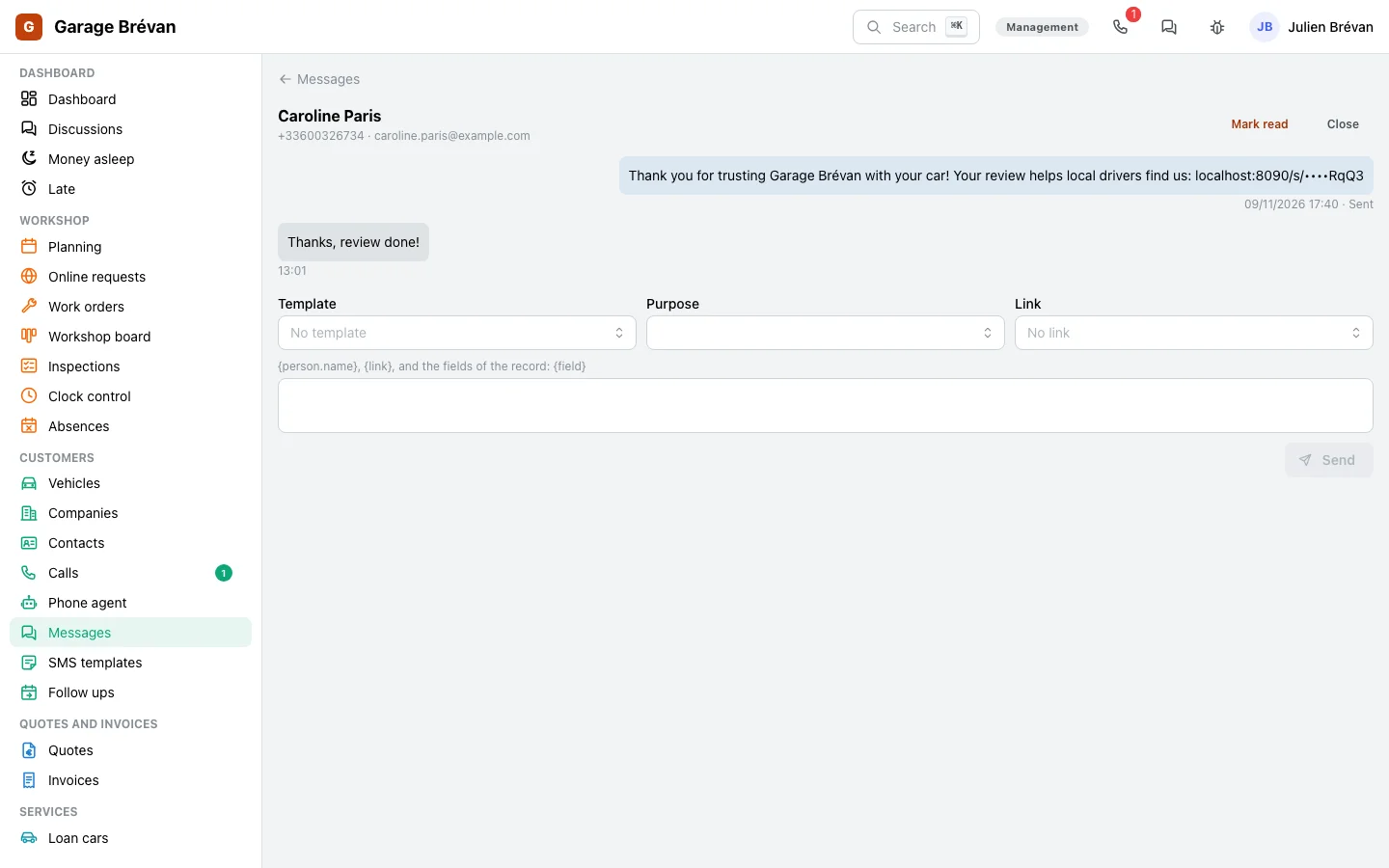
The customer answers “ok for tomorrow 9 am”: their answer lands in their thread, beside the quote they received and the mail they sent yesterday.
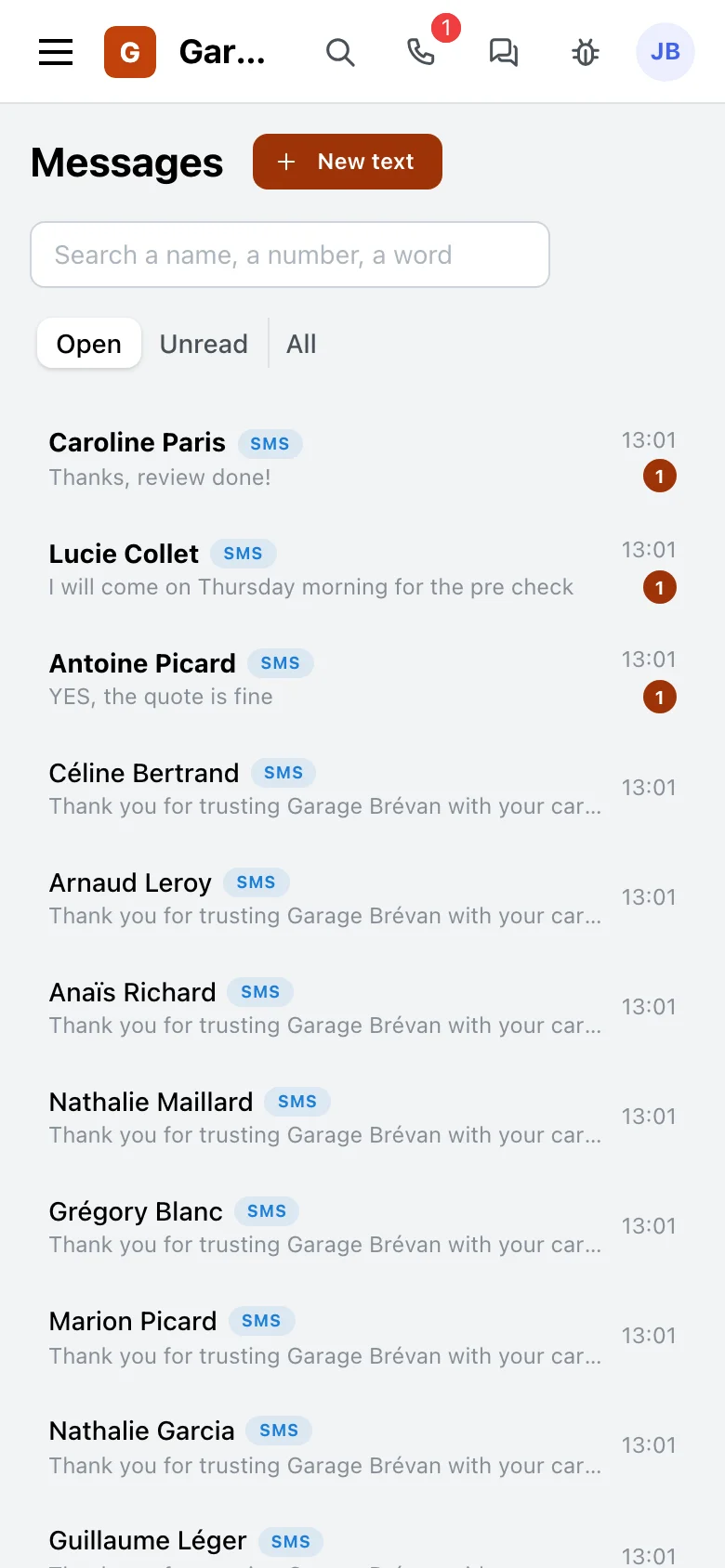
- The conversations, one per customer: the unread ones first, a search by name or number.
- Each text with its status: sent, delivered, refused with the reason (no number, no consent, STOP).
- A text from a record, filled from it, its link added in one click.
- A conversation is closed, opens again on the next answer, and is handed to a person.
Management
Messages written once, and follow ups that go on their own
The right message at the right time, without anyone having to think of it: you write the templates and you decide the follow ups.
- The templates, each with its purpose, service or marketing, and the record whose fields it reads.
- Follow ups and reminders are workflows: a quote with no answer, a booking tomorrow, a roadworthiness test in a month.
- A cap on texts per day for the whole app, and per person.
- A link opened by the customer can tell the counter.
The trades that use it
Every trade that tells its customers by text.
Garages
The quote to approve, the car ready, the booking and roadworthiness test reminders, the review ask.
The garages page →Your trade
An order ready, a visit to book, a booking to confirm: the same screens, with your templates and your follow ups.
Let’s talk →
With the other modules
It sends what the other modules prepare.
Quotes and invoices
The link of the quote to approve, and the payment’s.
See the module →Workflow engine
The “Send a text” step and the events “a text arrives”, “a link is opened”.
See the module →Campaigns and consents
Each customer’s consent, read from its consent register.
See the module →Customers and deals
The customer: their number and name come from their file.
See the module →
Your customers, one text away
GoLocomotive is in private testing. Access is by invitation. Once you are invited, we show you texts on your trade.