 GoLocomotive
The assistant
An assistant in your app: ask a question in your own words
It answers from your data with its sources, and sees only what you see. A person of your team who may decide confirms or rejects what it wants to change, and the record keeps who asked and who confirmed.
Ask
A question, in your words
A button at the top of every screen opens the assistant. It knows which record you are on, you talk to it as to a colleague, and it answers from your data, with its sources.
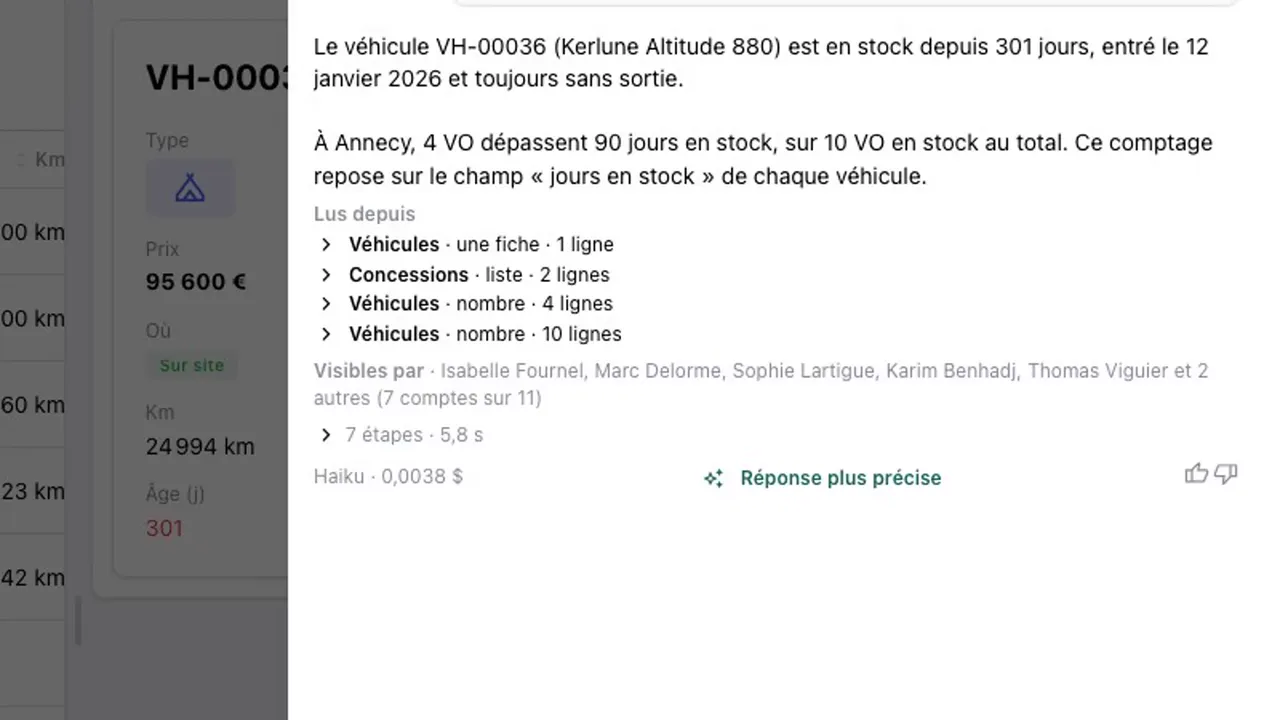
How many days has it been in stock? And how many used vehicles in Annecy are past 90 days?
- The open record joins the question: “it” is the vehicle you are looking at.
- Each step shows while it reads your data.
- “Read from”: under each answer, each read it made, with the table and the number of rows. The records it names open in one click.
- “Visible to”: who else in the app may see the data behind the answer.
- It works with your account: it sees only what you see, under the rules of your screens.
- Each answer says which model answered and what it cost. A low cost model answers first; “More precise answer” asks a stronger one.
- Totals and counts are computed by your app’s database.
Change
It proposes, a person decides
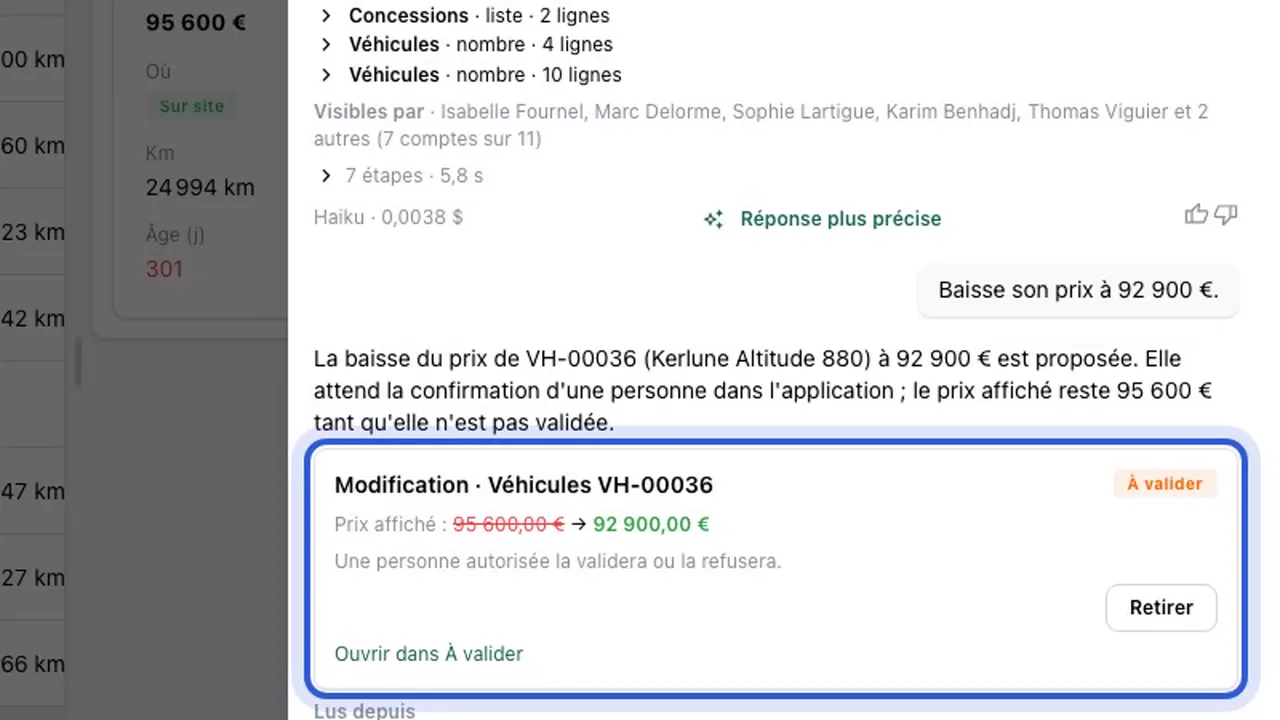
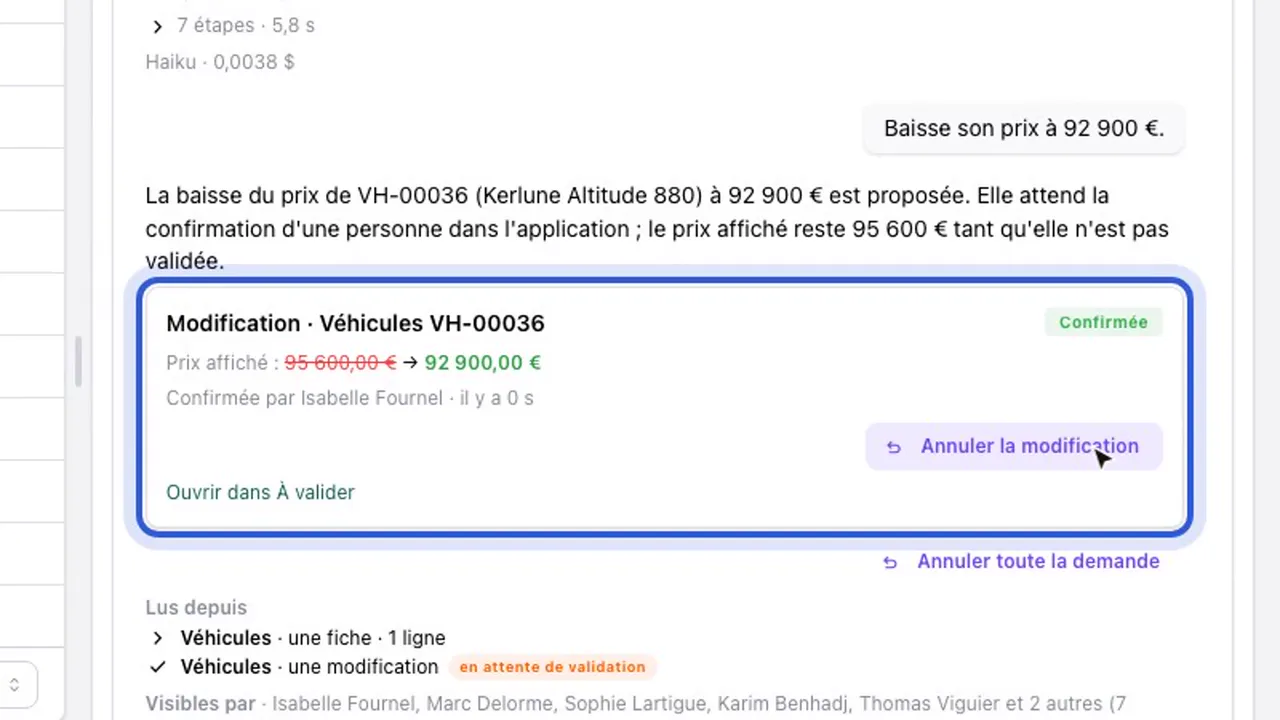
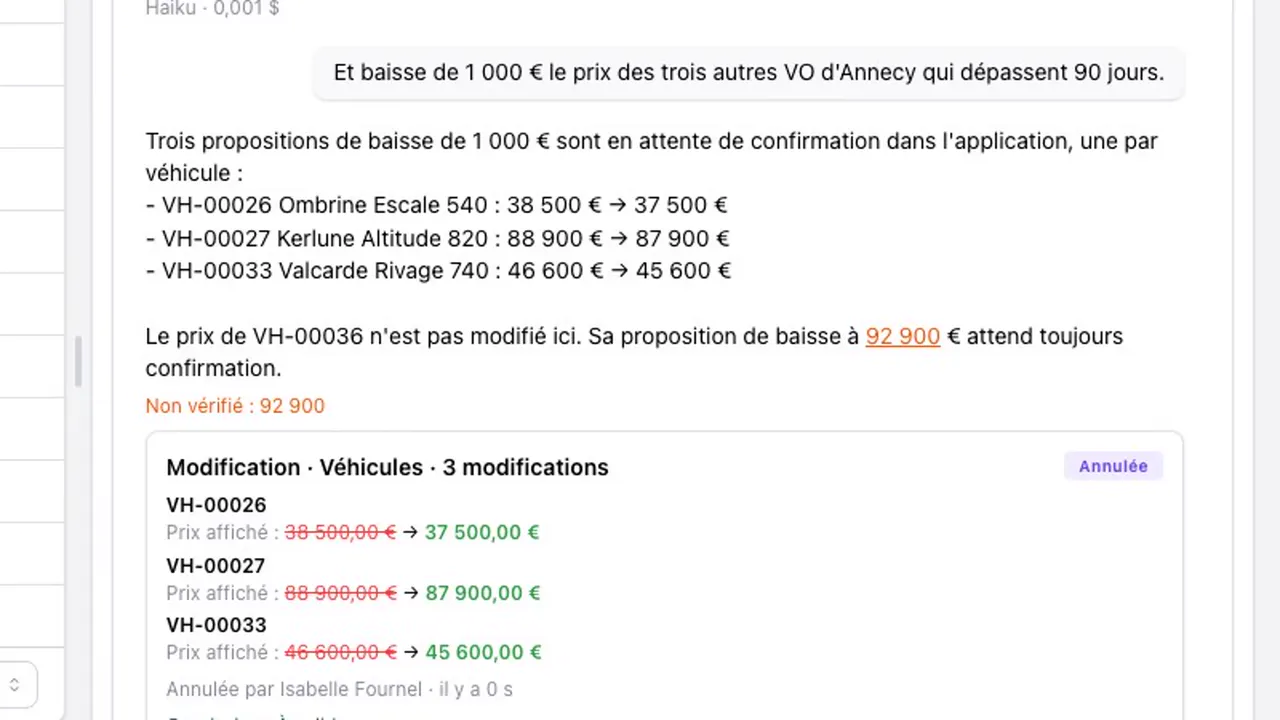
Ask it to change a price or a record: the assistant does not write it. The proposal shows in the conversation as a card, and a person allowed to decide confirms or rejects it.
Lower its price to €92,900.
- The card shows the old value and the new one, and who must confirm. Several changes asked at once make one card.
- The person who may decide confirms in the conversation itself, or in the review queue: “Confirm”, “Edit, then confirm” or “Reject”.
- Who may confirm depends on the risk: the person who asked, another person of the team, or a manager. A delete, a change to more than 5 records or a message to the outside needs another person; an amount past the threshold set with you, a manager.
- Nothing changes before that confirmation. You may let it change things itself in the areas you mark, never for a delete, an amount, a message to the outside, rights or settings.
- In a one person business, you confirm yourself.
Keep the trail
Every change says who asked for it and who confirmed it
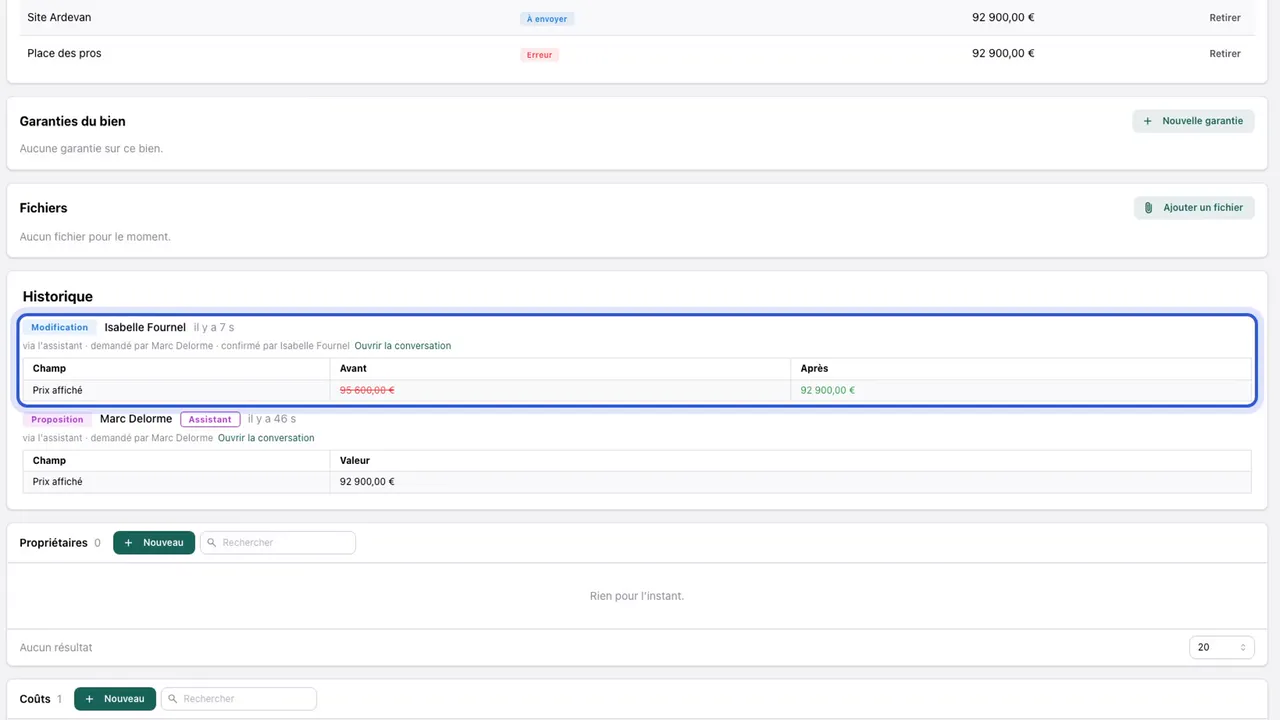
On the record: “via the assistant, asked by Marc, confirmed by Isabelle”. And a mistake of the assistant is undone, as long as nobody touched the record since.
- That line sits in the record’s history, with the link to the conversation.
- “Revert” puts one record back as it was; “Undo the whole question” takes back, in one click, everything one question changed.
- The app’s journal keeps each write with its origin: a person, a confirmed proposal of the assistant, or an undo.
- Your app’s server writes this trail: nobody edits it from a screen.
Hand over
A recurring task, in one sentence
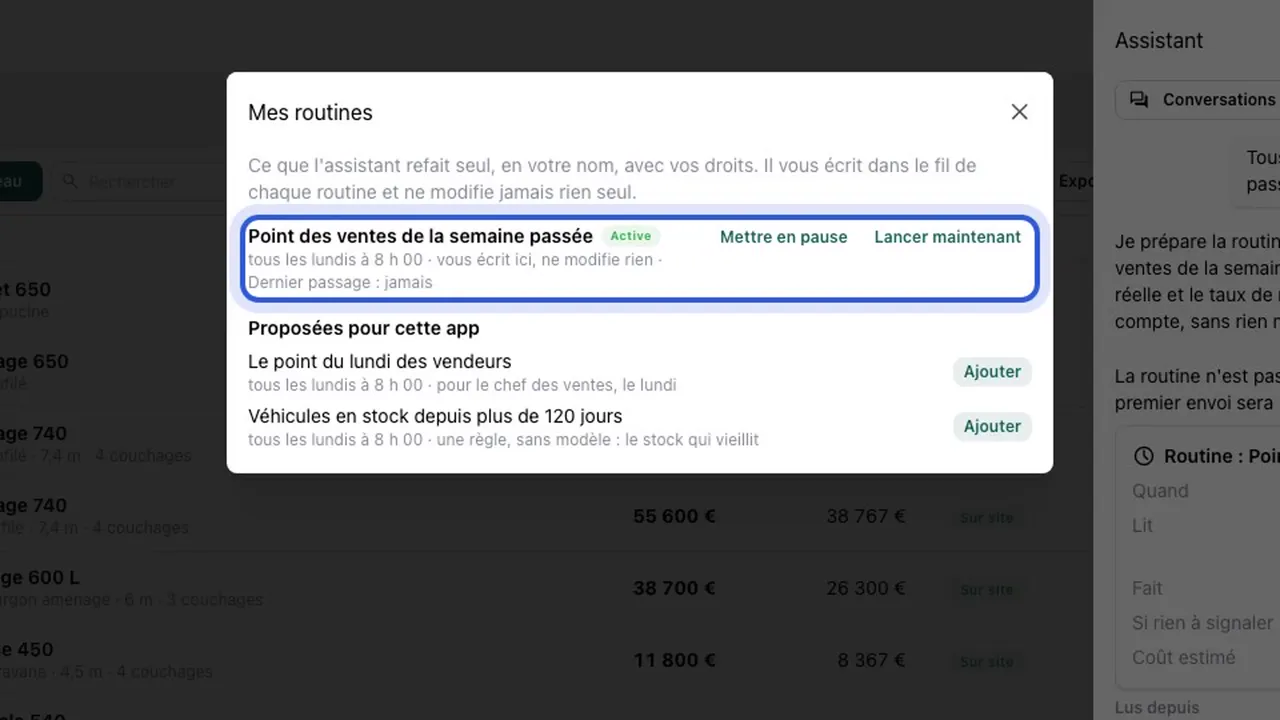
Say what to do, and when. The assistant turns it into a routine: you see what it will read and what it will cost before you create it.
Every Monday at 8, give me the summary of my sales of the past week.
- The routine comes as a card: when, what it reads, what it does, what it does when there is nothing to report, and its estimated cost.
- It runs with your rights, on your app’s clock, and each result lands in its own thread.
- It reports or proposes, and never changes anything itself.
- “My routines” lists them all, and “Run now” starts one without waiting.
Show
A screenshot, a file, and what the app lacks
Attach a photo, a PDF, a spreadsheet, or capture the screen in front of you. And when the app itself must change, the assistant turns it into a request to our developers.
- “Capture” takes the app’s screen, the area you pick and your marks. The F8 key opens the capture at once.
- Up to 5 files per message, 10 MB each. It reads images, PDFs, text and CSV files.
- Files stay in your app’s storage: only the people who see the conversation open them.
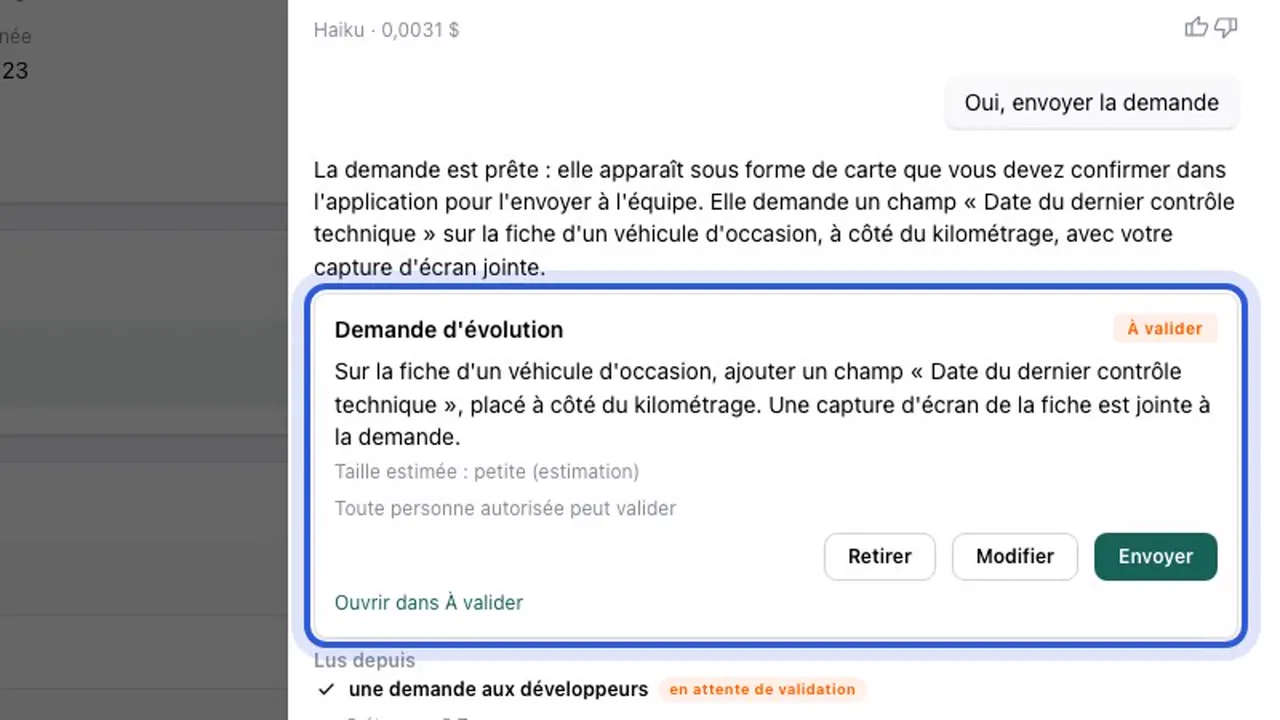
- A missing field, a screen to rework, a button that fails: the assistant checks with you, then prepares a “Change request” card with your screenshot. It goes to our developers when an allowed person sends it.
- The follow up comes back in the conversation: sent, in progress, a question, done.
- Each month, 3 small changes to your app are included. A larger one gets its price before the work, and you decide.
Oversee
Management sees everything, and stays in charge
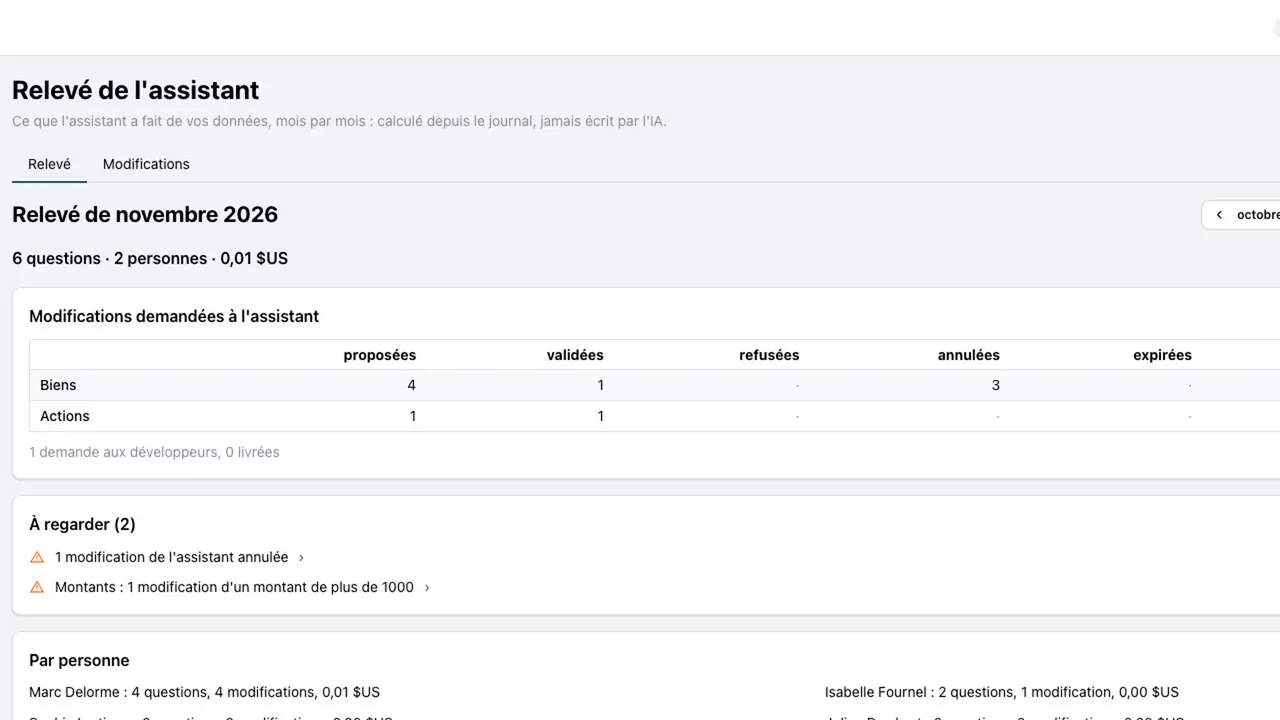
Each month, the assistant’s statement says what it did with your data: the questions, the people, the changes, the cost.
- The month’s statement: the changes proposed, confirmed, rejected and reverted, what to look at, and the detail per person.
- The “Assistant” page shows each conversation, who holds it, its proposals, its requests to the developers, and what each answer cost. Only the people you name see it.
- A daily budget: once reached, the assistant stops until the next day, and an administrator can raise it.
- An off switch: an administrator turns the assistant off for the whole app.
- Each question has its limits: a cost and a number of reads at most.
What the assistant is
One assistant per app, working for the person who talks to it.
One assistant
One assistant per app, the same for the whole team. No agents to pick, no characters.
In the name of the person who asks
It has no access of its own. Each read and each proposal goes through the account of the person talking to it, with their rights.
With your app’s journal
Each question is written in the journal, with its answer, what it read and what it cost.
The journal →And your own AI, if you want
Claude, ChatGPT or another assistant that speaks MCP can also work in your app, under the same rules.
Your AI →
Your app, its assistant
GoLocomotive is in private testing. Access is by invitation. Once you are invited, we show you the assistant on your trade.