 GoLocomotive
Workflow engine
The workflow engine
When a customer changes salesperson, a mail goes to the sales team. When a quote is signed, the workshop is told.
When, If, Then
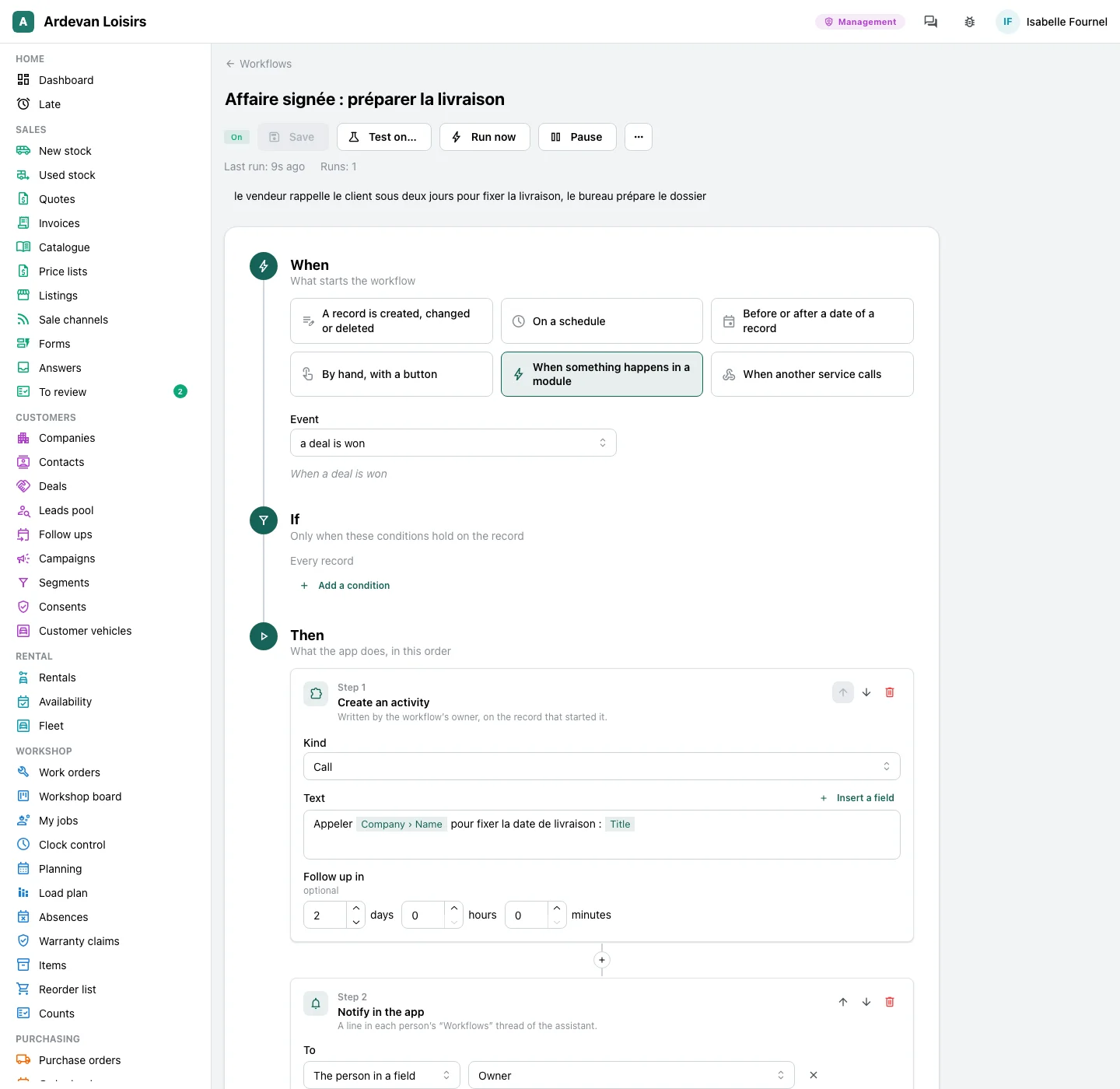
A workflow reads like a sentence
“When a customer changes salesperson, if the customer is active, then send a mail to the sales team.” Three blocks top to bottom, in your app’s words.
When
What starts it: a record created, changed or deleted, a date that comes near, a schedule (“every Monday at 8”), a “Run” button on a record, something that happens in a module (a quote signed, a form sent), or another program that calls your app.
If
The conditions, in rows: a field, a comparison, a value, joined by “and”. When they do not hold, the workflow does nothing.
Then
The steps, in order: send a mail, tell a person in the app, change or create a record, wait two days or until a date, check a condition, stop. The texts take the record’s fields: its name, its amount, the link to it.
A workflow for every trade
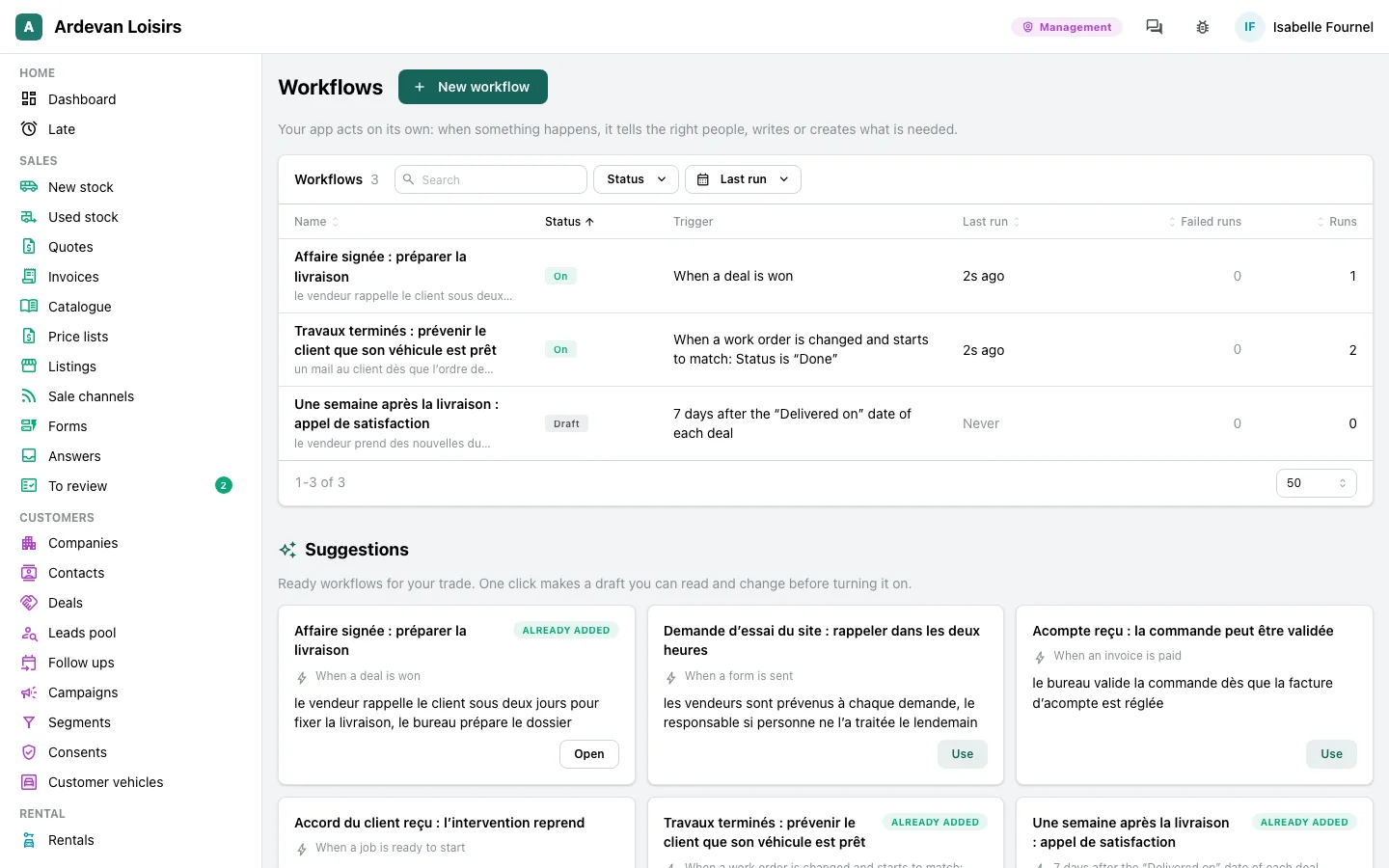
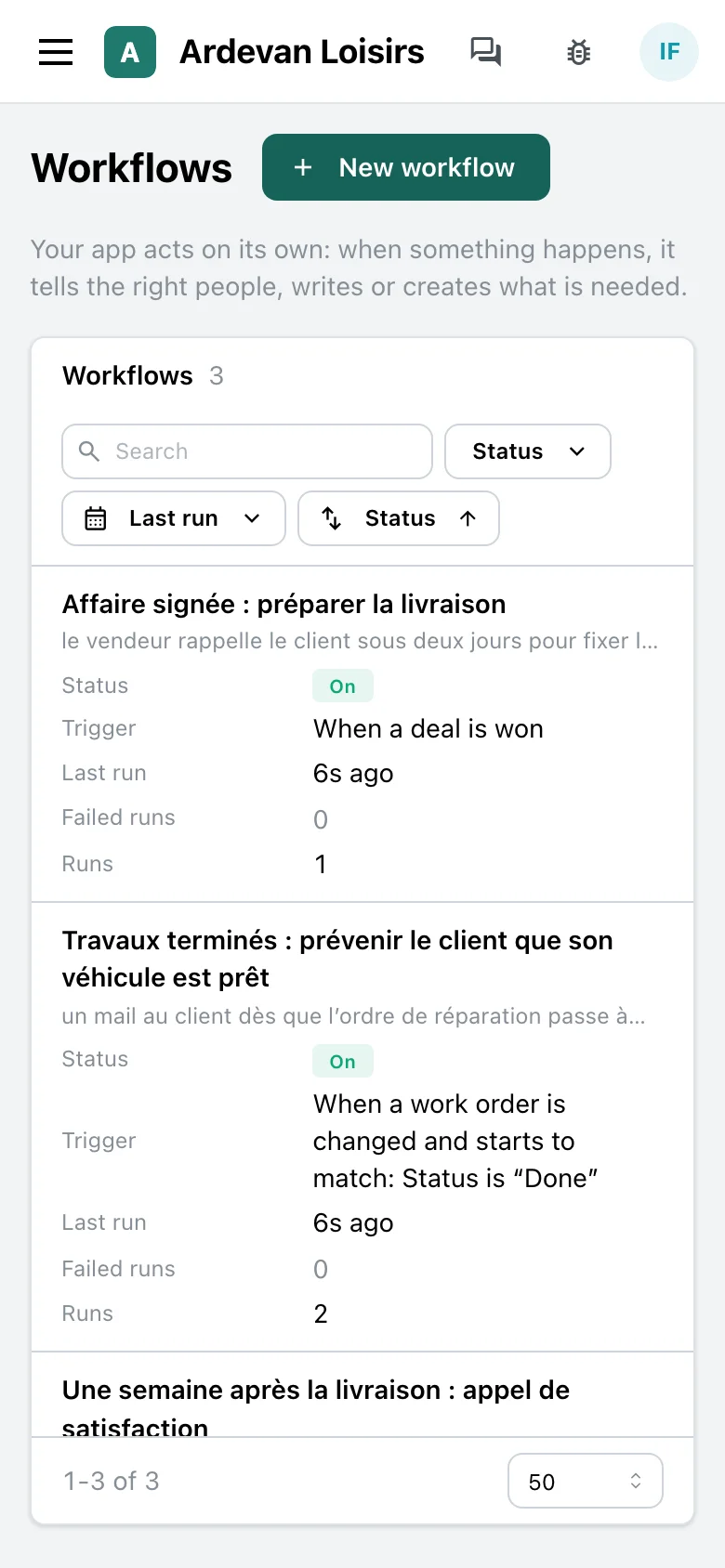
The apps of our trades come with their ready workflows, like these, from our example apps: one click makes a draft, to read and change before you turn it on.
Dealer
An order signed, the delivery gets ready
When a deal is signed. Then a call due within two days for the salesperson, who sets the delivery date, and the office told to prepare the registration file.
Leisure vehicle dealers →Dealer
Work done, the customer knows
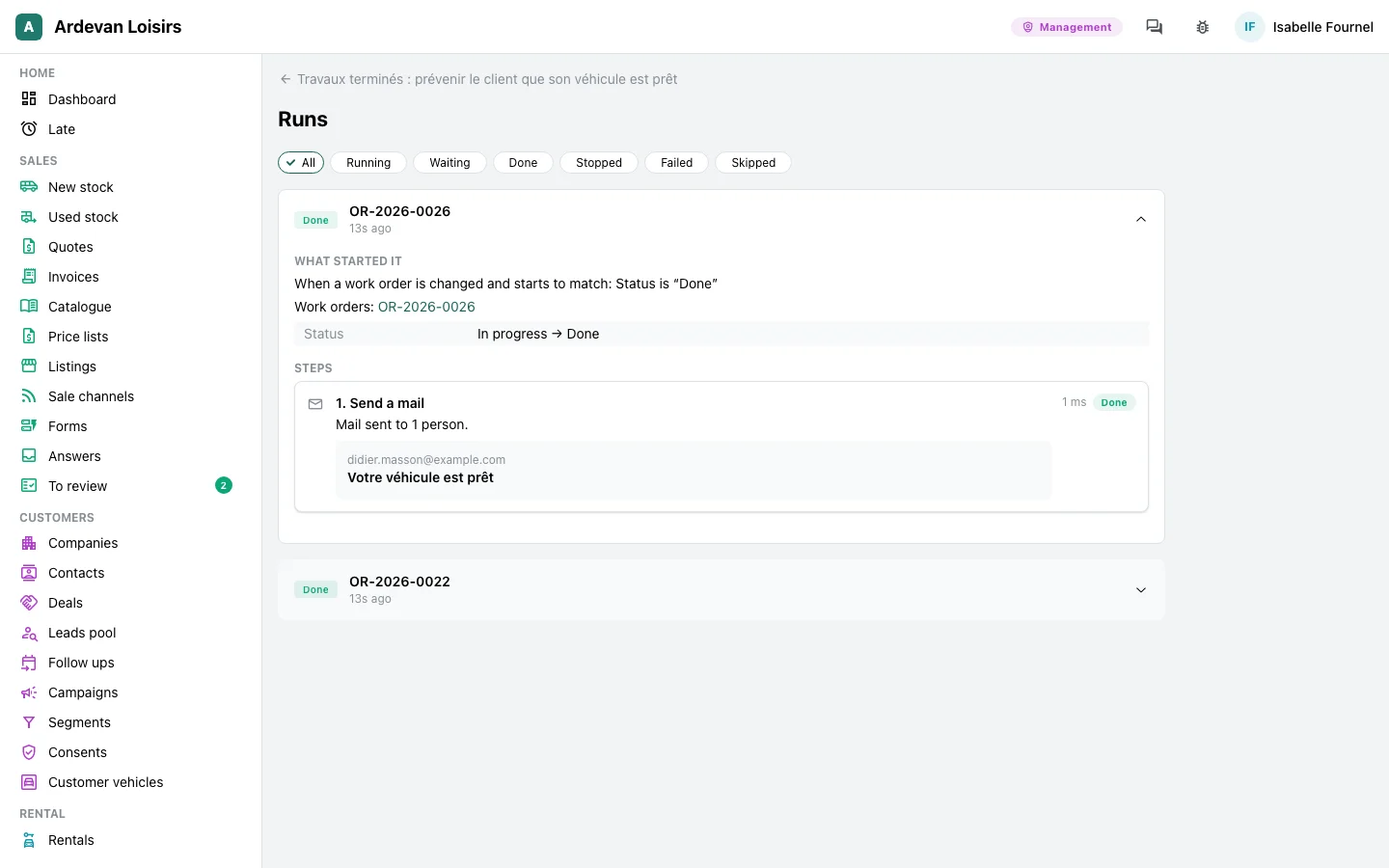
When a work order turns “Done”, if the customer has a mail. Then a mail to the customer: the vehicle waits at the workshop.
Leisure vehicle dealers →Heating firm
A month before the service, everyone knows
When 30 days before the visit of an active service contract. Then a mail to the customer, and the contract’s technician told in the app.
Field service →Heating firm
A quote signed, the job gets planned
When a quote is signed. Then a call to the customer due within a day to set the date, and the management told.
Field service →
Say it, test it, turn it on
No diagram to draw: one sentence, or lists and fields, from the top down.
Say it
“When a work order turns done, send a mail to the customer.” Your app’s assistant makes a draft of it, as a card in the conversation: When, If, Then in words, and its test on one record. Or start from a ready suggestion for your trade.
Test it
“Test on…” picks a record and shows each step as it would happen: the mail written, the record changed. Nothing is sent, nothing changes.
Turn it on
“Activate”, and it runs for the whole app. “Pause” stops it at any time, and each change keeps its version in the workflow’s history.
Each run reads, step by step
For each run: what started it, the record before and after, then each step said in words, such as “Mail sent to 2 people” or “Waited 2 days”.
- The runs of each workflow, newest first, filtered by state: running, waiting, done, failed.
- A wait holds even when the server restarts: the run starts again where it was, and a step already done is never done twice.
- A mail that does not go is tried again after 1, 5 then 30 minutes. A refusal (a rule of the app, a value that is not valid) stops the run at once.
- A failure is told to the person who turned the workflow on, with the step and the reason. After 3 failures in a row, the workflow pauses, and says so.
- “Retry” starts again at the failed step; “Retry with the current version” starts from the top, with the workflow as it is today.
- A change to a workflow makes a new version: the runs in progress keep theirs.
Each module brings its triggers and its steps
A module installed in your app adds what can start a workflow and what a workflow can do. Nothing to plug in.
Customers and deals
A deal won, a deal lost. A step creates an activity for a salesperson: a call, a meeting.
See the module →Quotes and invoices
A quote sent, a quote signed, an invoice paid.
See the module →Forms
A form sent from your website: a contact request, a test drive, a parts request.
See the module →Work orders and workshop
A job ready to start, a job closed: the customer told, the manager warned.
See the module →Your app’s mailbox
A mail arrives: the workflow files it, tells the right person or creates the record.
Slack and your other programs
A message in a Slack channel of your team. Another program called when a record changes, or starting a workflow itself, each call signed.
A step is missing? Ask for it
When a quote is signed, send a text message to the customer.
A text message, the invoice in your accounting software, an order at a supplier: ask for the step you miss. Our team adds it to your app, it joins the list of steps, and every workflow can use it. It is a change request like any other: 3 small ones are included each month, a larger one gets its price before the work.
Under your rules
A workflow does what a person of your team would do, with their rights, and each record it touches says so.
With a person’s rights
A workflow acts with the account of the person who turned it on: it reads and changes only what they may. If their account is disabled, the workflow pauses.
In the journal
Each change a workflow makes is written in the app’s journal, with the workflow and the run that made it.
The journal →No chain reaction
A change a workflow makes starts no other workflow: a loop cannot happen.
Daily limits
500 runs a day per workflow, 200 mails a day to addresses outside your team. Past those limits, it stops and says so.
A change to confirm
A step can propose instead of write: the change waits until a person of your team confirms it.
Service mail
A workflow sends the mails of your business: a reminder, a confirmation, an alert. Marketing mail goes through campaigns, with each person’s consent.
Campaigns →
In your app, not beside it
Workflows run where your data is.
Nothing to plug in
No automation tool to connect between your programs, no extra account: workflows are part of your app and read its records.
Included in the module
One price per module and per month: workflows are included, with no price per run.
In your words
The screens, the steps and each run speak your app’s language, with the names of your records and your fields.
A demo, opened for you
On request, we show you workflows on an example app, on made up data: a record that changes, the mail that goes, the run that reads. Then we open it for you to try them yourself.
Your app, its workflows
GoLocomotive is in private testing. Access is by invitation. Once you are invited, we prepare the workflows of your trade with you.