 GoLocomotive
Photo inspection
What the mechanic sees, the customer sees too
Worn pads, a cracked tyre, a leak: the mechanic photographs it on the tablet, prices it, and the customer sees it on their phone before saying yes. What they decline comes back at their next visit.
What the module does
One inspection per visit, one link for the customer, and nothing forgotten.
The car by its plate
The plate typed in, the garage’s car is found with its customer, its visits and its open repair order.
Point by point
The garage’s checklist: each point OK, to watch or urgent, with its measure, its note, its photos and its videos.
The recommended work, priced
An orange or red point carries the work to do, with its parts, its labour and its price.
The customer’s link
By text or by mail, the customer opens their report on their phone, sees the photos and accepts or declines each line, once.
On the repair order
What the customer accepts goes on the repair order or the quote, under the workshop’s rules.
Declined work comes back
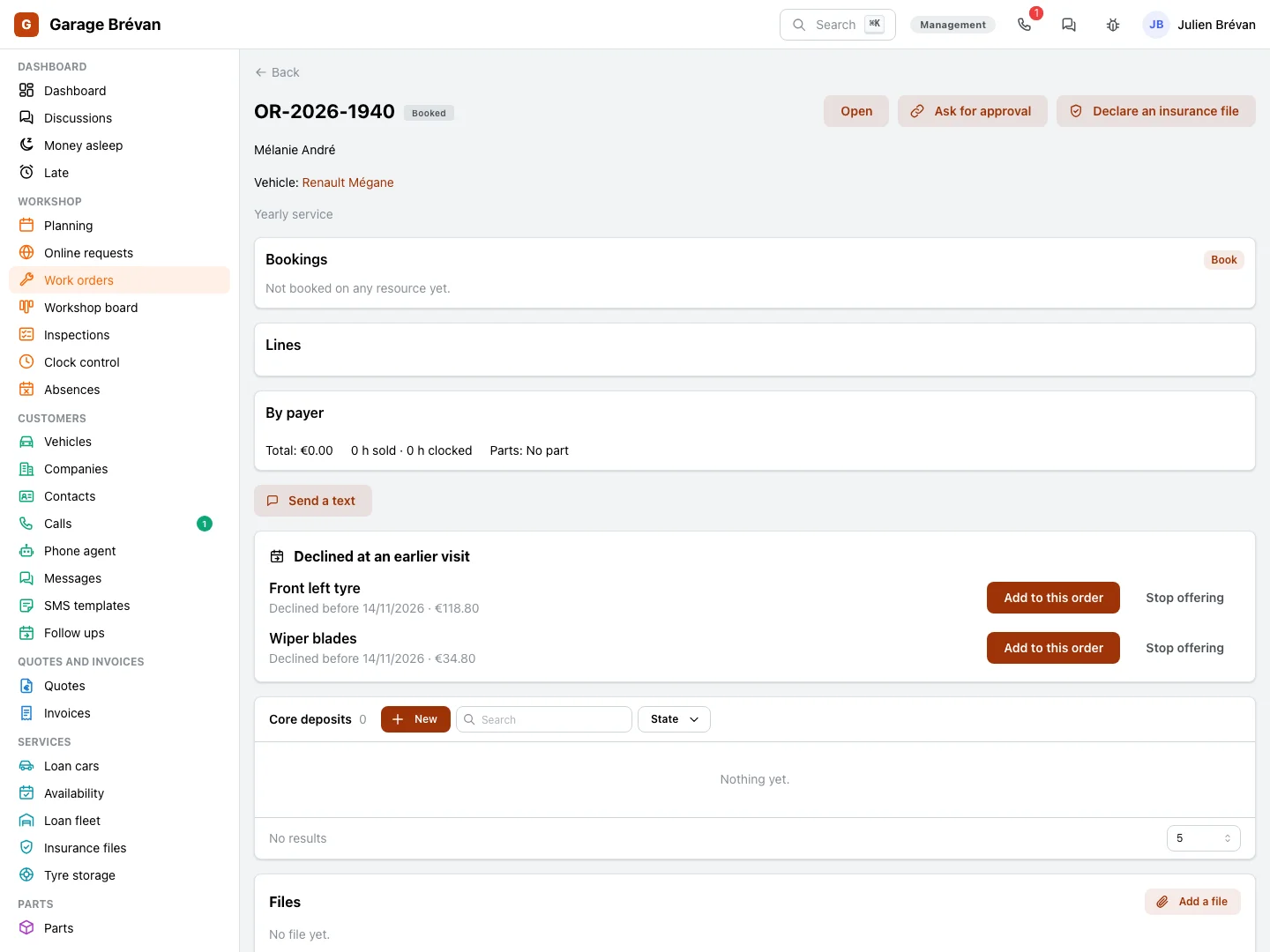
A declined line is kept, then offered again at the car’s next inspection.
Being built
- A car never seen before filled from its plate by the vehicle registry, and the plate read by the camera.
- A quote made from the recommended work before the customer answers.
Screen by screen
The screens come from the example app of a garage, on made up data; the photos of defects are drawings.
Mechanics
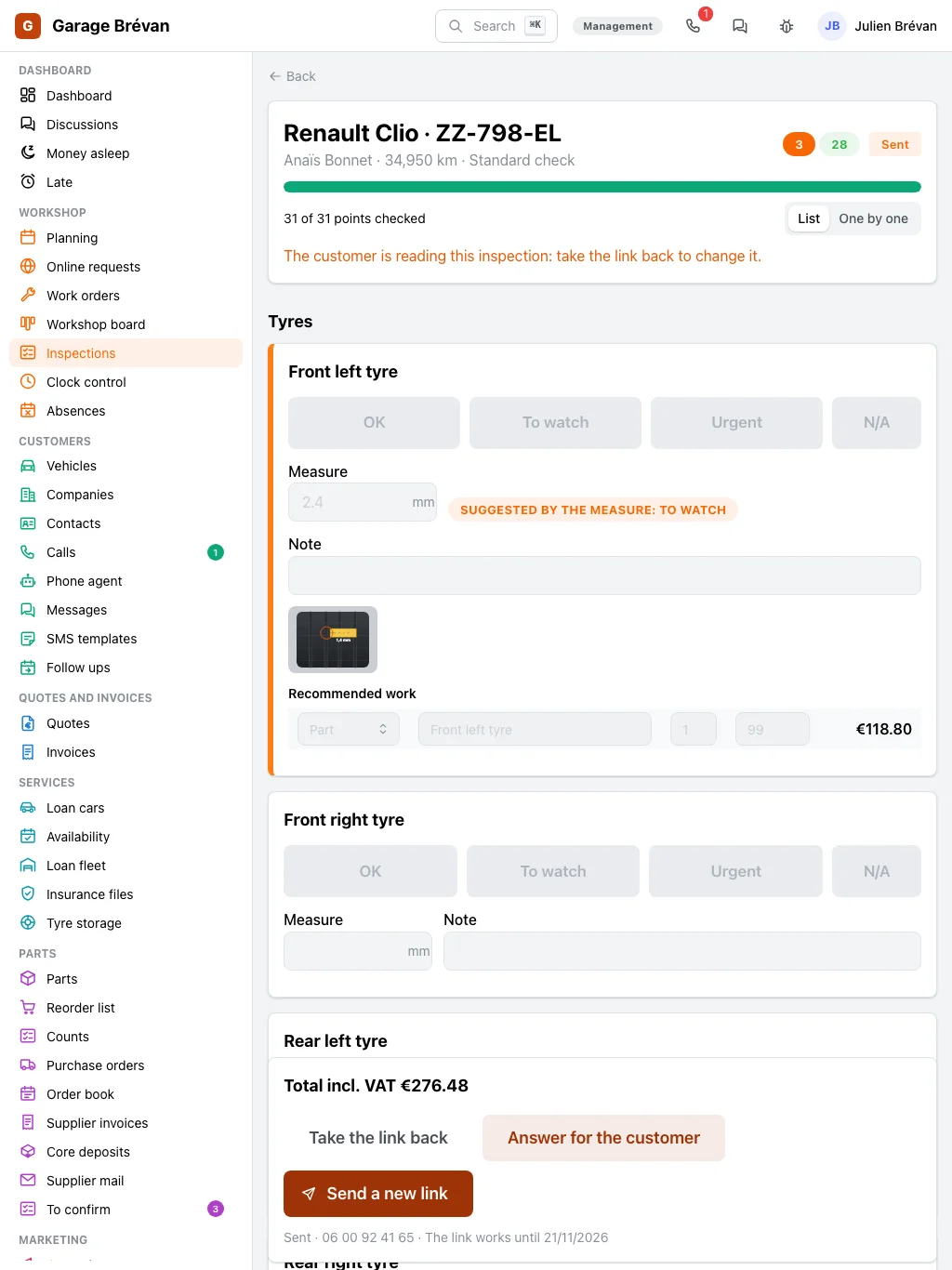
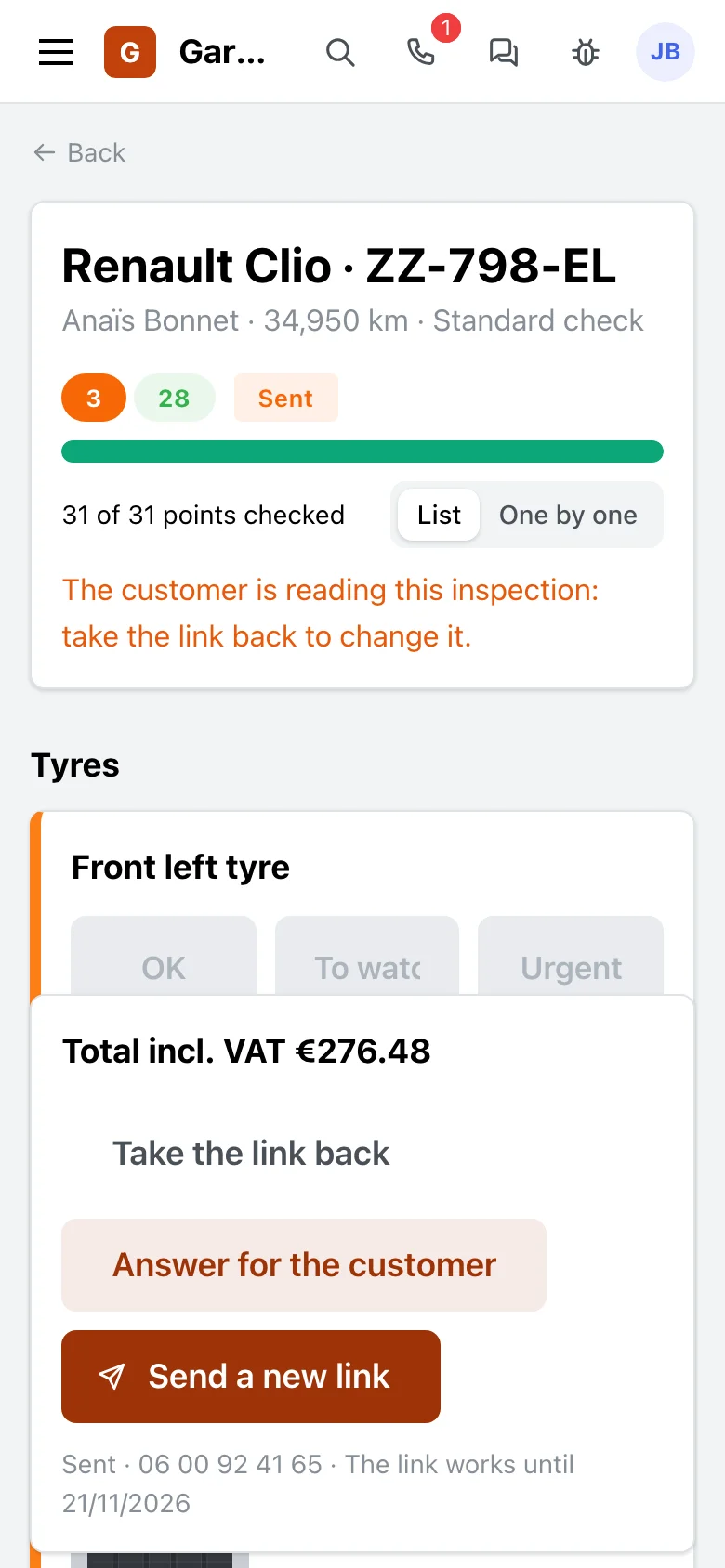
Walk round the car on the tablet
The car goes up on the lift: the mechanic follows the garage’s checklist, one point after the other, and photographs what they find.
- Three large buttons per point, in colour and in words: OK, to watch, urgent.
- A measure that suggests its colour: the pads’ thickness, a tyre’s depth.
- Photos and videos taken with the tablet, filed on the point.
- Point by point full screen, or the whole list at once.
The customer
Answer from their phone
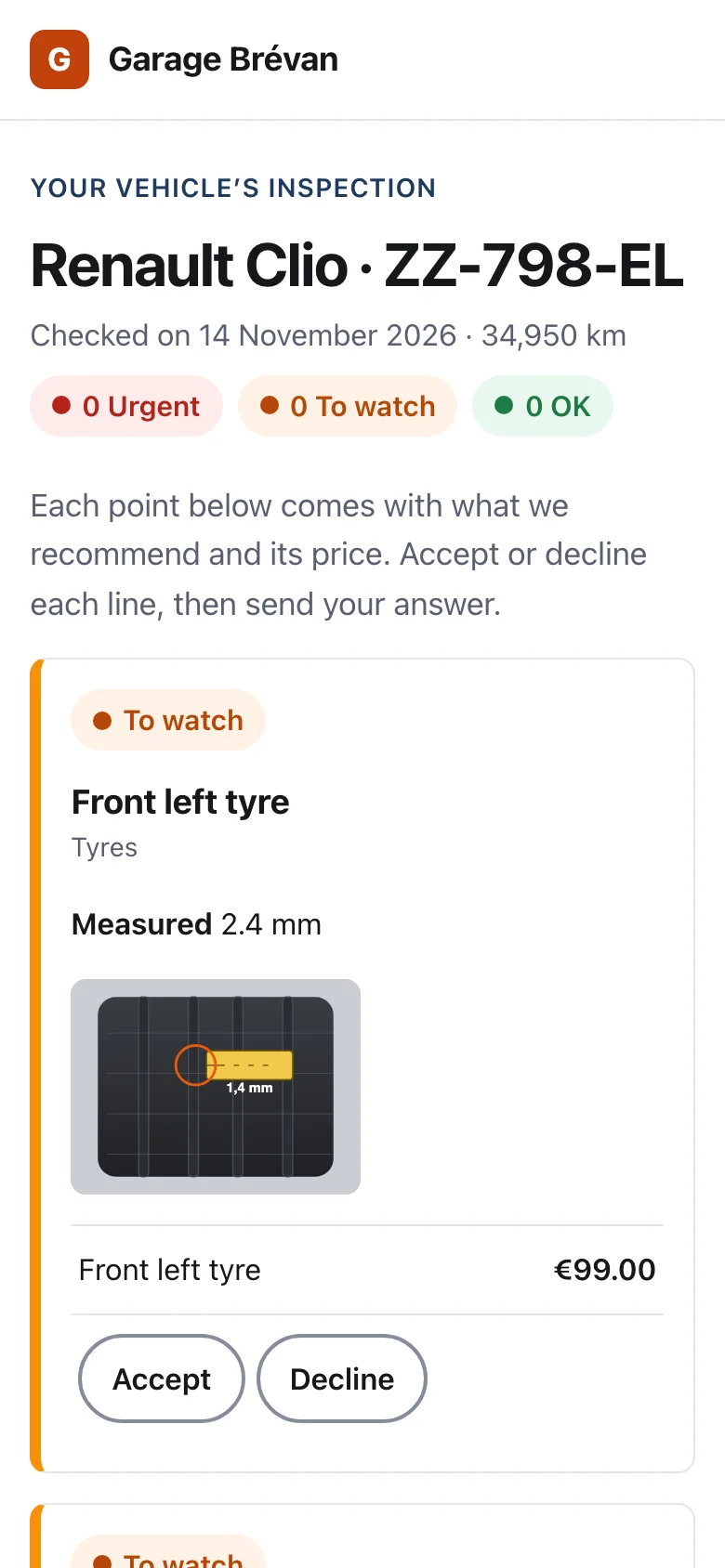
The customer is at work: they get a link, see the photos, and say yes to what is urgent without coming by.
- The garage’s report: the urgent points, then the ones to watch, each with its photos.
- Each recommended job with its price, accepted or declined line by line.
- One answer, once: it is kept with its time and the name typed.
- The counter can also answer for the customer, on the phone.
Front desk, workshop manager
Follow what was offered, and accepted
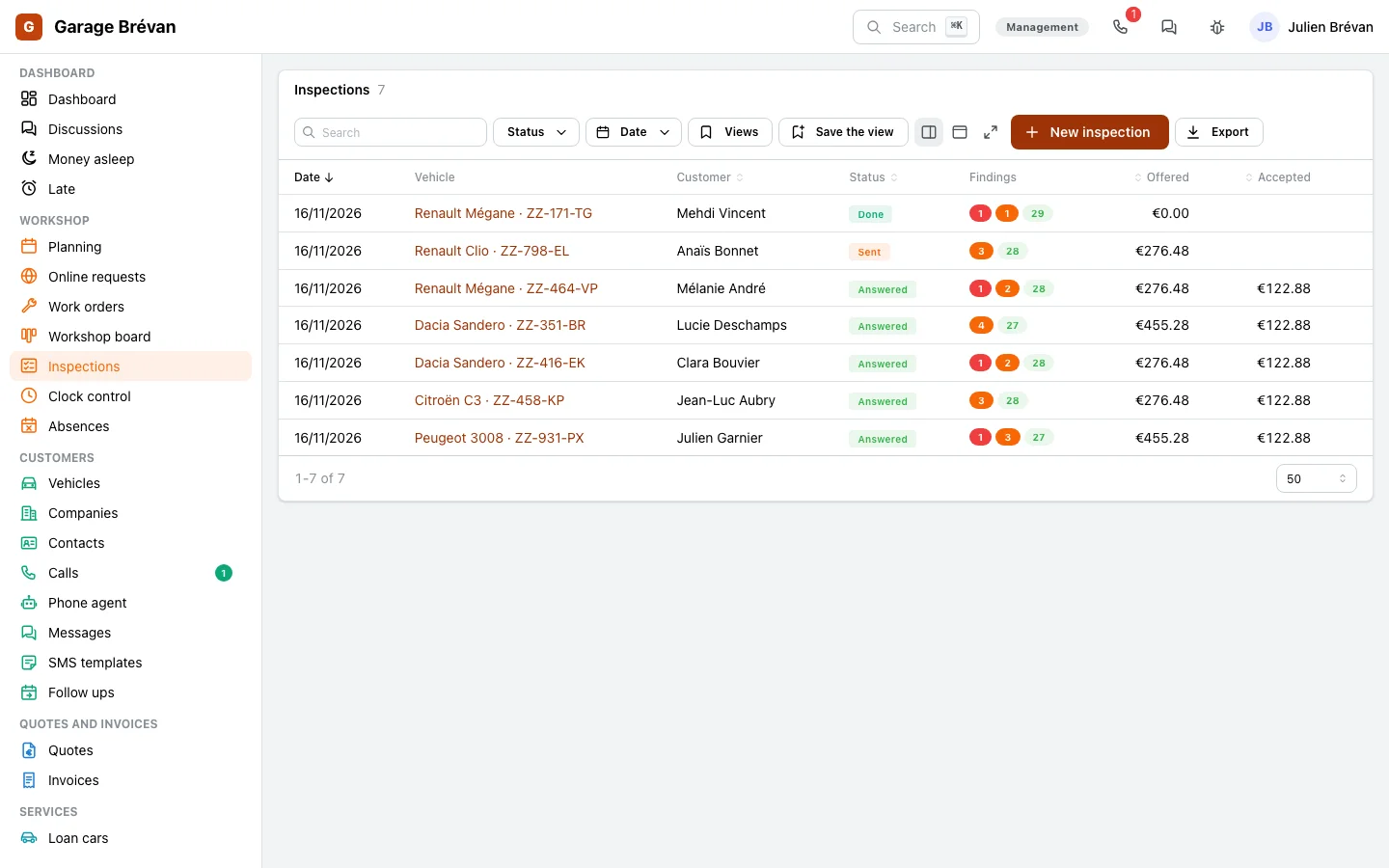
How many inspections wait for an answer, what was accepted, and what will come back at the next visit.
- The inspections with their red, orange and green points, the amount offered and the amount accepted.
- A car’s declined work, ready to add to its new repair order.
- An event when the customer answers: a workflow can tell the workshop.
The trade that uses it
The inspection is made for a garage’s workshop.
Garages
The inspection when the car arrives, the link to the customer, declined work offered again.
The garages page →Your workshop
Another workshop that checks before it repairs: the same screens, with your checklist.
Let’s talk →
With the other modules
It starts from the car and ends on the repair order.
Work orders and workshop
Accepted work goes on the car’s repair order.
See the module →SMS
The report’s link sent by text, and its opens counted.
See the module →Quotes and invoices
Accepted work can also join a quote.
See the module →Documents and signatures
The photos and videos of each point, kept with the car.
Show your customers what you see
GoLocomotive is in private testing. Access is by invitation. Once you are invited, we show you the inspection in your workshop.