 GoLocomotive
Forms
Every request from your customers, filed in your app
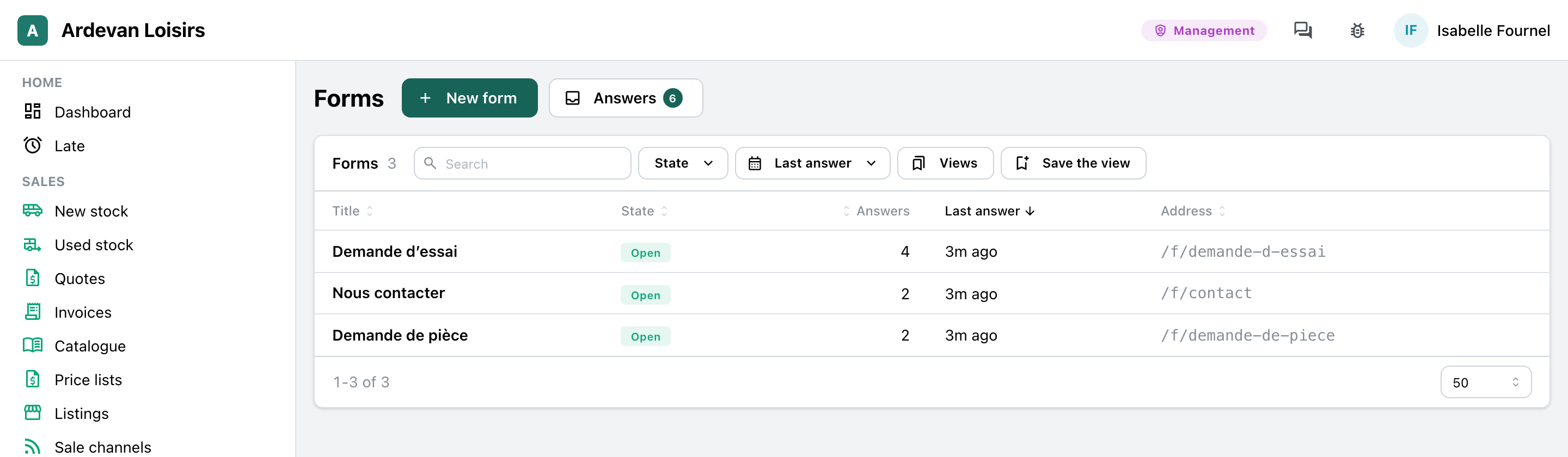
A contact form, a test drive request, a parts request: you build it in your app, put it on your site, on the site you already have or behind a QR code, and each answer arrives in “Answers”, ready to handle.
What this module does
No more request lost in a mailbox: each arrives in one place, with the questions as they were asked.
Three starters ready
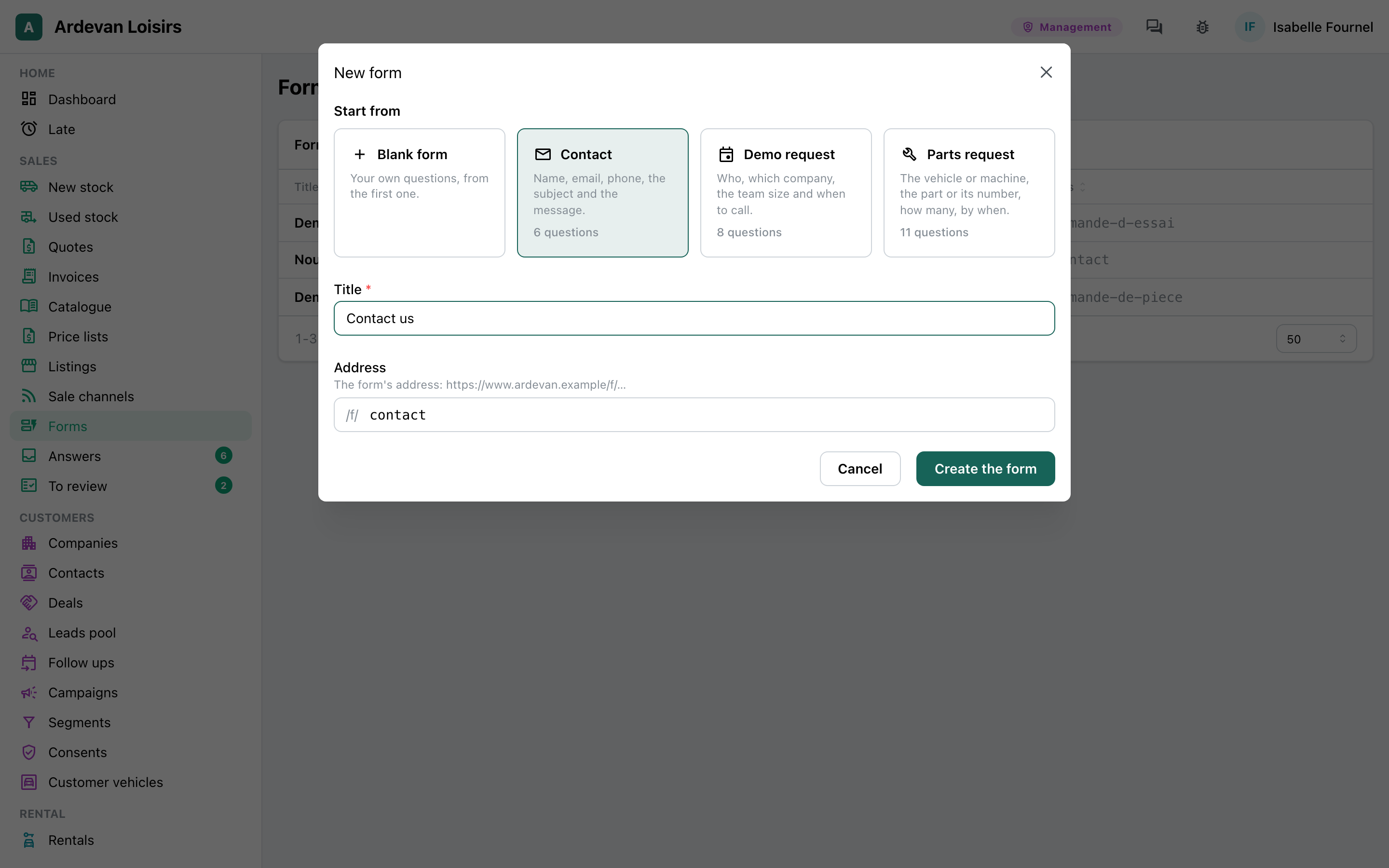
Contact, demo request, parts request: you start from a starter and change its questions, or start from a blank page.
Built before your eyes
Ten kinds of questions, required or not, and a question that shows only for a given earlier answer. The real form shows beside them, on a computer or a phone.
Where your customers are
On your site, on the site you already have, by a link to send or a QR code to place on a counter or a vehicle.
Each answer in your app
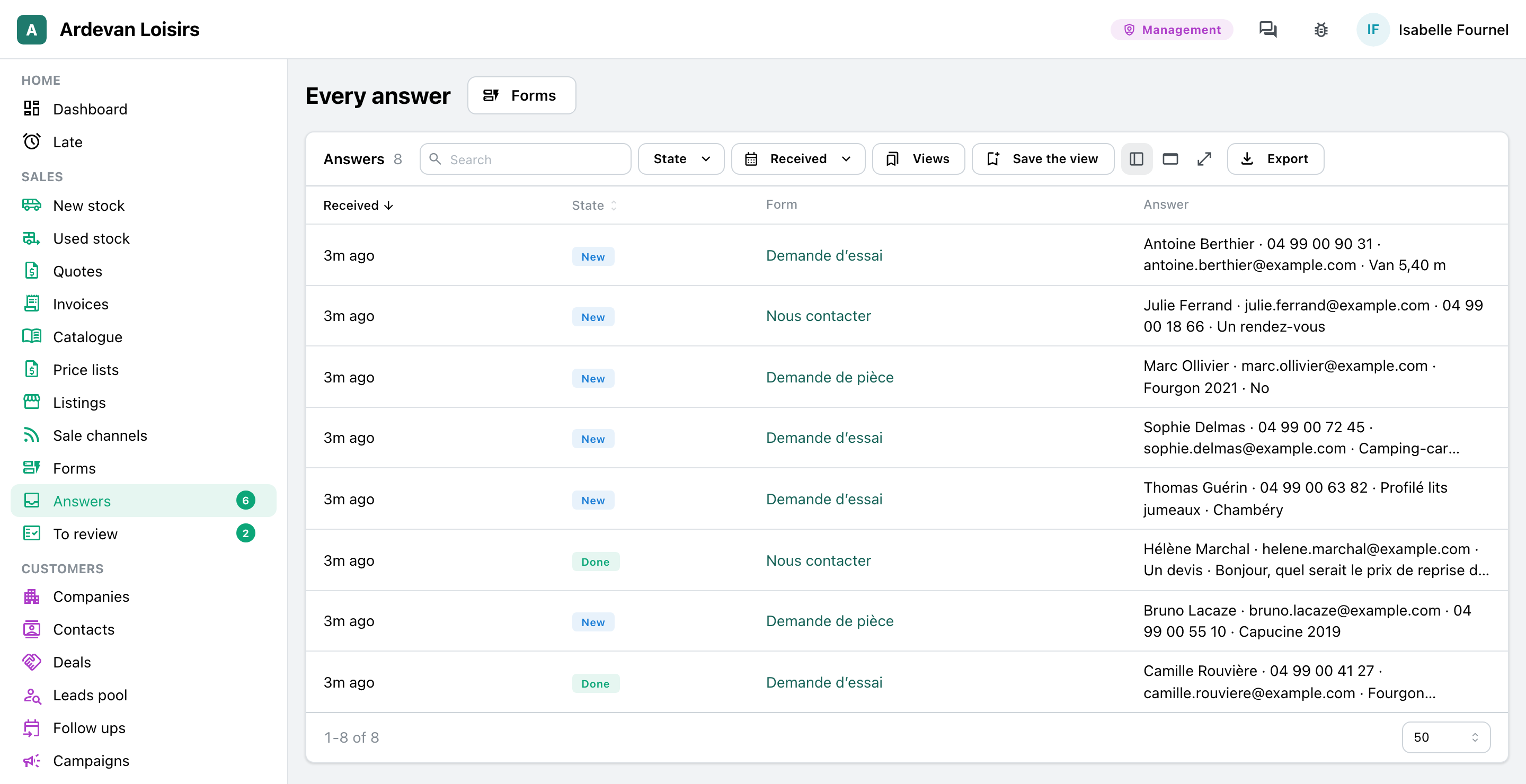
Every answer in “Answers”, the new ones first: new, done or spam, with the team’s note and the export.
The legal mention, always
Under every form, the mention the law asks for: who keeps the data, why, for how long, and how to exercise one’s rights. The answers are deleted after the period you choose.
Told of every answer
A mail to the team for each answer, a copy to the visitor if you wish. Most bot submissions are turned away without asking your visitors anything.
Not there yet
- A file in a form, such as the photo of a broken part.
- A payment on sending.
- A form over several pages.
Screen by screen
The screens come from the example app of a leisure vehicle dealer: the business, its forms and the people who answer them are made up. In your app, they carry your questions and your words.
Owner, management
A form built in a few minutes
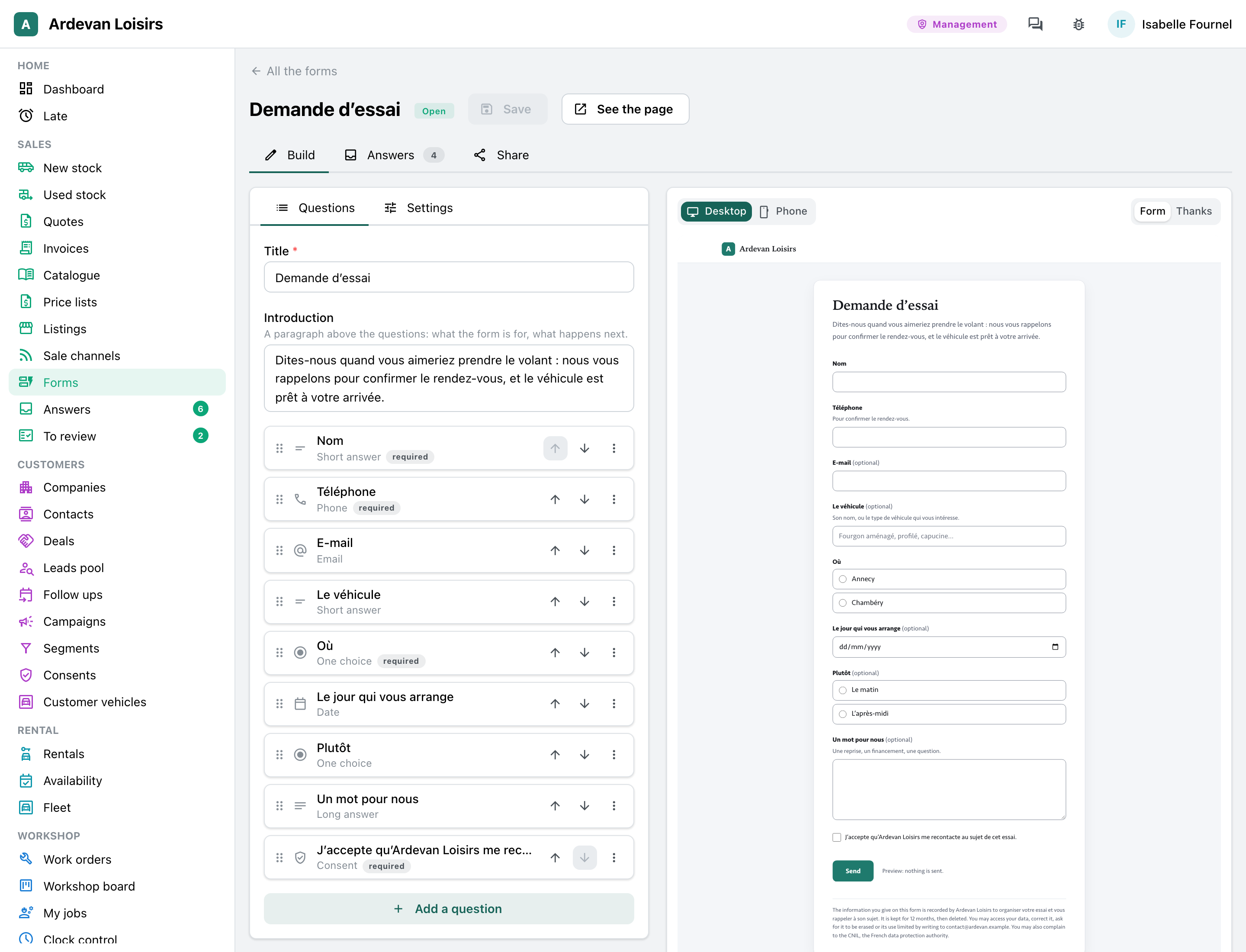
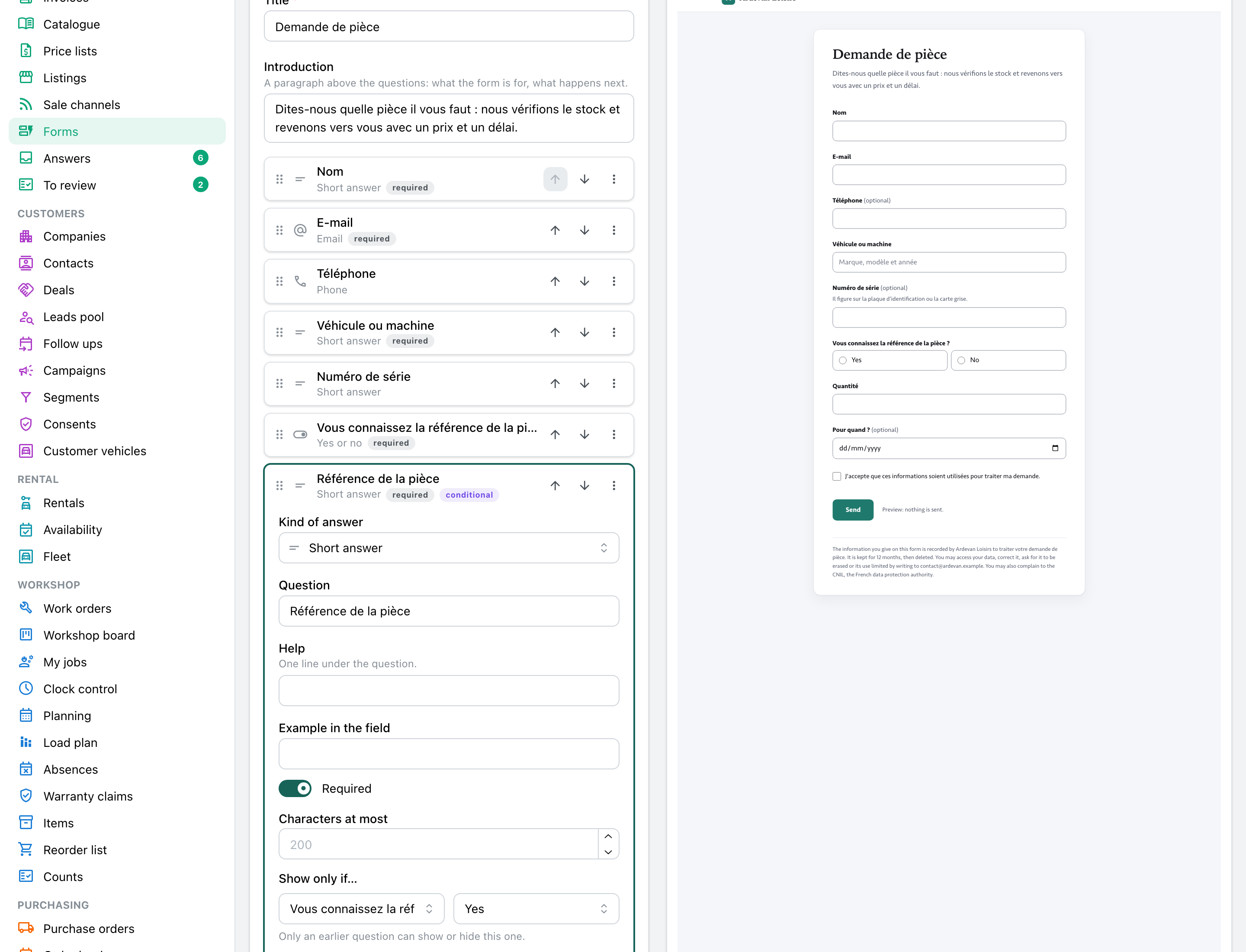
“New form” offers three starters and a blank page. Each question opens in place; beside it, the real form follows each keystroke.
- Short or long text, email, phone, number, date, one choice, several choices, yes or no, consent.
- “Show only if…”: the part number is asked only of those who know it.
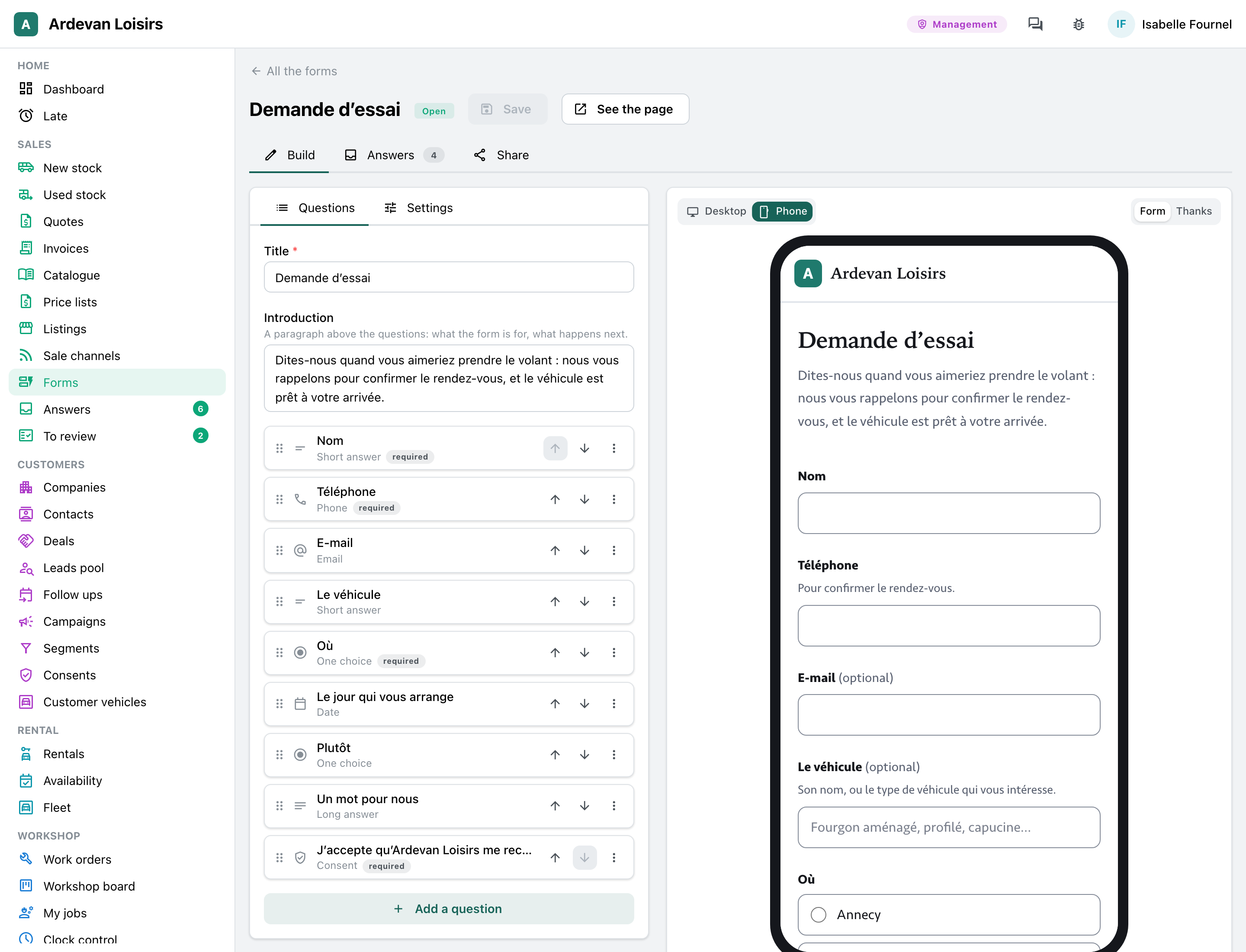
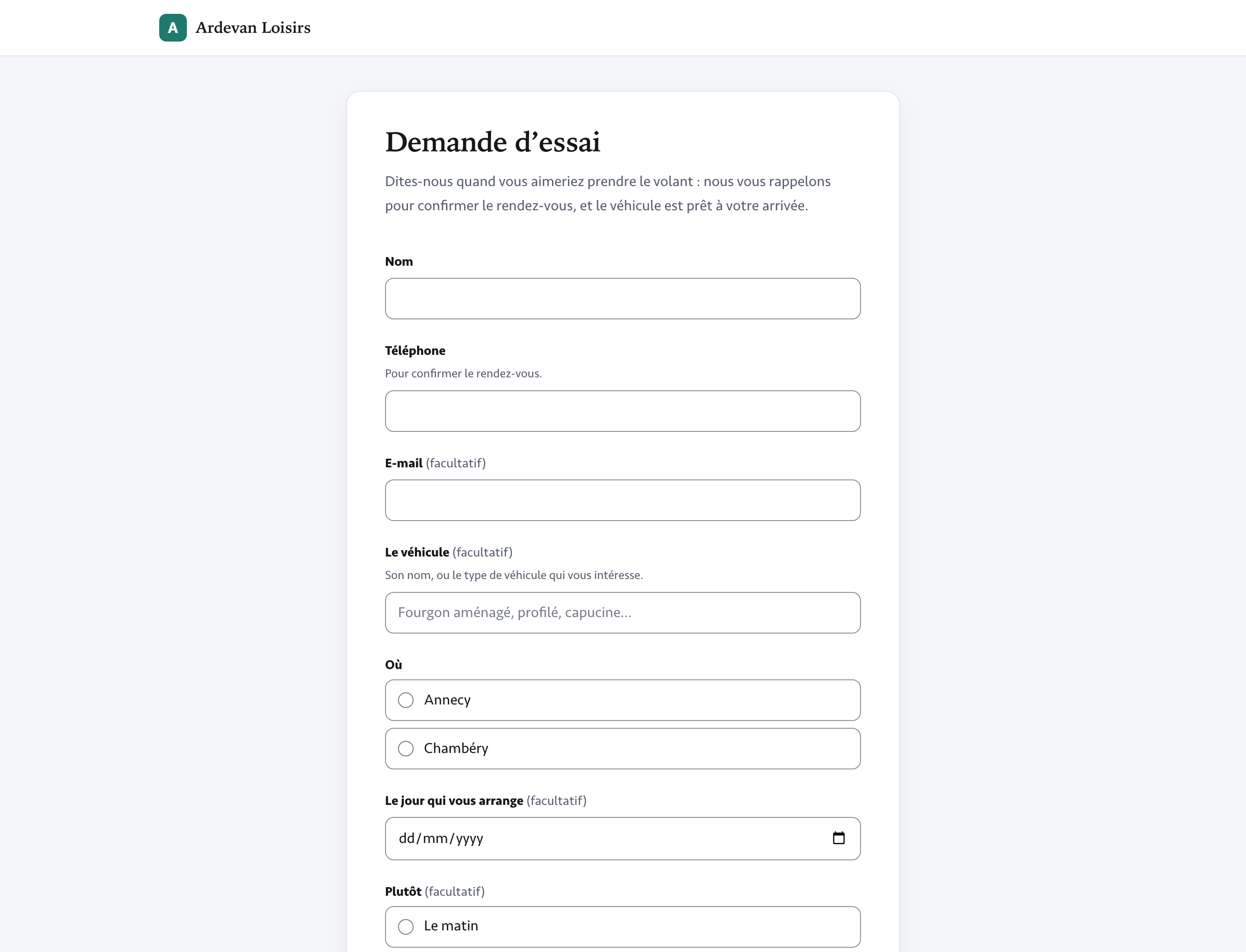
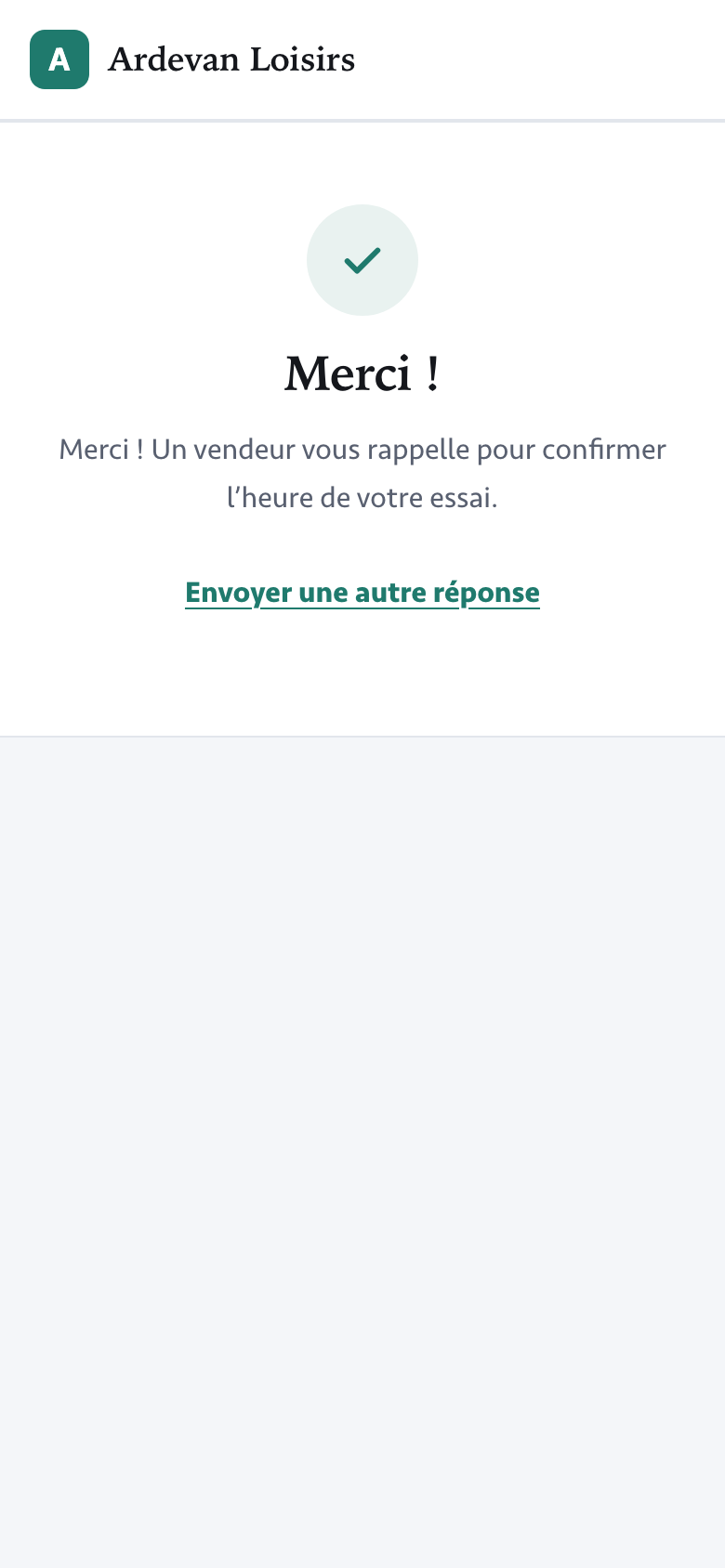
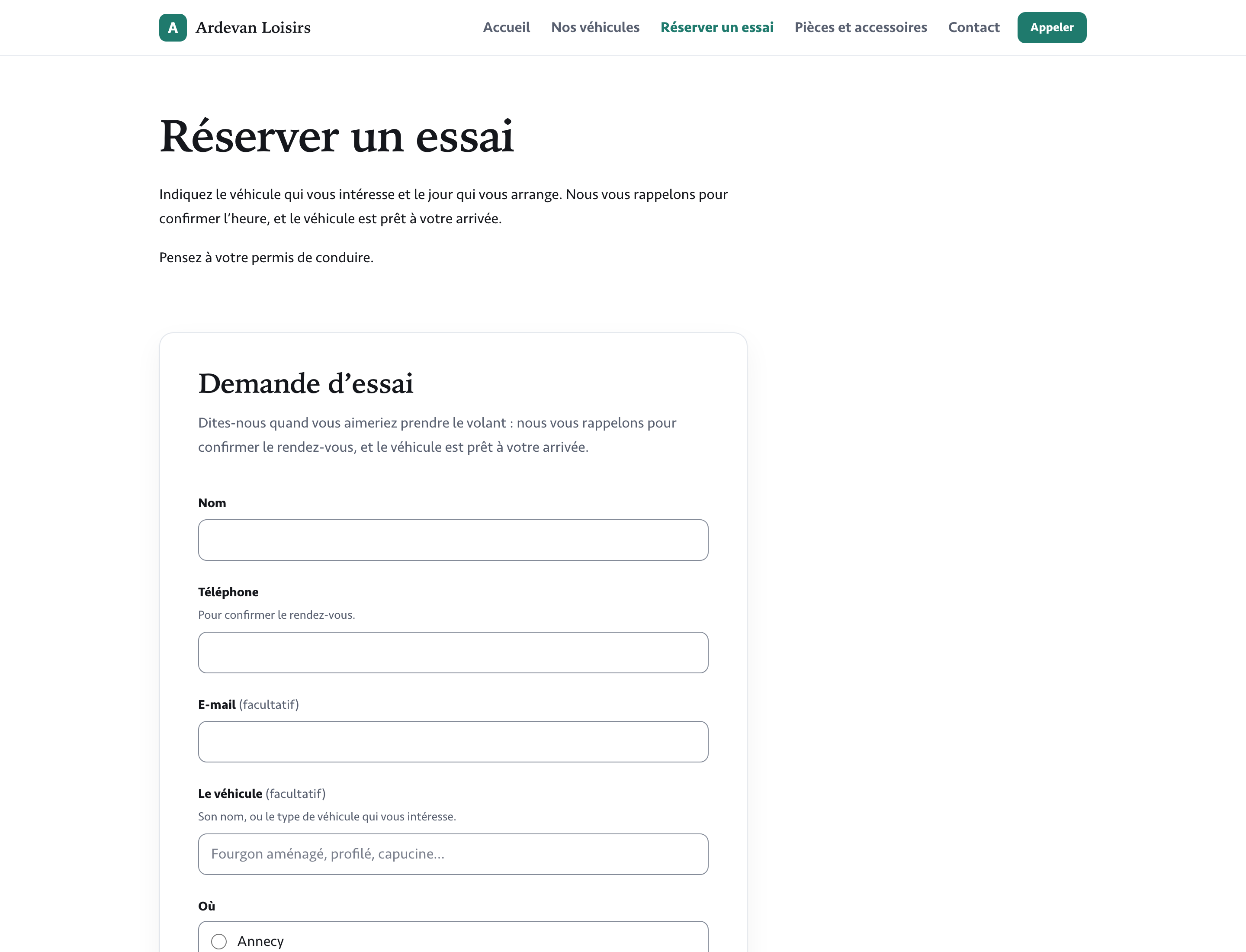
- The form as your customers will see it, on a computer or in a phone, then its thanks message.
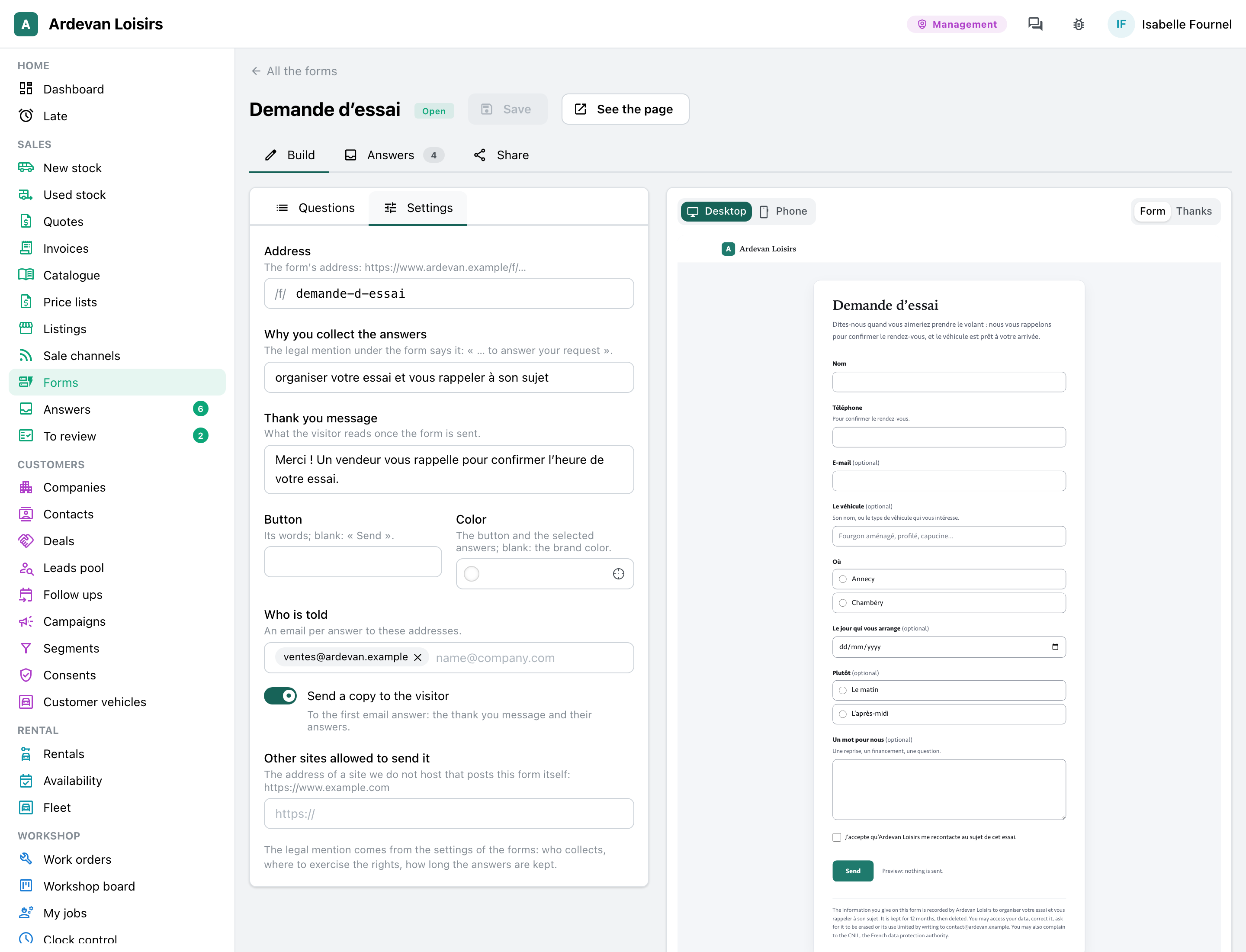
- The settings: its address, why you collect these answers, the thanks message, the button’s color, who is told, the copy to the visitor, the other sites that may show it.
Your customers
Simple to fill in, even on a phone
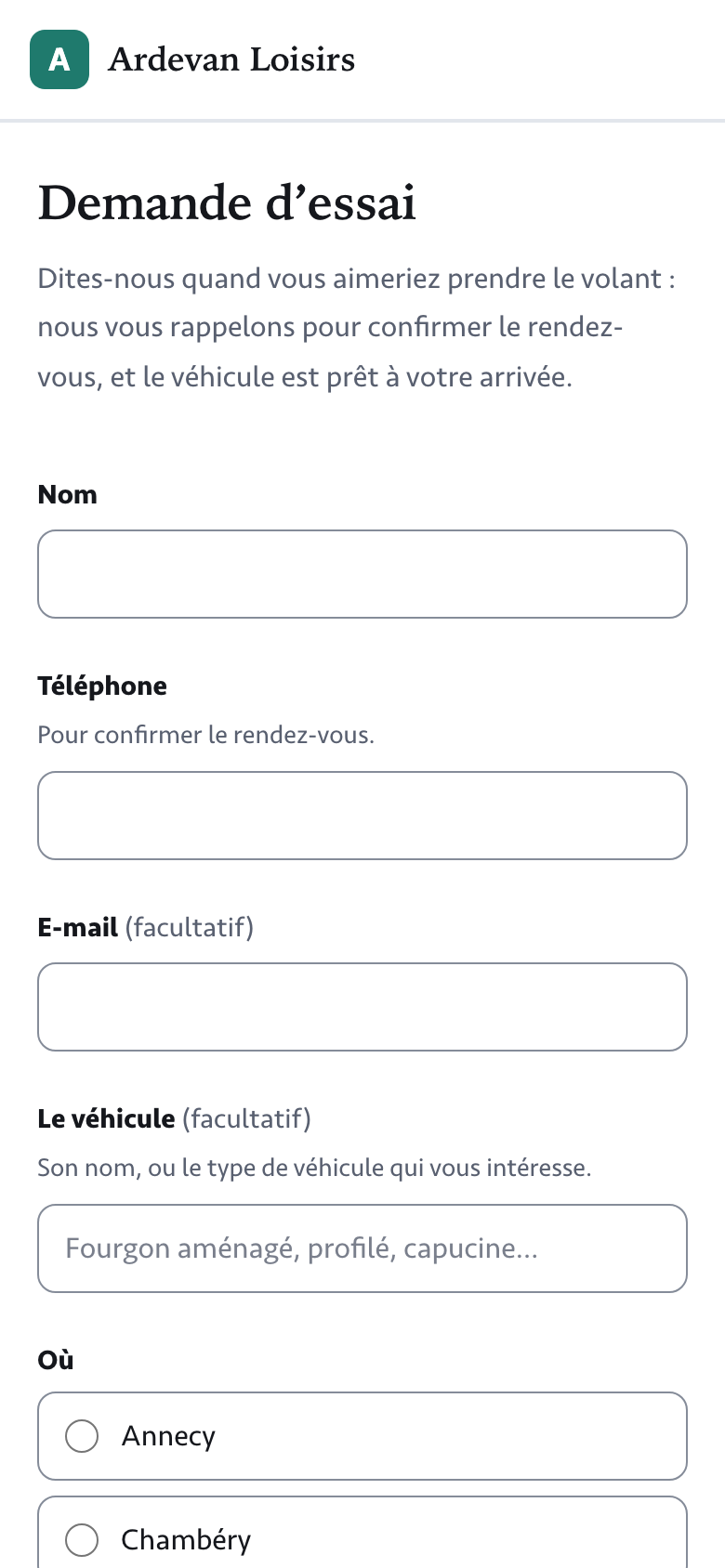
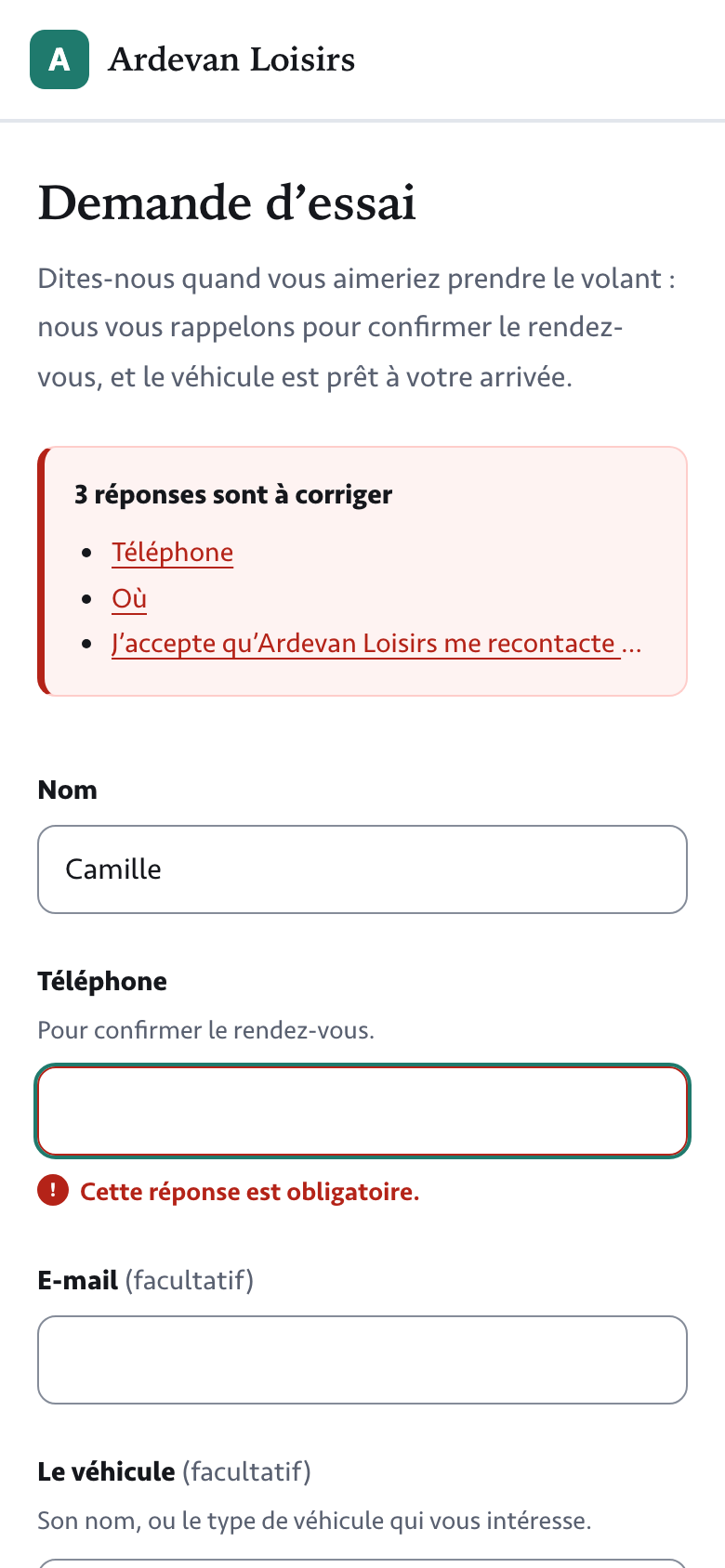
Your customers answer with no account to create. An error is said under its question as soon as they leave it, and if the connection drops on sending, their answers stay there.
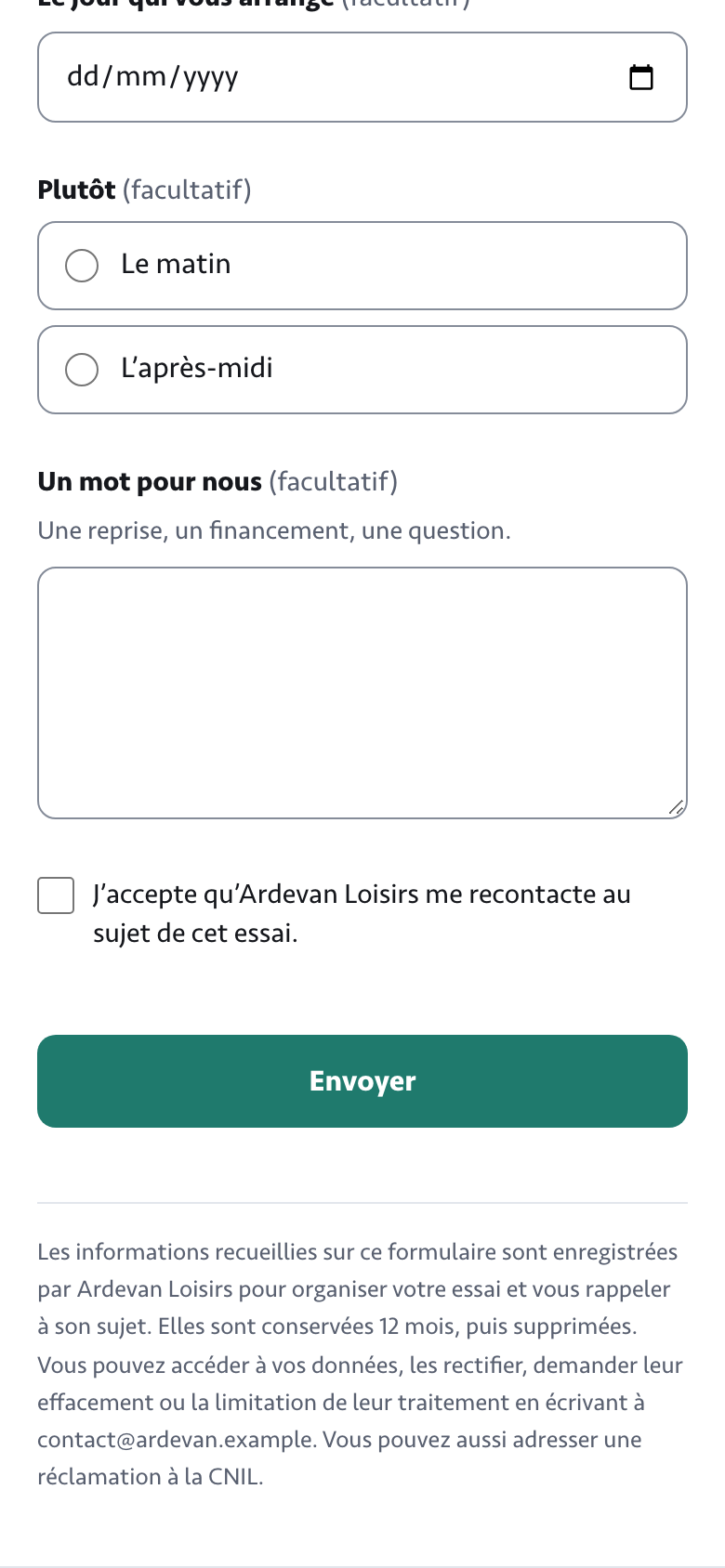
- Large fields, choices to tap, and “(optional)” on the questions that are, rather than a star on every other one.
- Before anything is sent, the questions to fix listed at the top, each leading to its question.
- Usable with the keyboard and read by screen readers; it works even when the browser blocks scripts.
- The legal mention under the button, always, in plain words.
Owner, marketing
On your site, by a link, a QR code
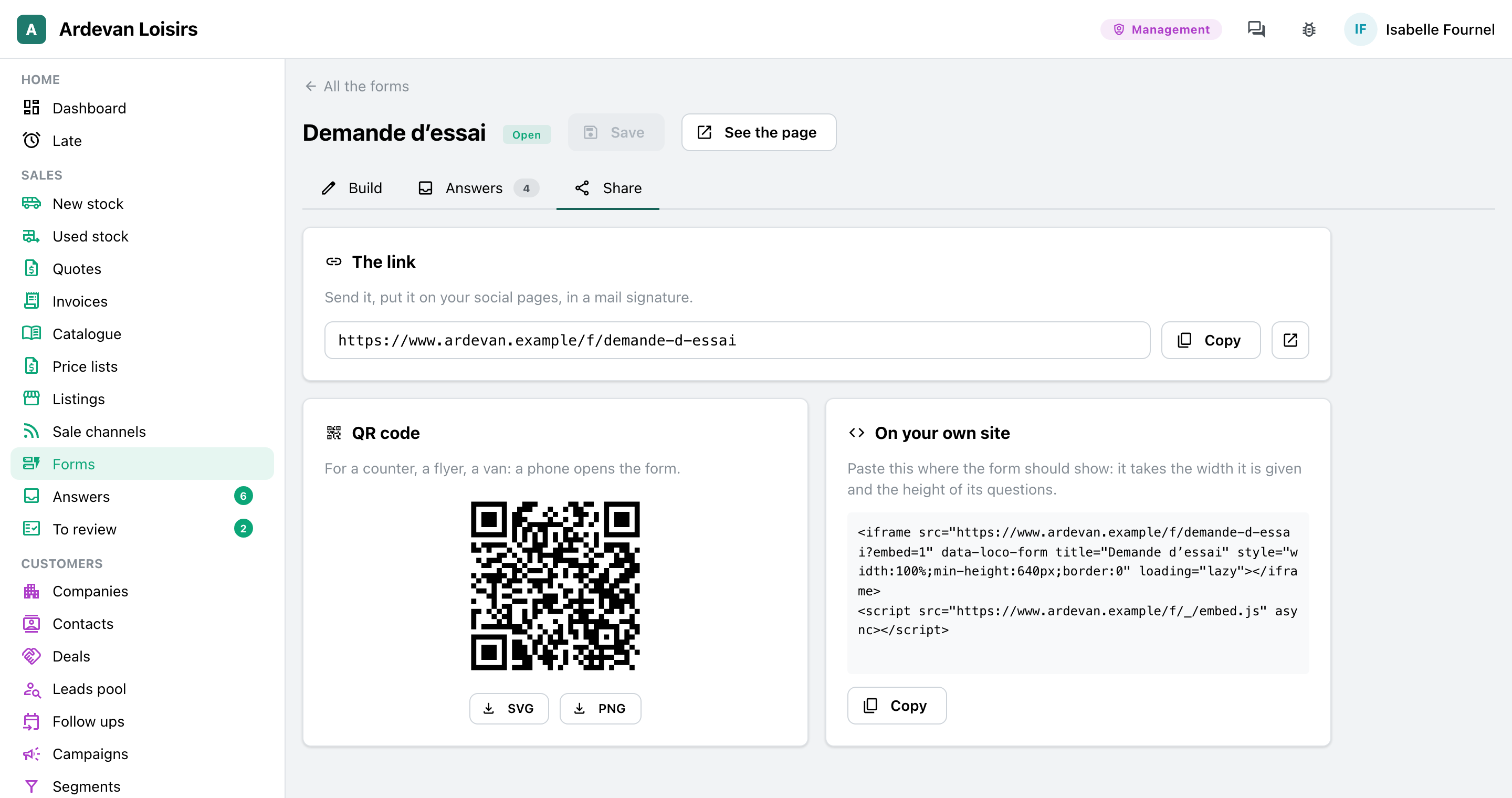
Each form has its own address. In “Share”: the link to copy, the QR code to print, and the code to paste into the site you already have.
- On the site made with the Website module: a “Form” section in the page, and the test drive request under each item for sale.
- On your current site: the code to paste, and the form takes the height of its questions, with no scroll bar.
- A QR code as SVG or PNG, for a counter, a flyer or a vehicle’s window.
Sales staff, front desk, workshop
Each answer in “Answers”
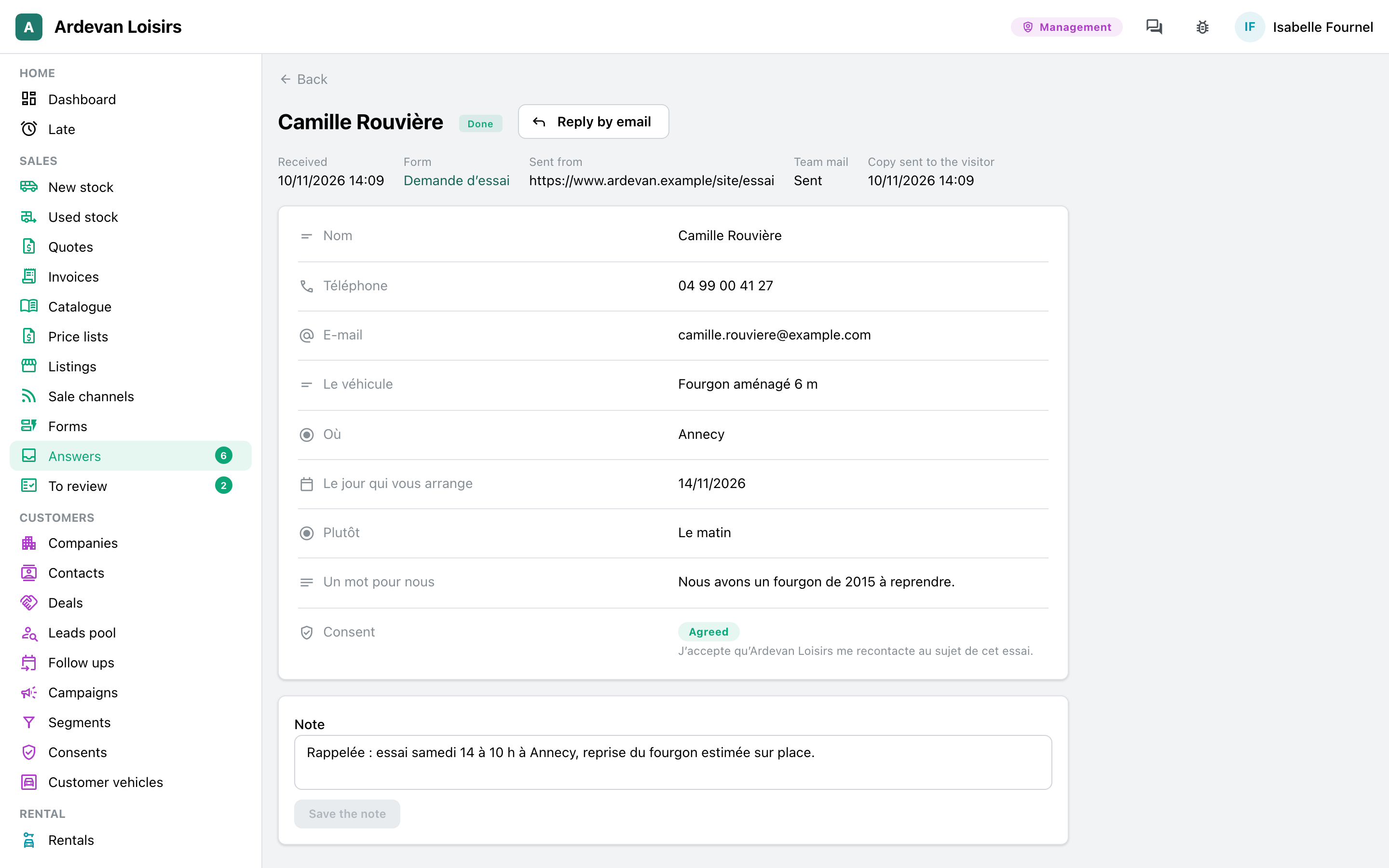
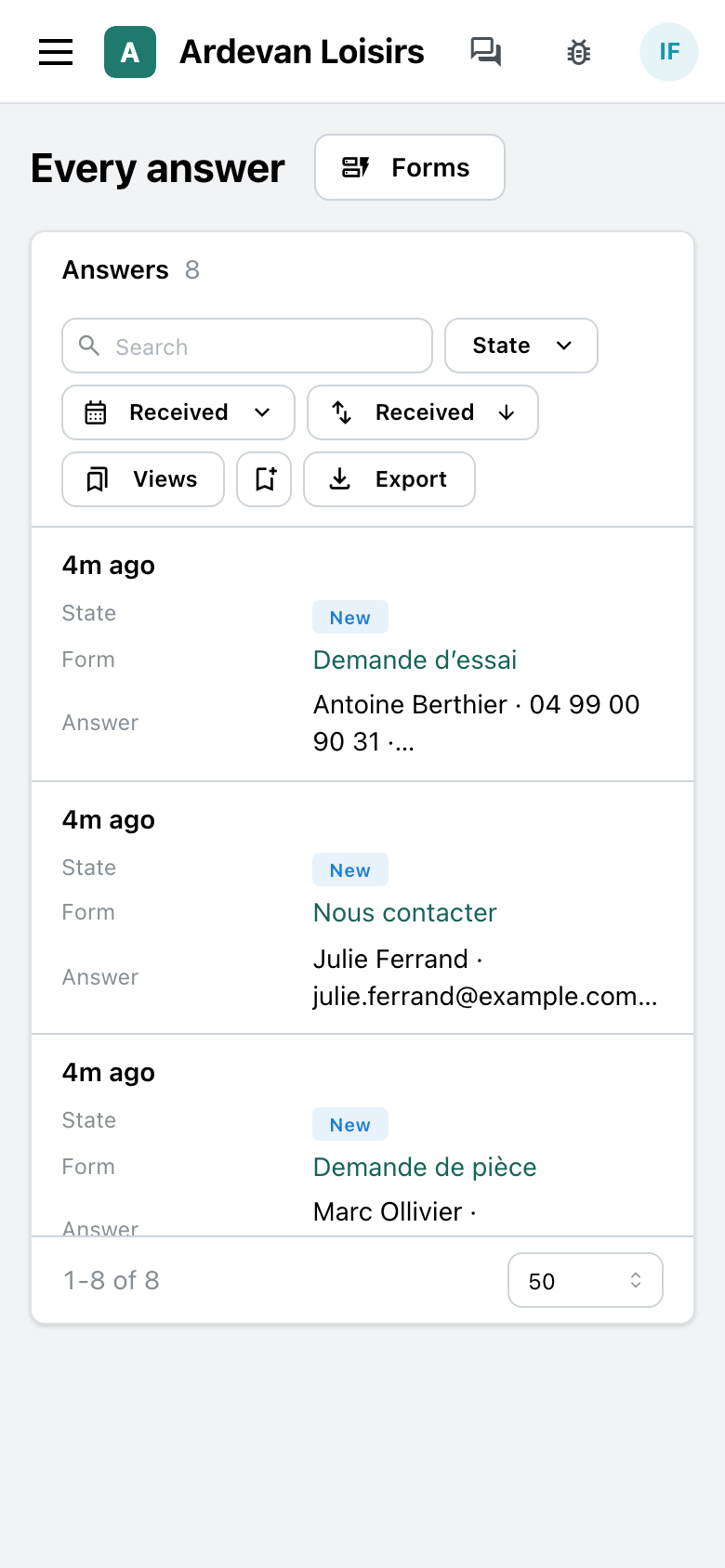
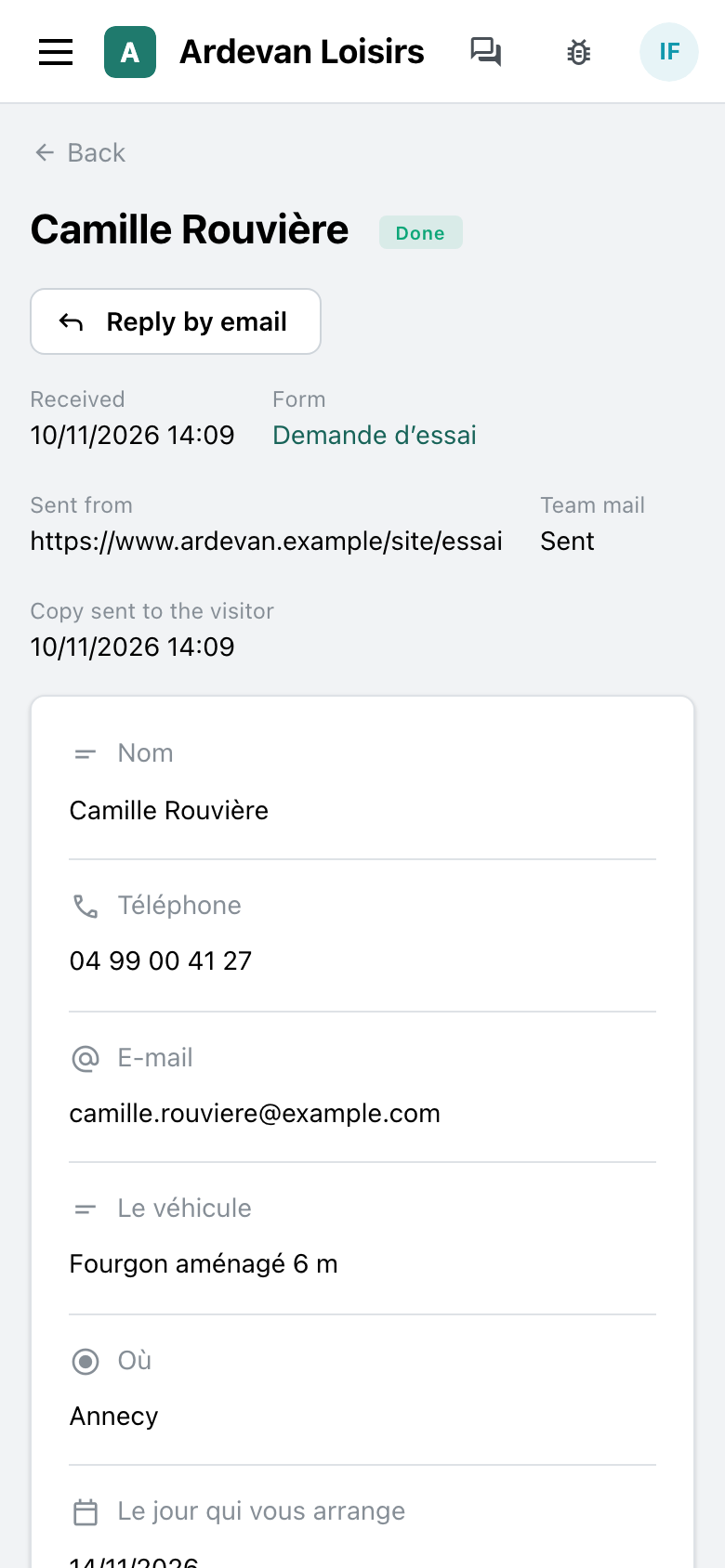
Each answer arrives in the app, the newest at the top, and the menu counts the new ones. The team opens it, calls back, marks it done and notes what was done.
- Every answer of every form on one list, filtered by form, state or date, and the saved views.
- An answer reads with the questions as they were asked, even if the form has changed since.
- “Reply by email” writes to the visitor; a mail tells the team of each answer.
- The export as a table, one column per question, the answers in words.
The trades that use it
The same module, with each trade’s questions.
Leisure vehicle dealers
The test drive request under each vehicle of the site, the parts request for the parts desk, the contact form for the rest. The dealers’ page tells the sale.
At the sales desk →Your trade
A call out request for a heating engineer, a quote request for a craftsman, a sign up for a workshop: the same module, with your questions.
Let’s talk →
With the other modules
It sits where your customers find you, and the team follows up in the app.
Website
A form sits in a page of the site, and the test drive request under each item for sale.
See the module →Customers and deals
Once an answer is read, the team opens the customer’s lead or deal in the app.
See the module →The journal
Each answer received is written in the journal, with its form.
See the module →
Your forms, your answers
GoLocomotive is in private testing. Access is by invitation. Once you are invited, we show you this module with your forms.