 GoLocomotive
Catalogue and configurator
Every model, option and price, configured into a quote
Your makers’ price lists, one year after the other, with their models, options, packs and standard equipment. A salesperson configures a model with the customer, the app checks what goes together, and the quote writes itself with its lines.
What this module does
What your makers send you each year, kept as data: no more PDF open beside the quote.
One price list per maker and model year
Each price list comes in as a file, checked before it is applied. The next model year is linked to the previous one, model by model.
The catalogue in front of you
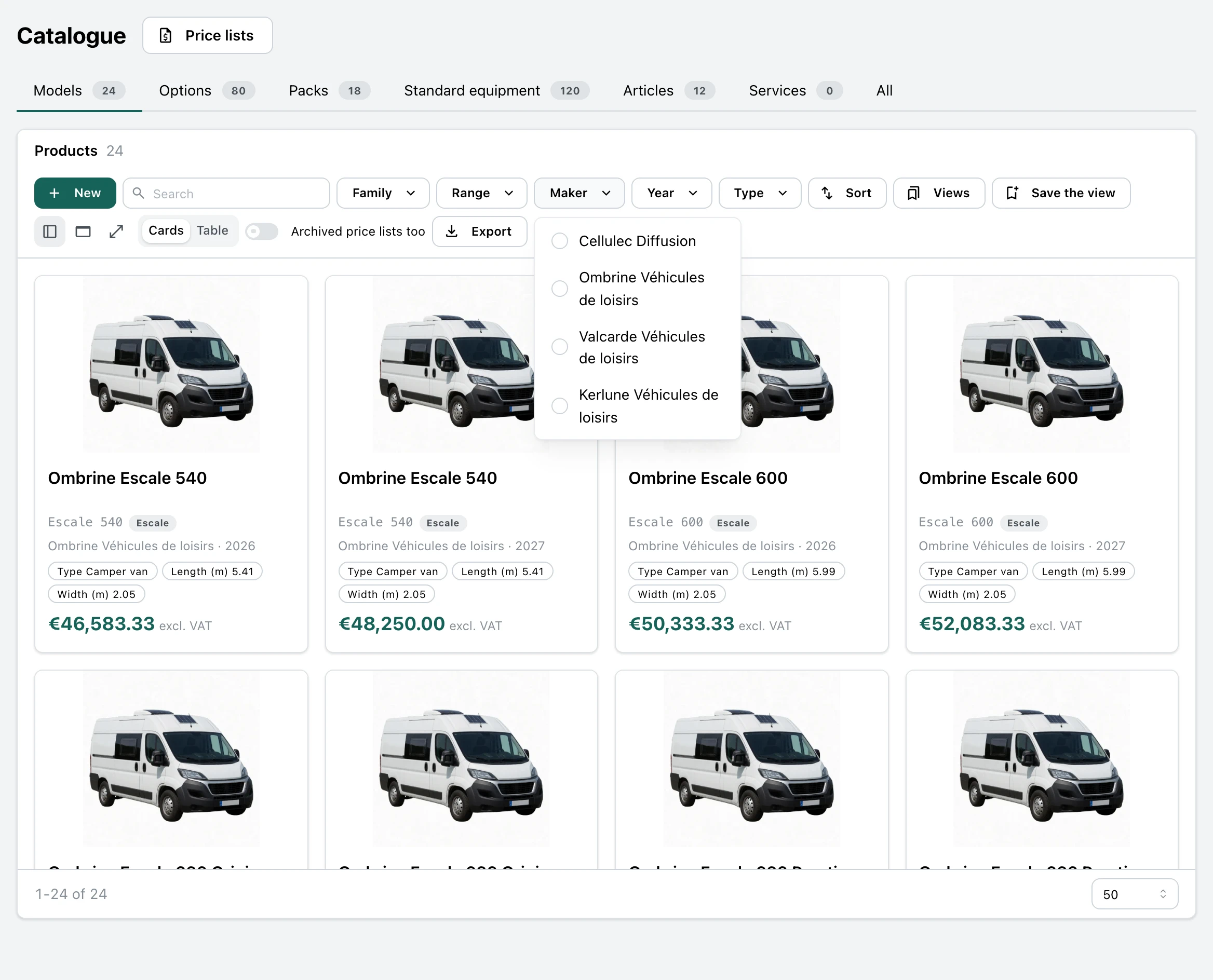
Each model as a card with its photo, options, packs and standard equipment, filtered by maker, model year, range or family.
The margin on every line
The selling price and the cost of each model and each option, and the margin they leave, shown to those allowed to see them.
What goes together, checked
An option the model does not take, an option that needs another, two options that cannot sit together: the configurator says so and offers the fix.
The weight under control
The weight of the options added, against the model’s payload, before the sale, not at delivery.
The quote with nothing retyped
The configuration becomes a quote: the vehicle, then each option and each pack on its own line, each linked to its product in the catalogue.
Not there yet
- The factory order of a configured model: the quote is written, the order to the maker is still placed apart.
- Reading a maker’s PDF directly: the import takes a price list already extracted into a file, and we write the step from your makers’ files.
- Discount grids of a given price list, and a currency other than the price list’s.
- A model’s public page, on your website: the Website module already shows your models as cards, with their photo and their “from” price.
Screen by screen
The screens come from the example app of a leisure vehicle dealer, on an invented catalogue: the makers, models and prices are made up sample data. In your app, they carry your makers, your products and your words.
Management, purchasing manager
One price list per maker and model year
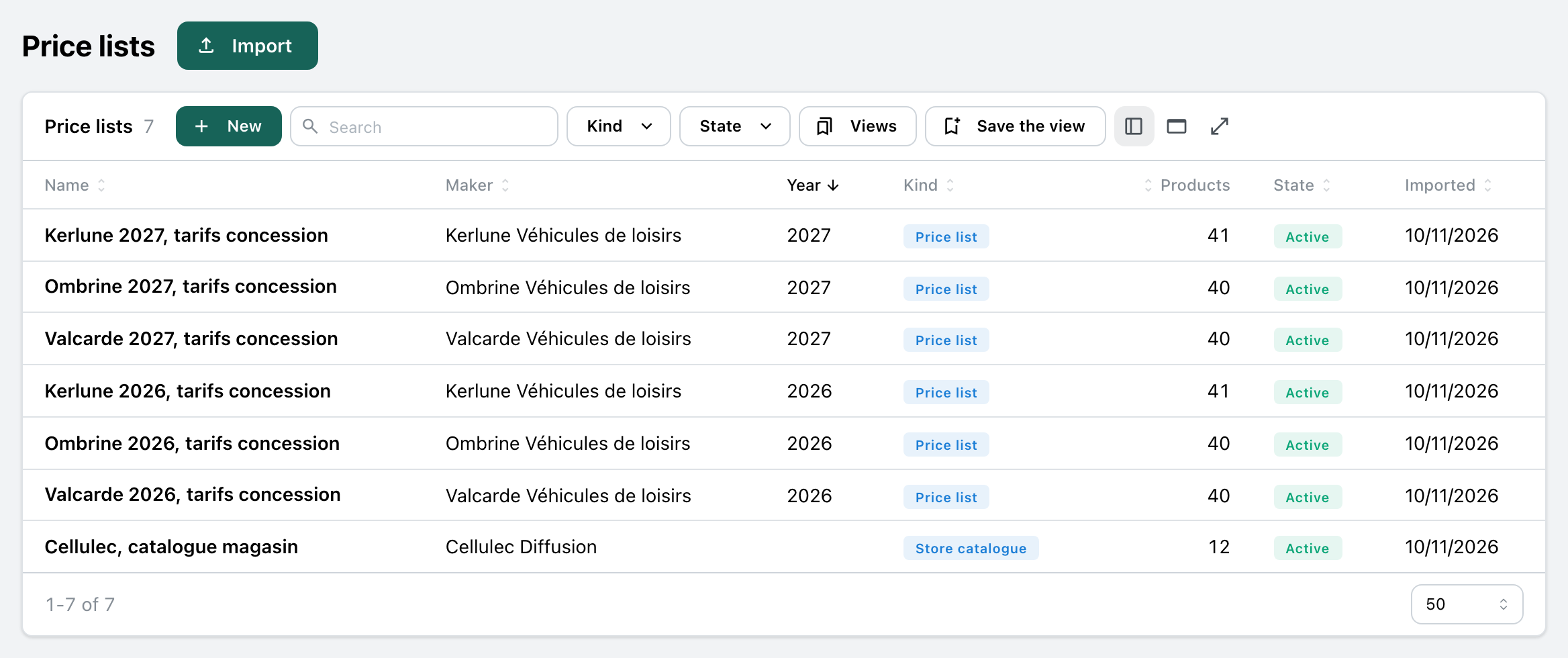
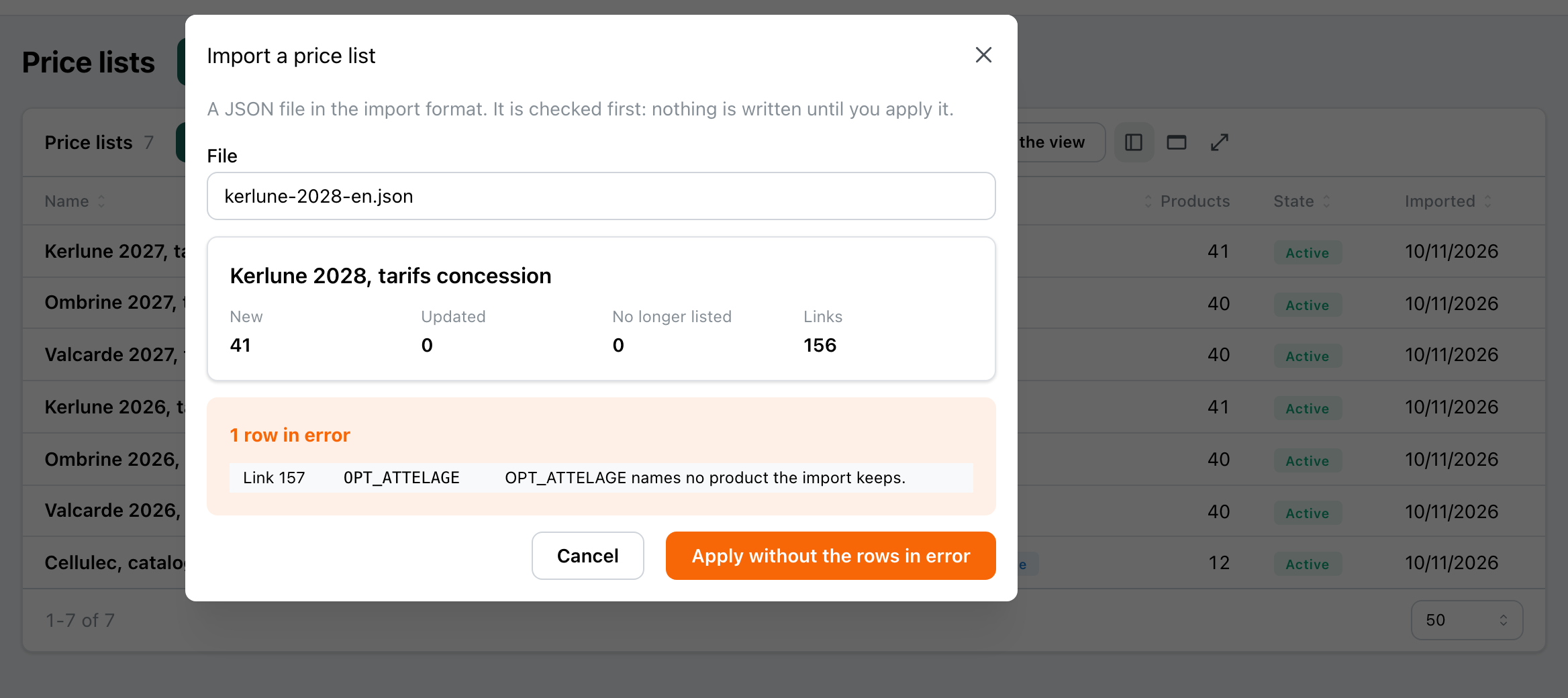
Each price list you receive comes into the app as a file. The app checks it first, says what it adds, changes and removes, and writes nothing until you apply it.
- One price list per maker and year, and an accessory supplier’s catalogue beside them.
- “Import”: the check first, its counts and each row that does not hold, then apply it all, or without the rows in error.
- A new import changes only what moved; a product the new file no longer holds leaves the catalogue without being deleted, since a quote may name it.
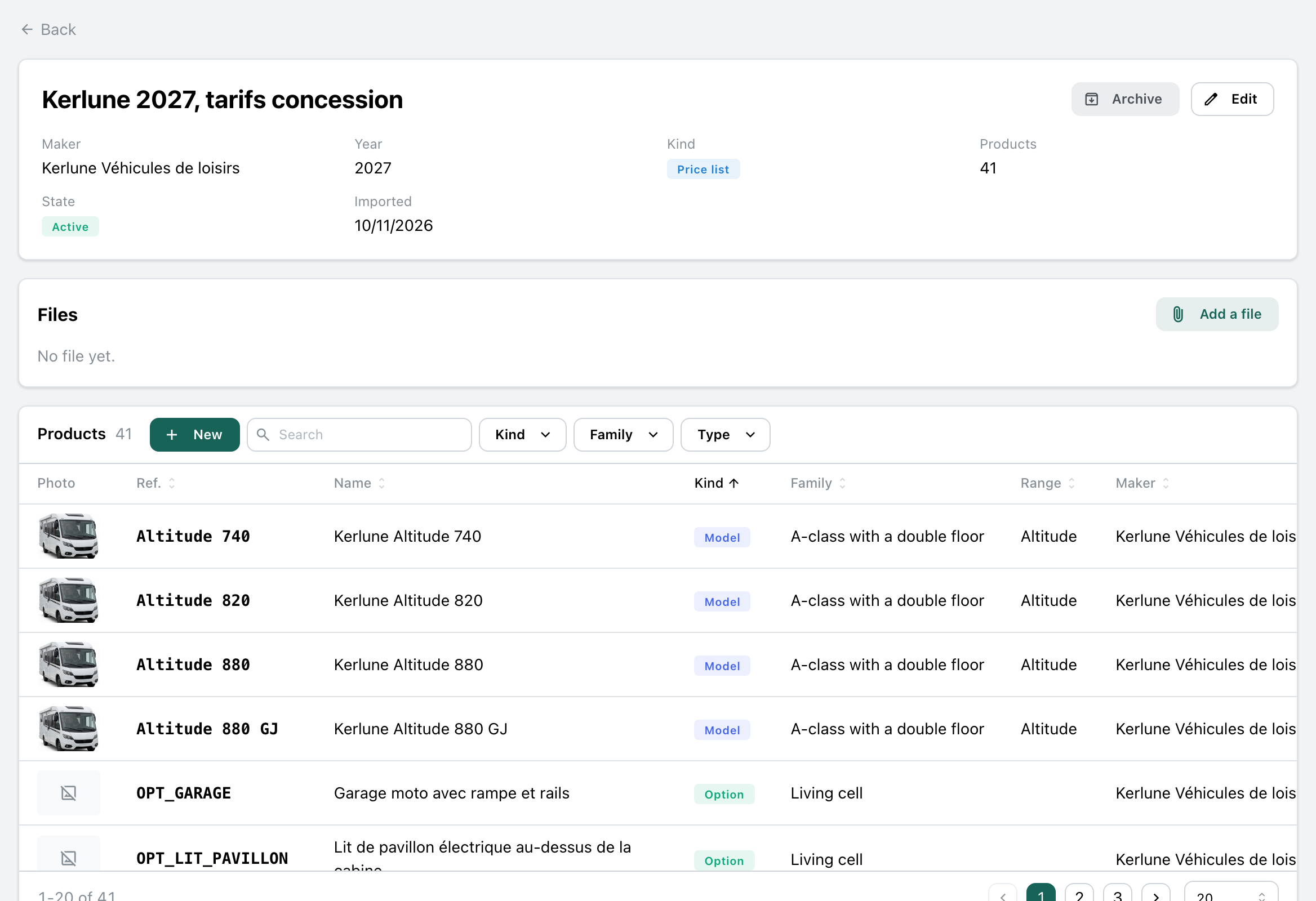
- Each model is linked to the same model of the previous year, and an archived price list leaves the configurator.
Sales staff, sales manager
Find the right model
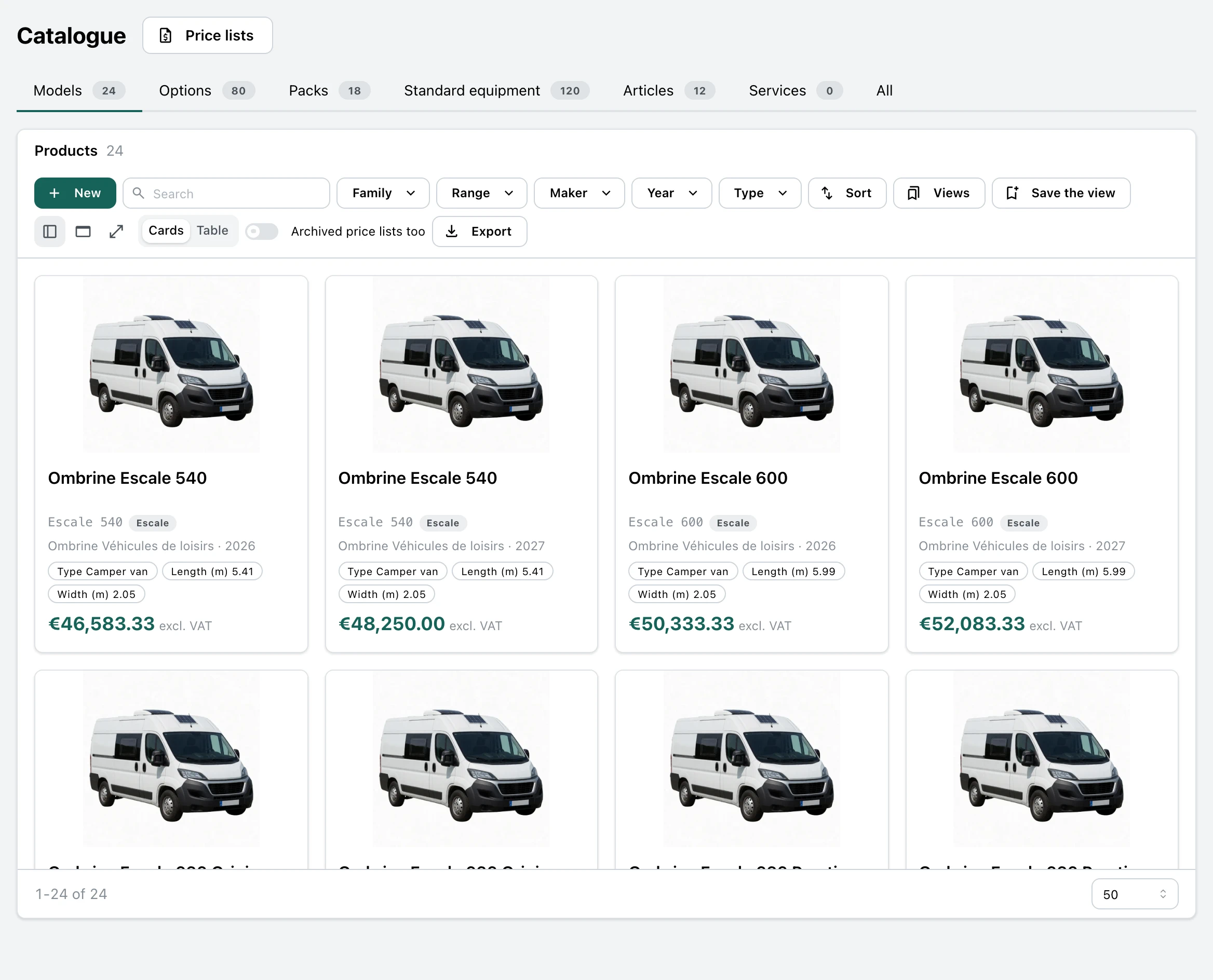
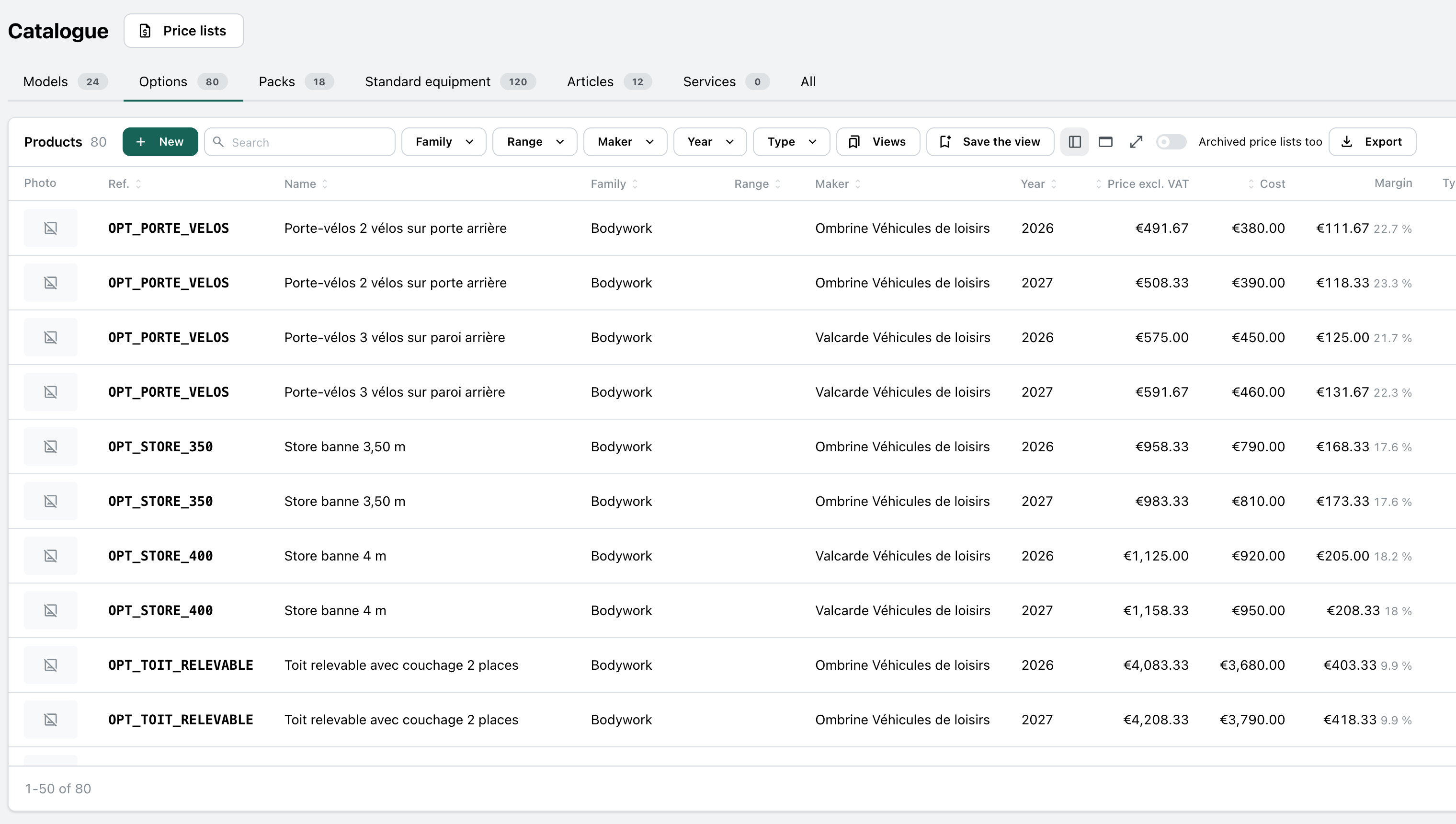
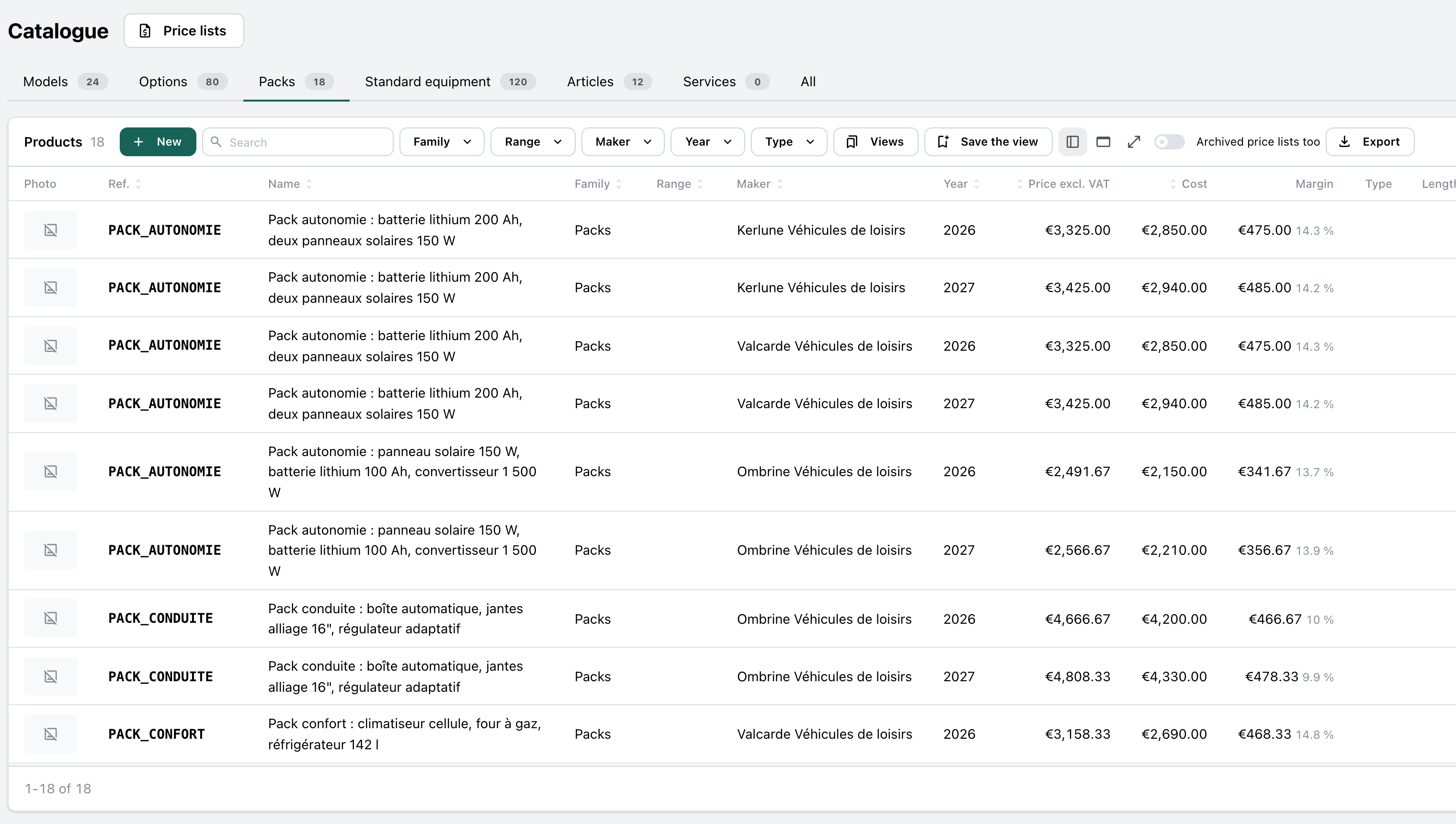
All your makers offer, on one screen: the models as cards, the options, the packs, the standard equipment and the articles, each in their tab.
- The models as cards with their photo, sizes and price, or as a table.
- Filters by maker, model year, range, family and type, a search by ref or name, and the view saved.
- The price, cost and margin of each option and each pack, and the export.
Sales staff
A model’s page
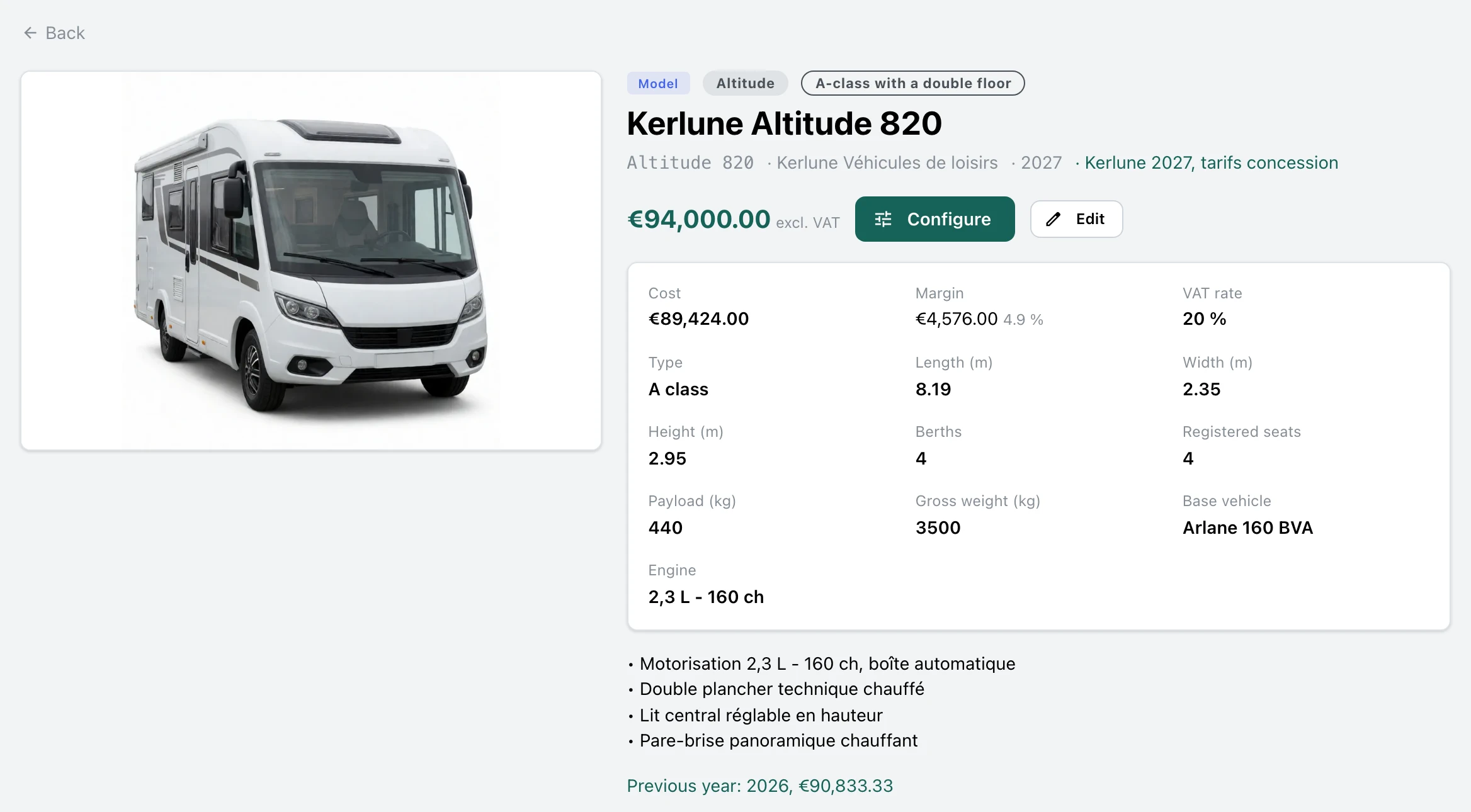
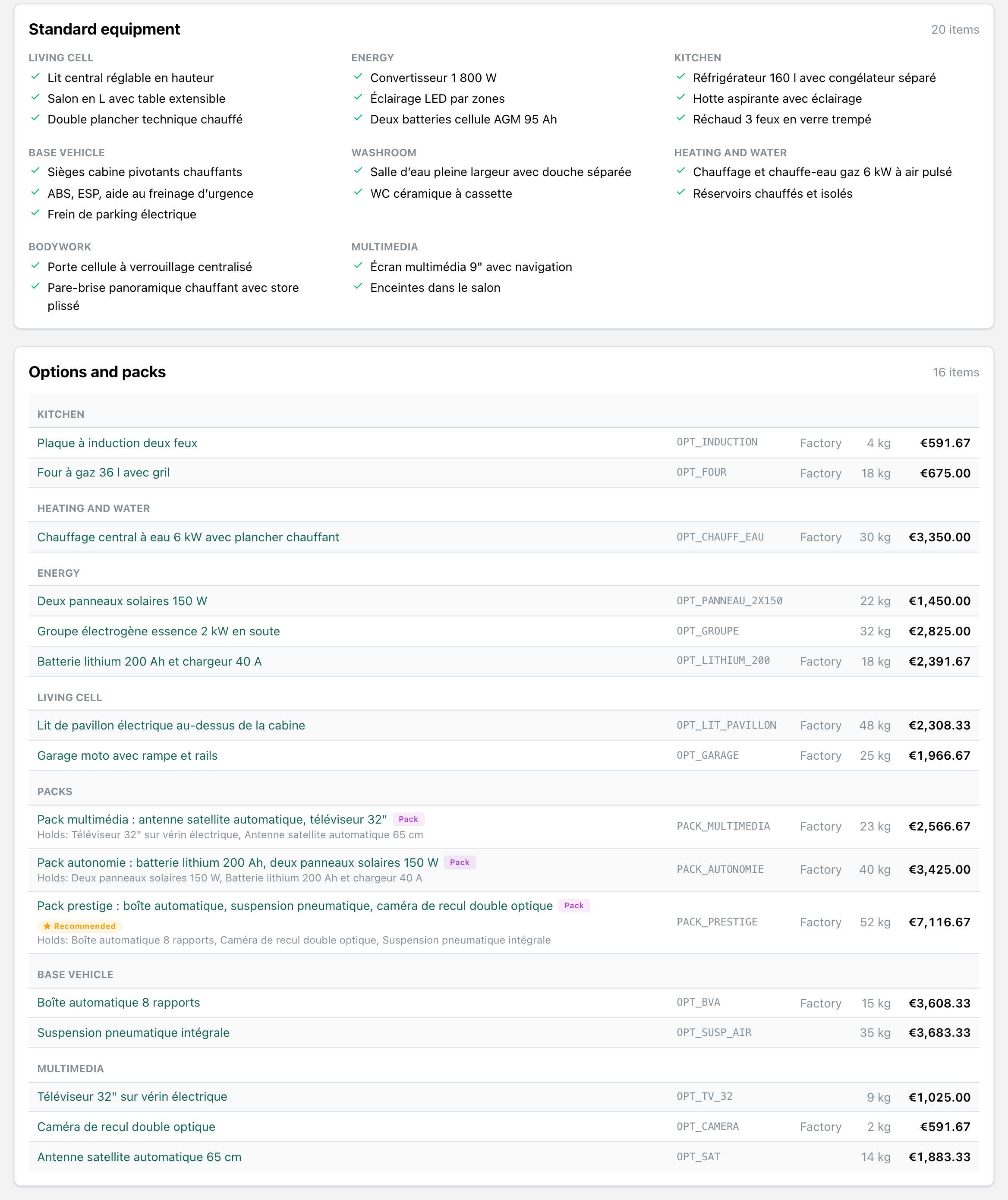
What to know before talking to the customer: its photos, its price and margin, its specs, what comes as standard and what it takes.
- Its photo, its price excluding VAT, its cost and margin, its sizes, berths, payload and base vehicle.
- Its standard equipment by family, then its options and packs with their weight, their price on this model and who fits them, the factory or you.
- The same model’s price the previous model year, to compare, and “Configure” in one click.
Sales staff, with the customer
Configure, checked as you tick
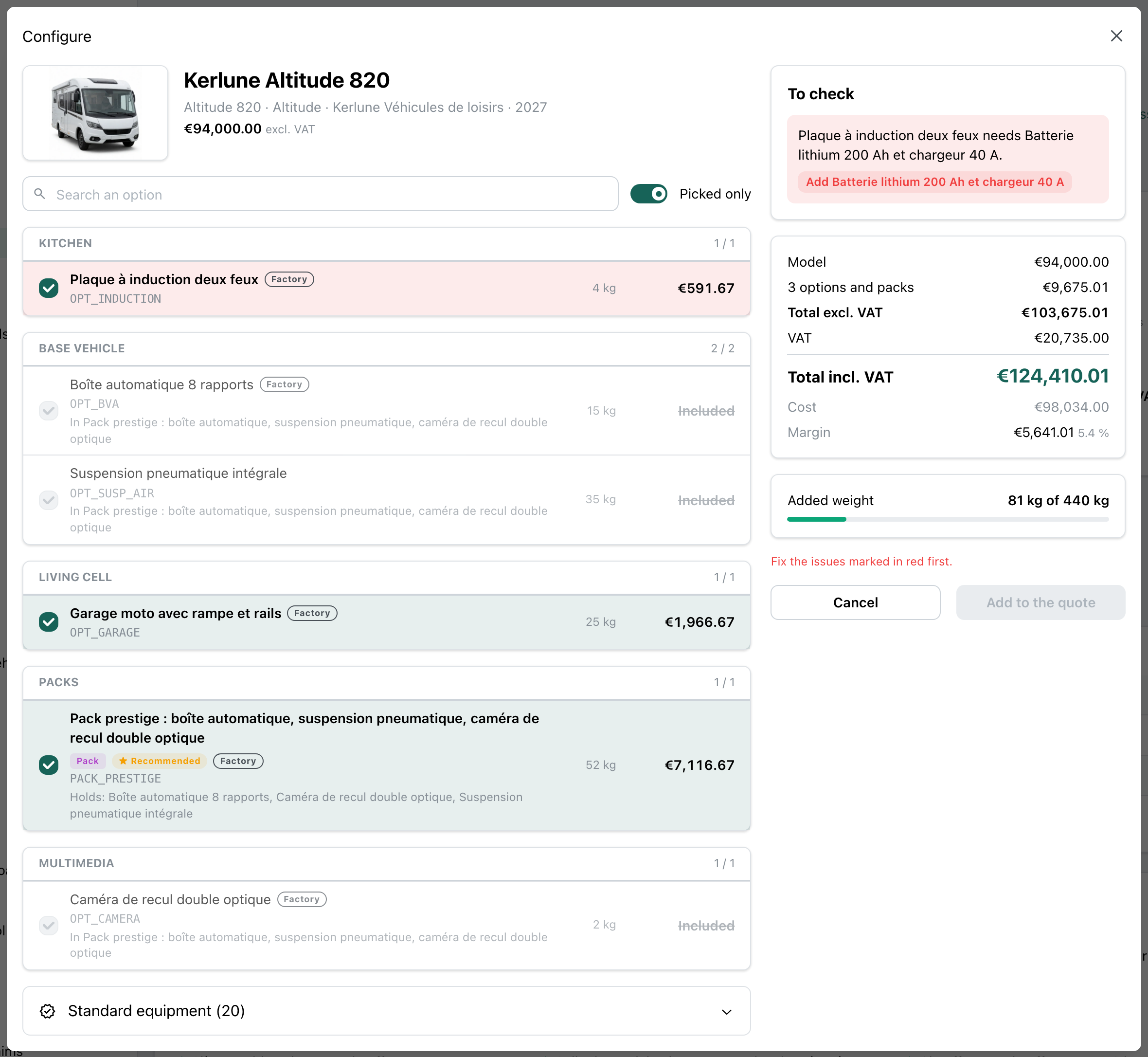
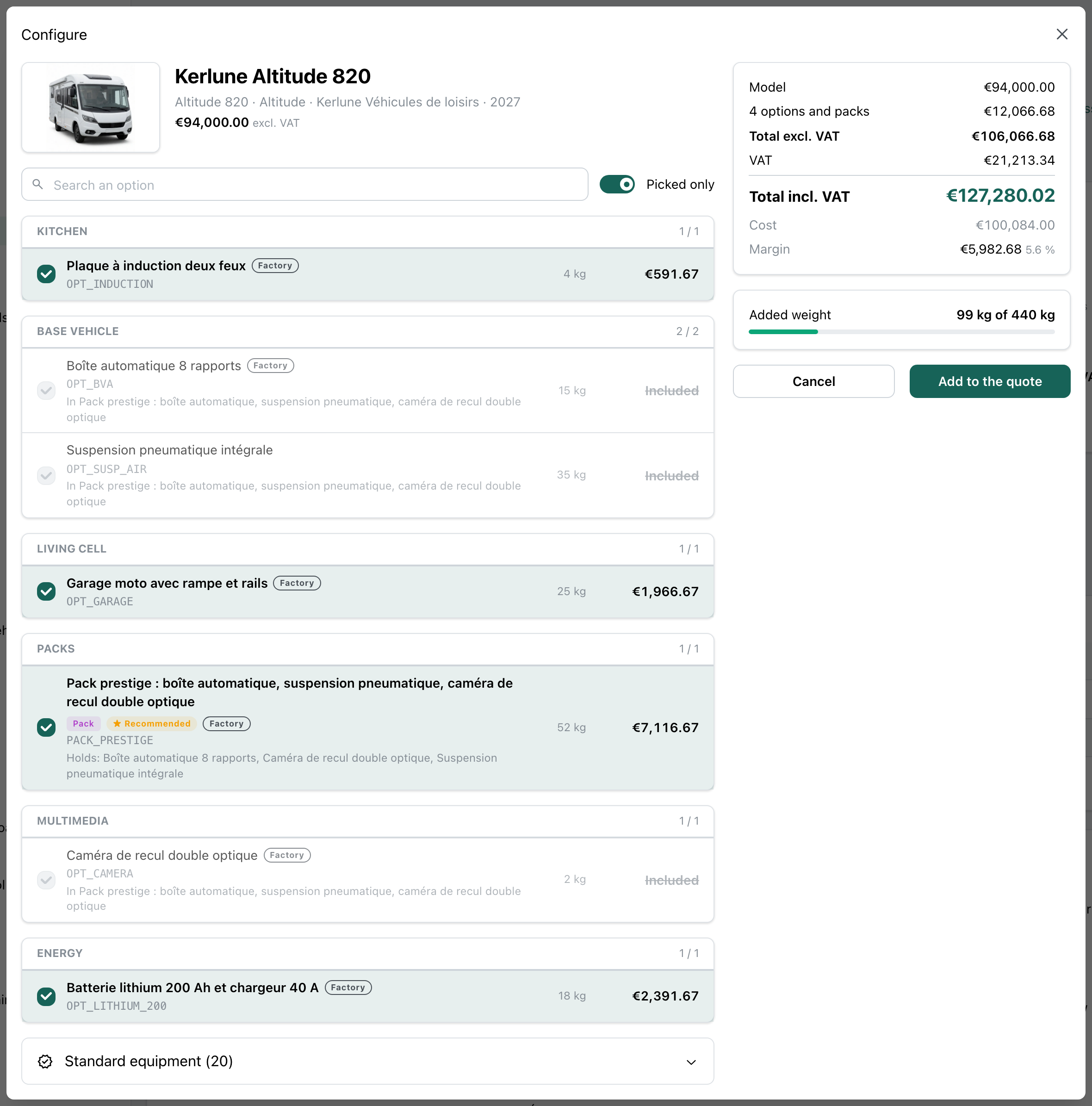
The salesperson ticks the options and packs with the customer. The app works out the price, the margin and the weight again at each click, and says what is wrong before the quote.
- A pack ticked includes its options: they are greyed, never counted twice.
- An option that needs another, or two options that cannot sit together: the issue is named, with the button that fixes it, and the quote waits.
- The weight added against the model’s payload, flagged when it goes over.
- A maker that prints no prices: the line says “Price on request”, never €0, and the price is typed on the quote.
Sales staff, sales office
The quote written from the configuration
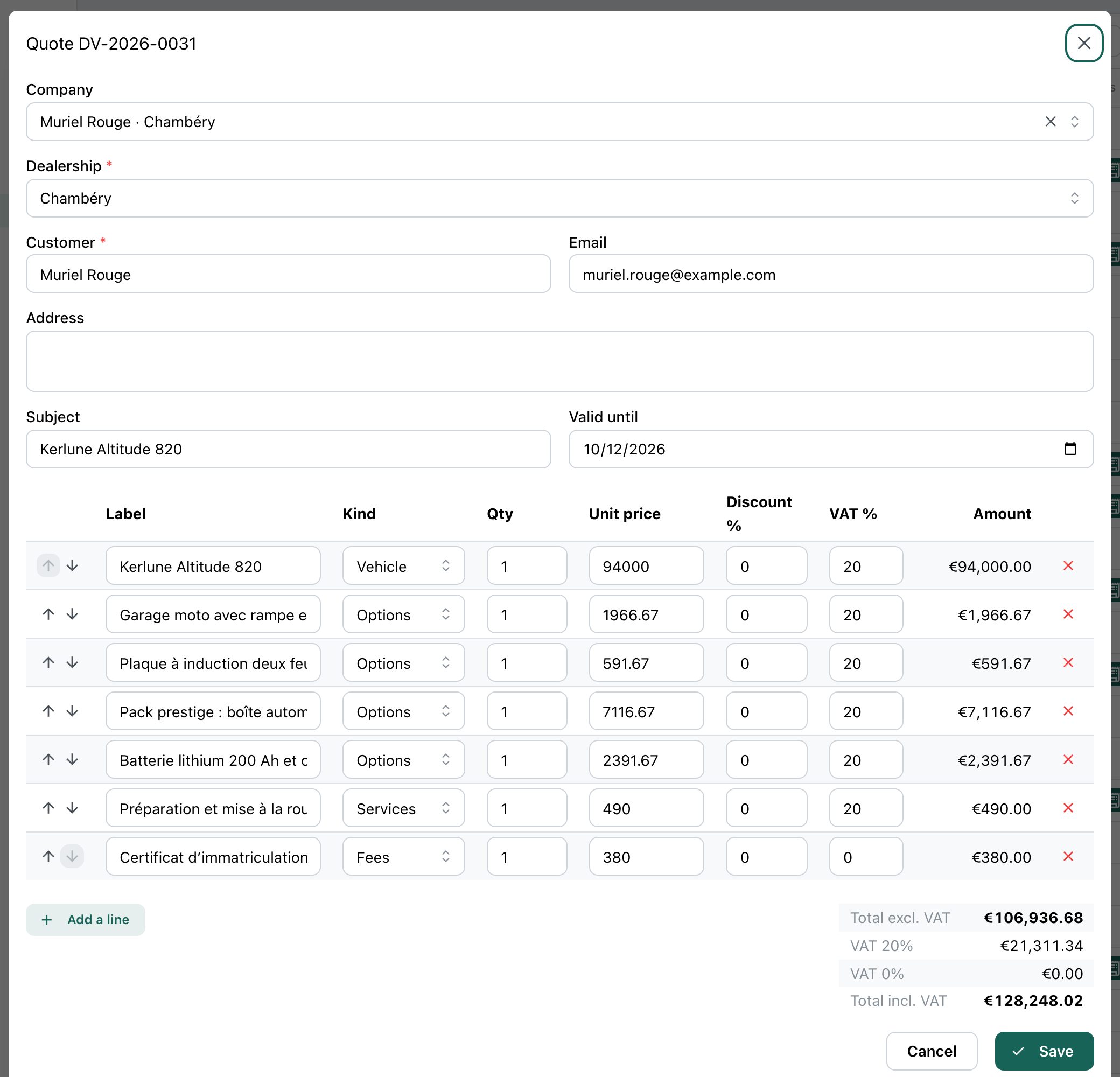
“Add to the quote” writes the deal’s quote: the vehicle, then each option and each pack on its own line, at the price list’s price.
- “Configure” on the customer’s deal, or on a model’s page for a quote with no customer yet.
- Each line names its product in the catalogue: you know what was sold, option by option.
- The app checks the configuration once more before it writes, and refuses one that cannot be sold.
- What is included or standard makes no line; the preparation and the fees stay yours.
The trades that use it
The same module, with the products, the options and the words of each trade.
Leisure vehicle dealers
Each maker’s price lists, the new models configured with the customer, the quote and the deal that follow. The dealers’ page tells the sale.
At the sales desk →Your trade
A kitchen fitter and the finishes of its ranges, a bike shop and its frames, components and accessories: the same catalogue, with your suppliers and your words.
Let’s talk →
With the other modules
It reads what the other modules already hold, with nothing typed twice.
Quotes and invoices
The configuration becomes a quote with typed lines, then an invoice, each line linked to its product.
See the module →Customers and deals
A price list’s maker is a company of your files, and “Configure” starts from the customer’s deal.
See the module →Stock and parts
An article of the accessory catalogue can be the item you keep in stock.
See the module →Documents and signatures
A model’s photos and floor plans, a price list’s PDF, filed on their page.
Website
Your models as cards on your website, with their photo and their “from” price.
See the module →
Your price lists, your configurations
GoLocomotive is in private testing. Access is by invitation. Once you are invited, we show you this module with your makers and their price lists.