 GoLocomotive
Planning
Who does what, and when, with nothing booked twice
Technicians, bays, rental vehicles: everything that is booked is on one planning. A booking moves with the mouse, an absence shows on its row, and each one’s load reads over the weeks ahead.
What the module does
Four parts that hold together: the resources, the bookings, the absences, the load.
Resources
Anything that is booked: a person, a bay, a vehicle, a room, an oven. Each with its kind, its site and its hours, or the business’s.
Bookings
A booking holds a resource over a span, for a job or a rental. On a bay or a bench, a second booking at the same moment is refused, with the reason.
Absences
Leave, training, sick leave: the person asks, a manager approves or refuses. An absence shows on the planning and comes out of the load.
The load
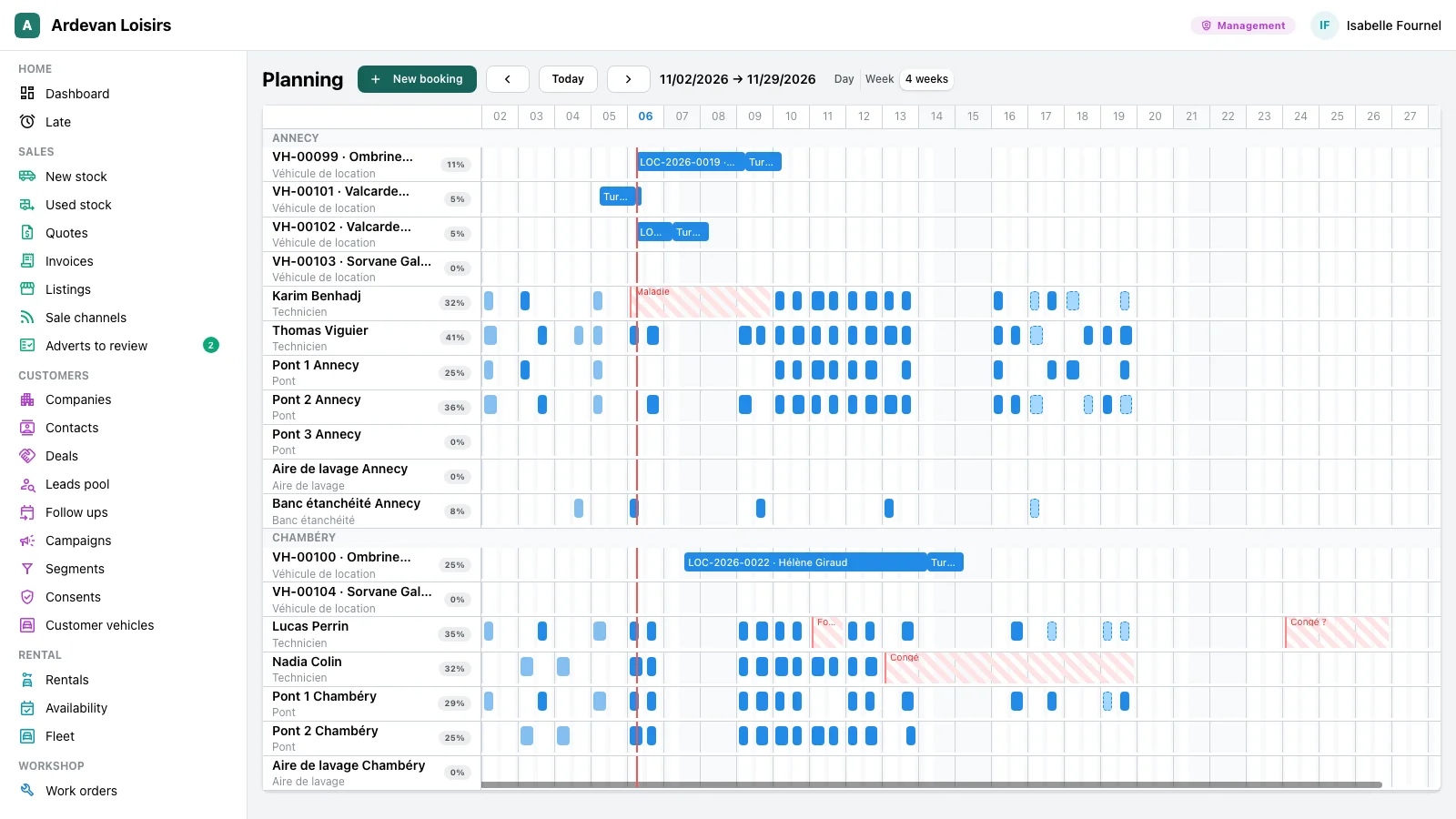
The hours booked against the open hours, absences taken out, per resource and per day, week or month, up to six months ahead.
Not there yet
- Suggesting the technician with the skill a job needs: skills are recorded, nothing reads them yet.
- A booking that repeats every week: each booking is written on its own.
- The leave balance of the year.
- Moving a booking with a finger on a phone: the planning reads there, it moves with the mouse.
Screen by screen
The screens come from the example app of a leisure vehicle dealer and that of a heating firm, on made up data. In your app, they carry your resources, your hours and your words.
Workshop manager, agency assistants
Put each booking in the right place
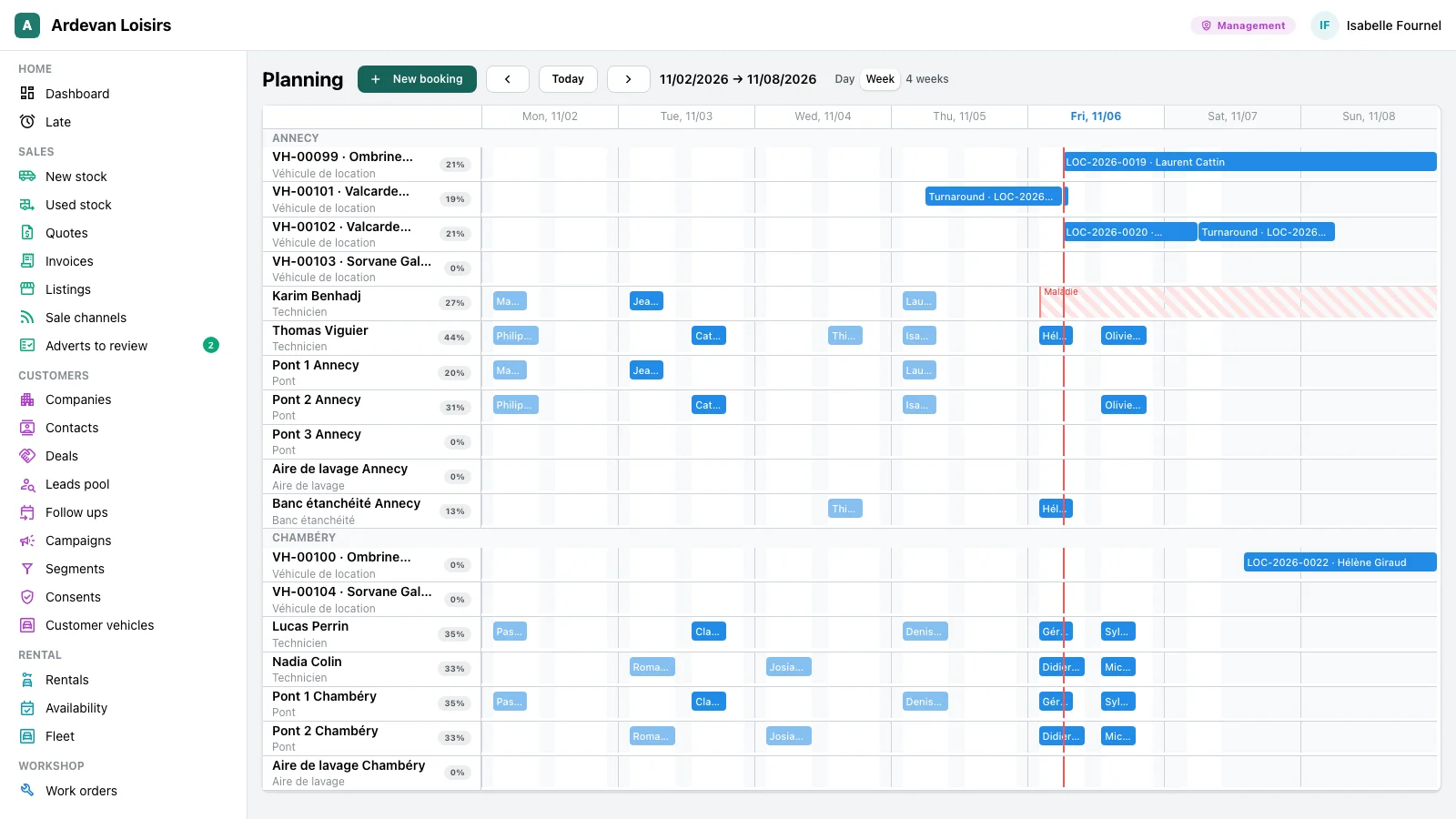
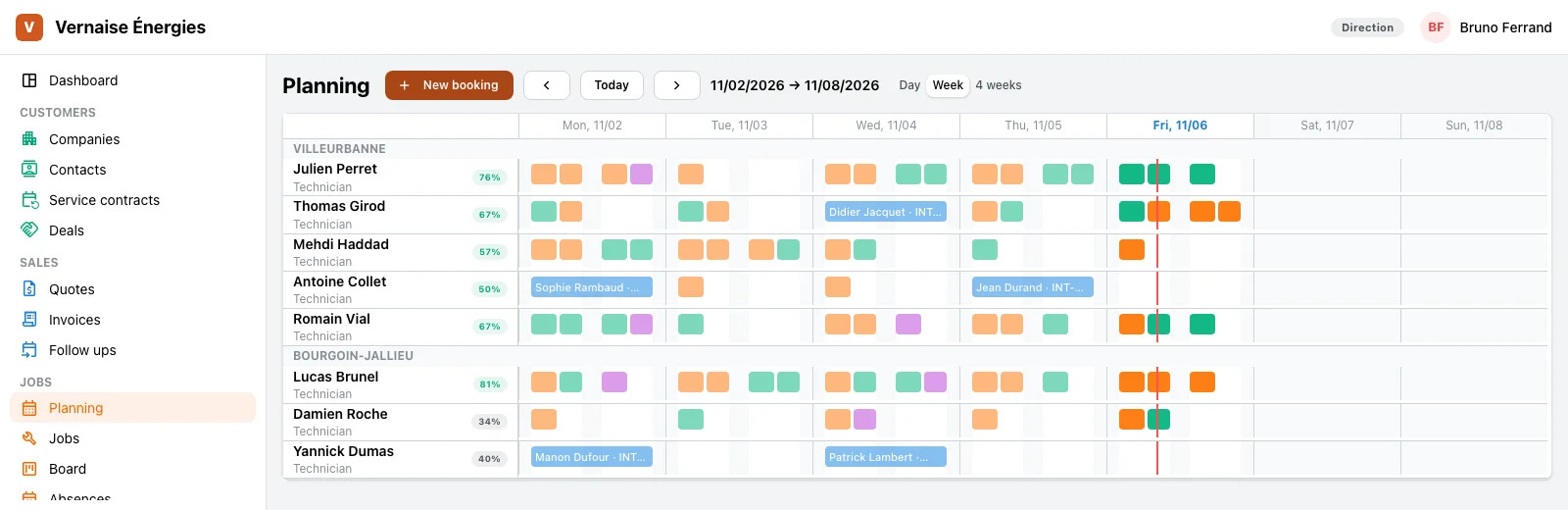
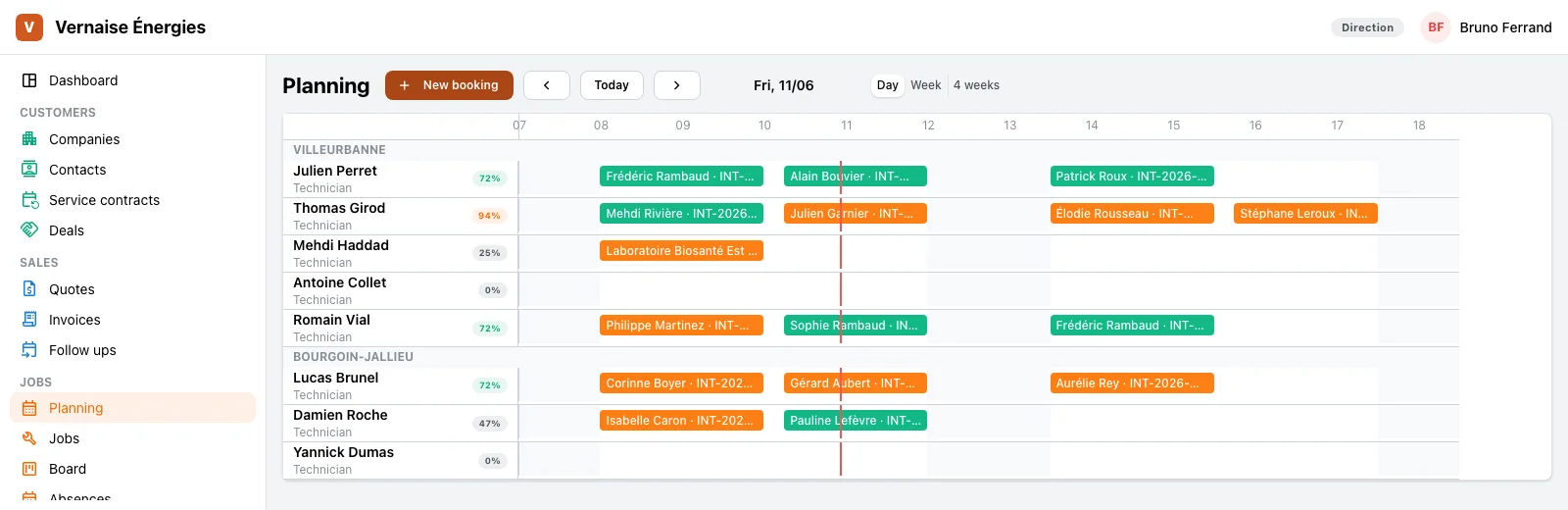
A day, a week or four weeks, every resource as a row, grouped by site.
- A click on a free cell books, a drag moves in time or to another row, the right edge stretches.
- A refused booking, two on one bay for instance, goes back to its place and the app says why.
- A booking tied to a job keeps its hours in step with it, both ways, and booking Paul hands him the job.
- Another site’s bookings show in grey, and cannot be changed.
Management, site managers
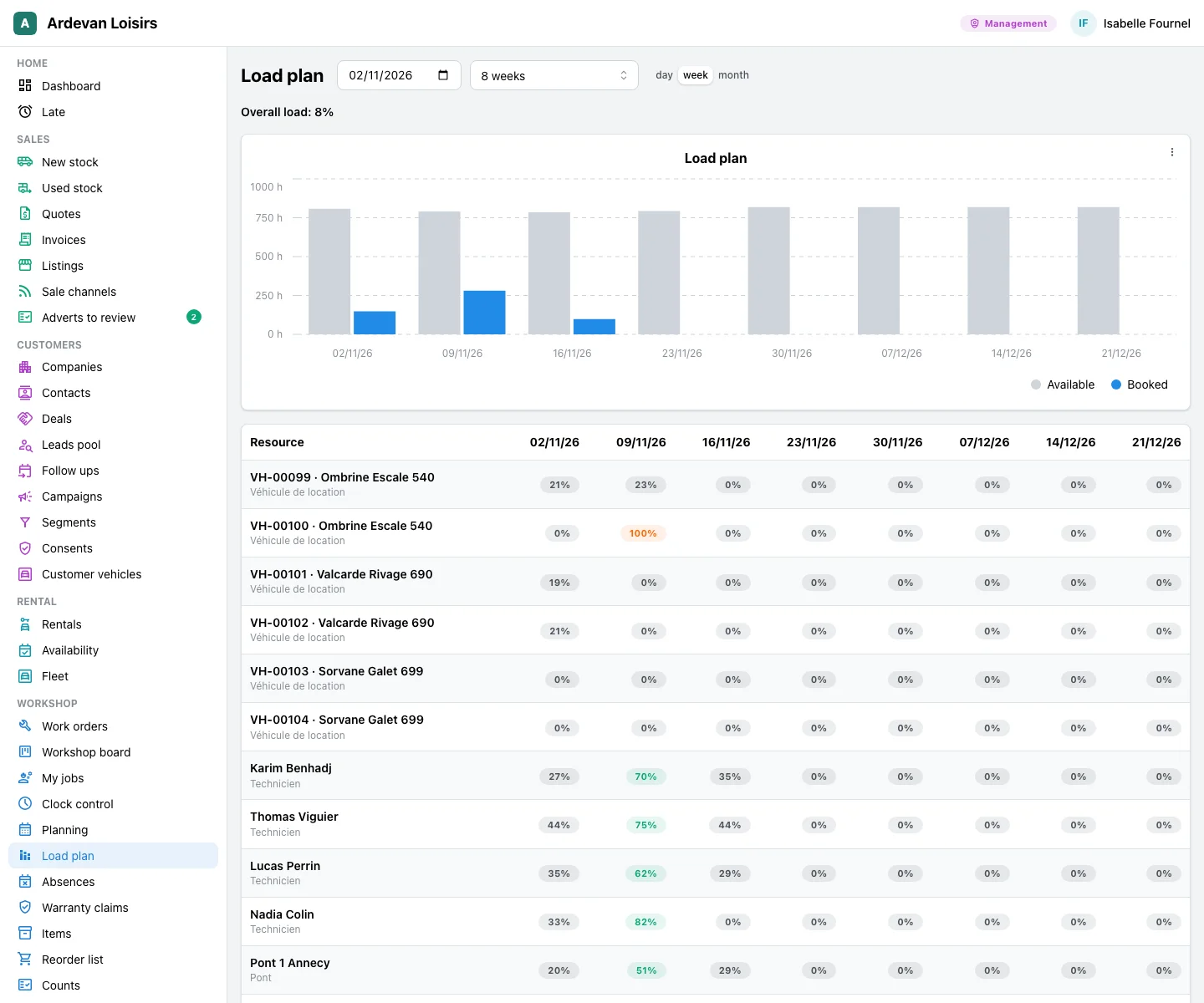
See the load of the weeks ahead
Know where the workshop is full and where there is room, before promising a date.
- The load plan over 4, 8, 13 or 26 weeks, by day, week or month.
- A chart of the hours available against the hours booked, to copy or export as an image and a PDF.
- Each resource and its load per period: over 100 % in red, under 50 % pale.
- Each row of the planning ends with its load over the span shown.
Technicians, managers
Absences, asked and approved
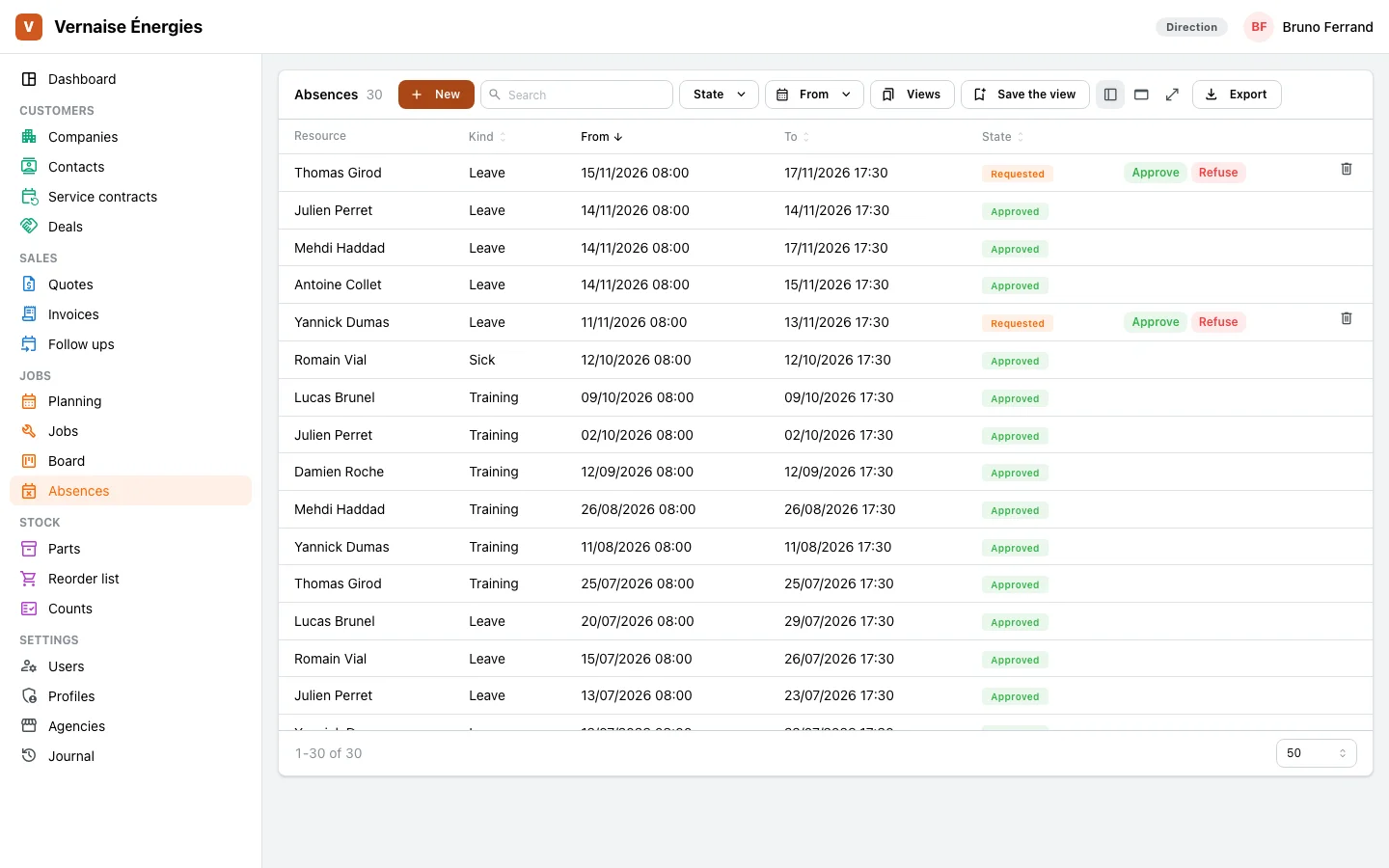
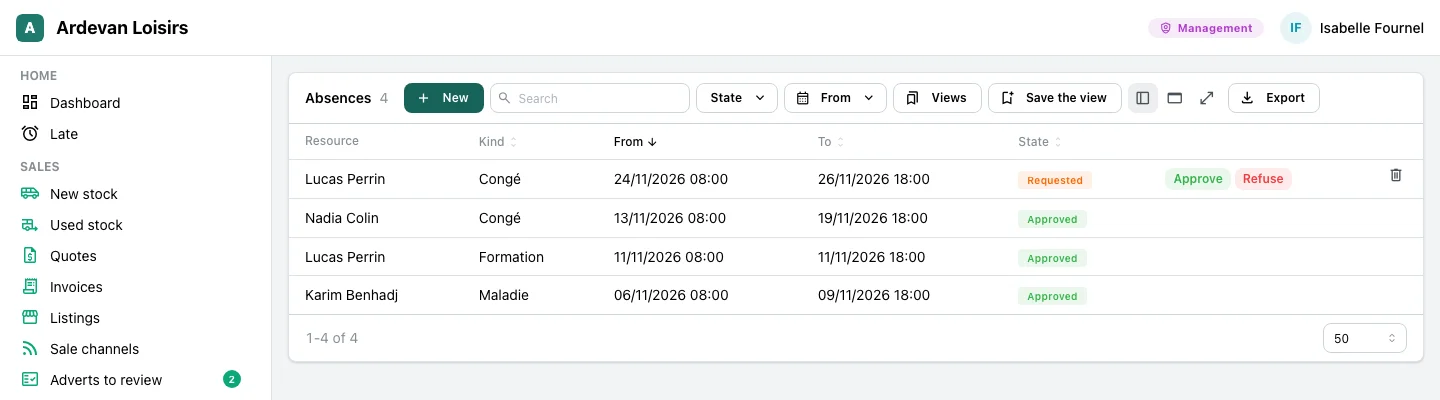
A request, a decision, and the planning that shows it.
- Each person asks for their absence, changes or withdraws it while it waits.
- Approving or refusing falls to the person your rights name.
- An absence moves no booking: it shows on the planning, and the planner moves the jobs.
- Each absence keeps who approved it and when.
The trades that use it
The same module, with the resources and the hours of each trade.
Leisure vehicle dealers
The technicians, the bays, the leak test bench and the rental vehicles of both sites, on one planning. The dealers’ page tells the workshop.
At the workshop →Heating and plumbing firms
The week of the technicians of both agencies, their jobs day by day, their leave and training.
At the office →Your trade
A bakery and its ovens, a laundry and its presses: the same screens, with your resources and your hours.
Let’s talk →
With the other modules
The planning books for the other modules, with nothing typed twice.
Work orders and workshop
A job booked on the planning follows its hours, and the technician booked takes it on.
See the module →Rentals
Rental vehicles are resources: a rental holds them over its dates.
See the module →
Your resources, your week
GoLocomotive is in private testing. Access is by invitation. Once you are invited, we show you this module on your trade, with your own resources.