 GoLocomotive
Catalogue and configurator
Every model, option and price in one catalogue. Configure a model, checked as you tick. The quote written from the configuration. A model's page: price, margin and specs…
Catalogue
MajorEvery model, option and price in one catalogue
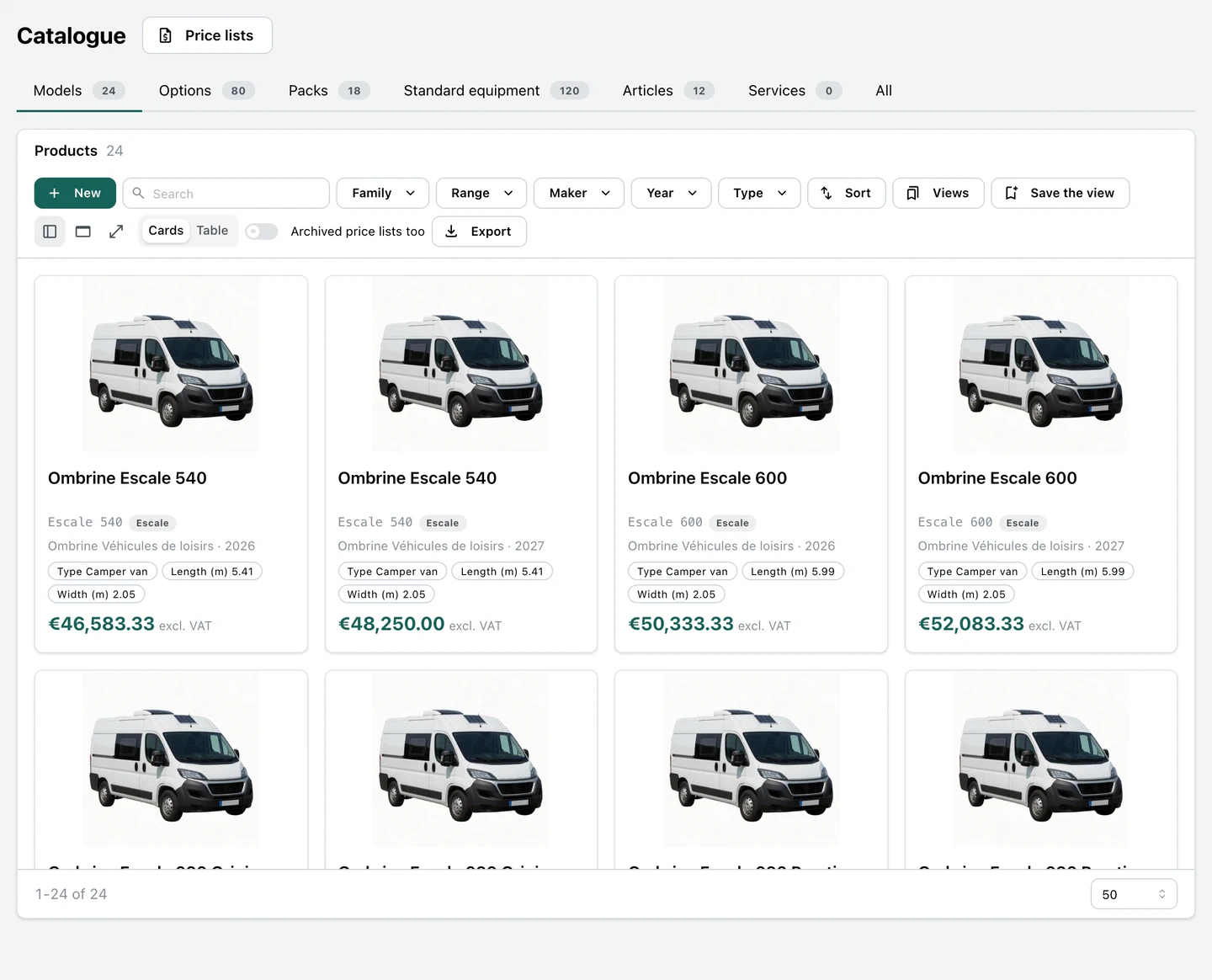
Each maker's price list lives in the app as data: every model as a card with its photo, sizes and price, and its options, packs, standard equipment and accessories each in their tab. A salesperson finds the right model in seconds, with no PDF open beside the quote. See the screens.
- Filters by maker, model year, range, family and type, a search by ref or name
- Cards or a table, the view saved for next time
- Archived price lists hidden unless asked
MajorConfigure a model, checked as you tick
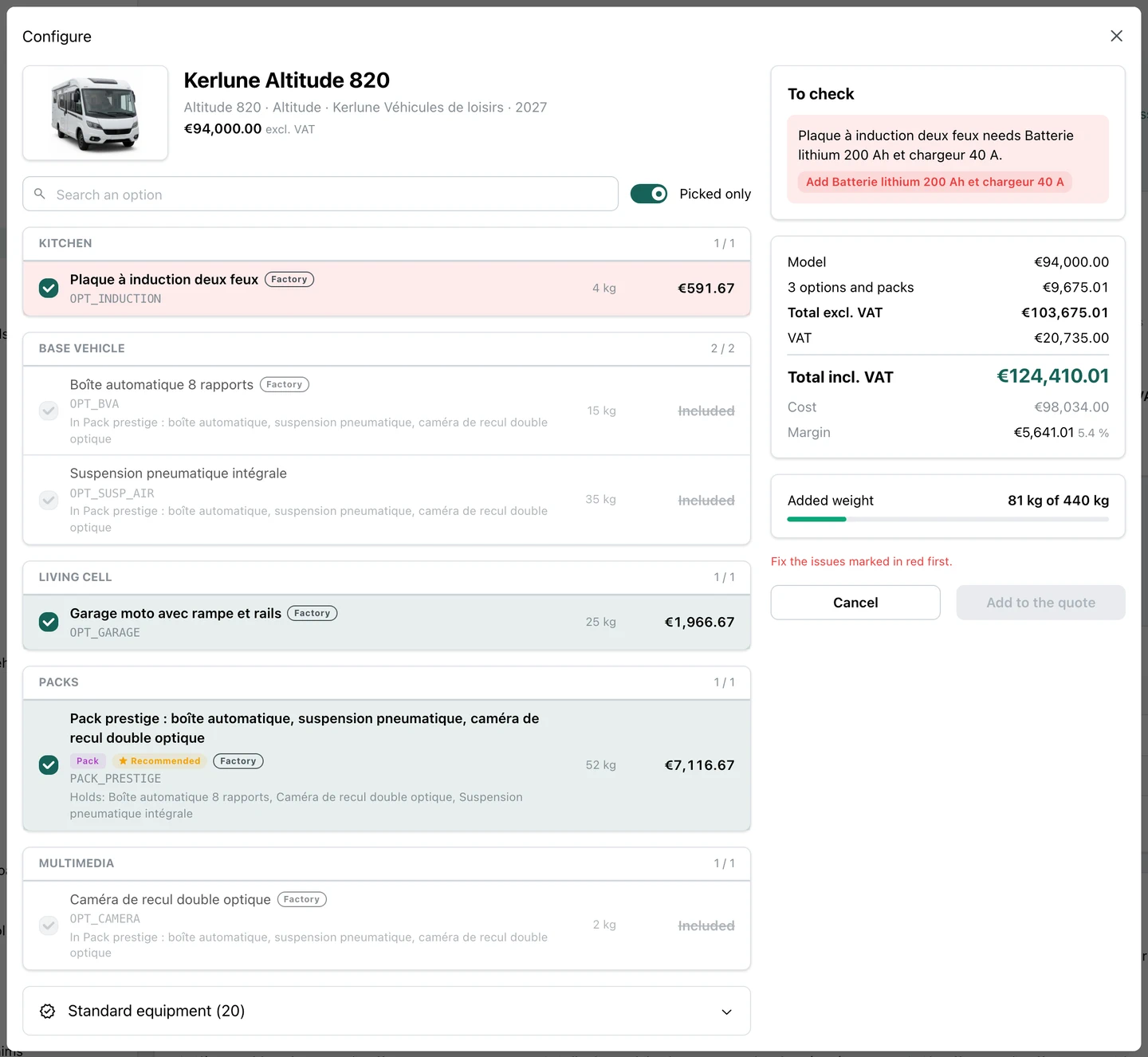
The salesperson ticks options and packs with the customer, and the app works out the price, the cost, the margin and the added weight again at each click. An option the model does not take, an option that needs another, two options that cannot sit together: the issue is named before the quote, with the button that fixes it. See the screens.
- A pack holds its options: they are greyed and never priced twice
- « Add it » puts the missing option in, in one click
- The quote waits while an issue blocks the sale
MajorThe quote written from the configuration
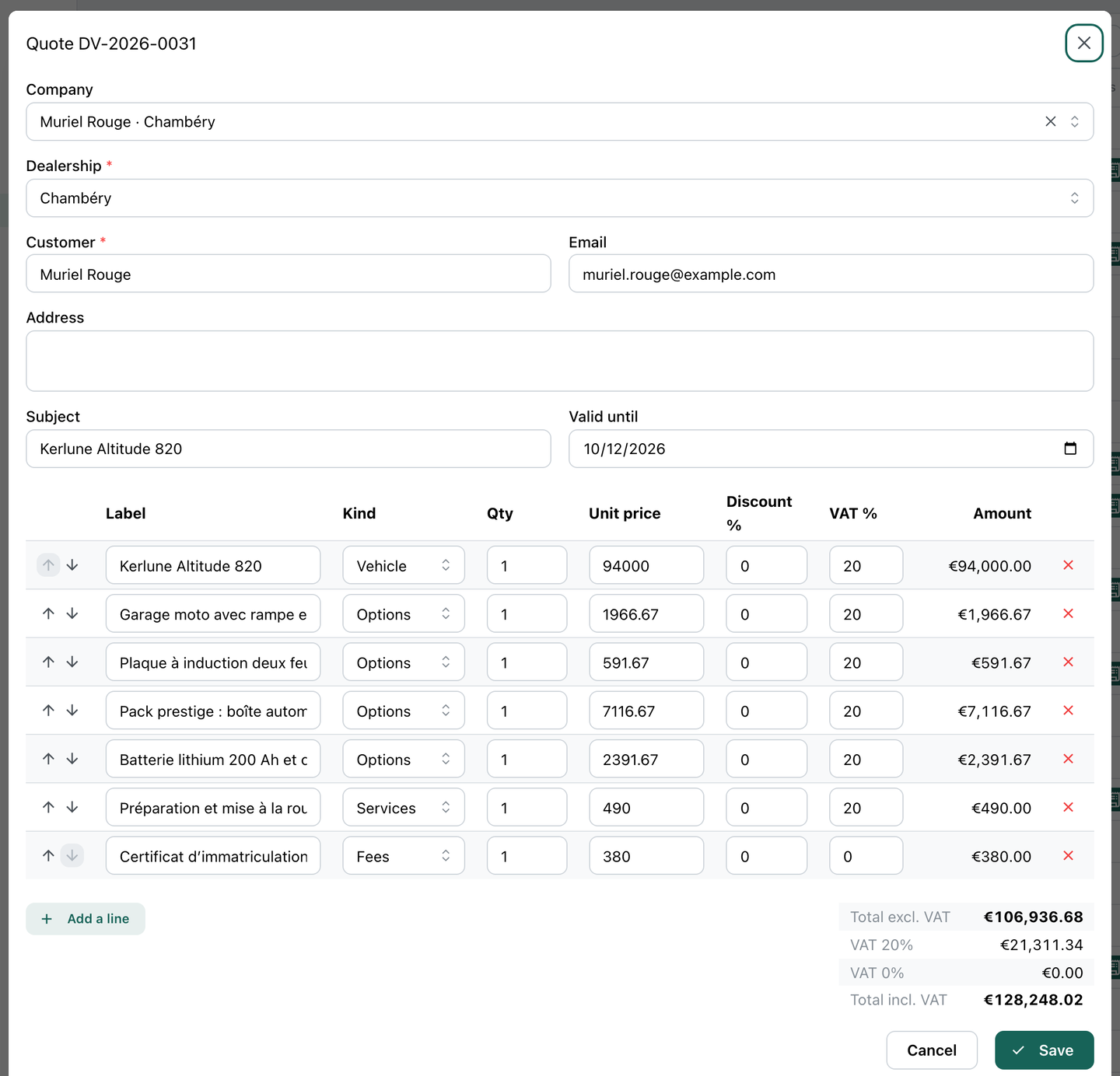
« Add to the quote » writes the deal's quote: the vehicle, then each option and each pack on its own line at the price list's price, each line naming its product in the catalogue. Nothing is retyped from a PDF, and you know what was sold, option by option. See the screens.
- « Configure » on the customer's deal, or on a model's page for a quote with no customer yet
- The configuration is checked once more before the quote is written
- What is included or standard makes no line
NewA model's page: price, margin and specs
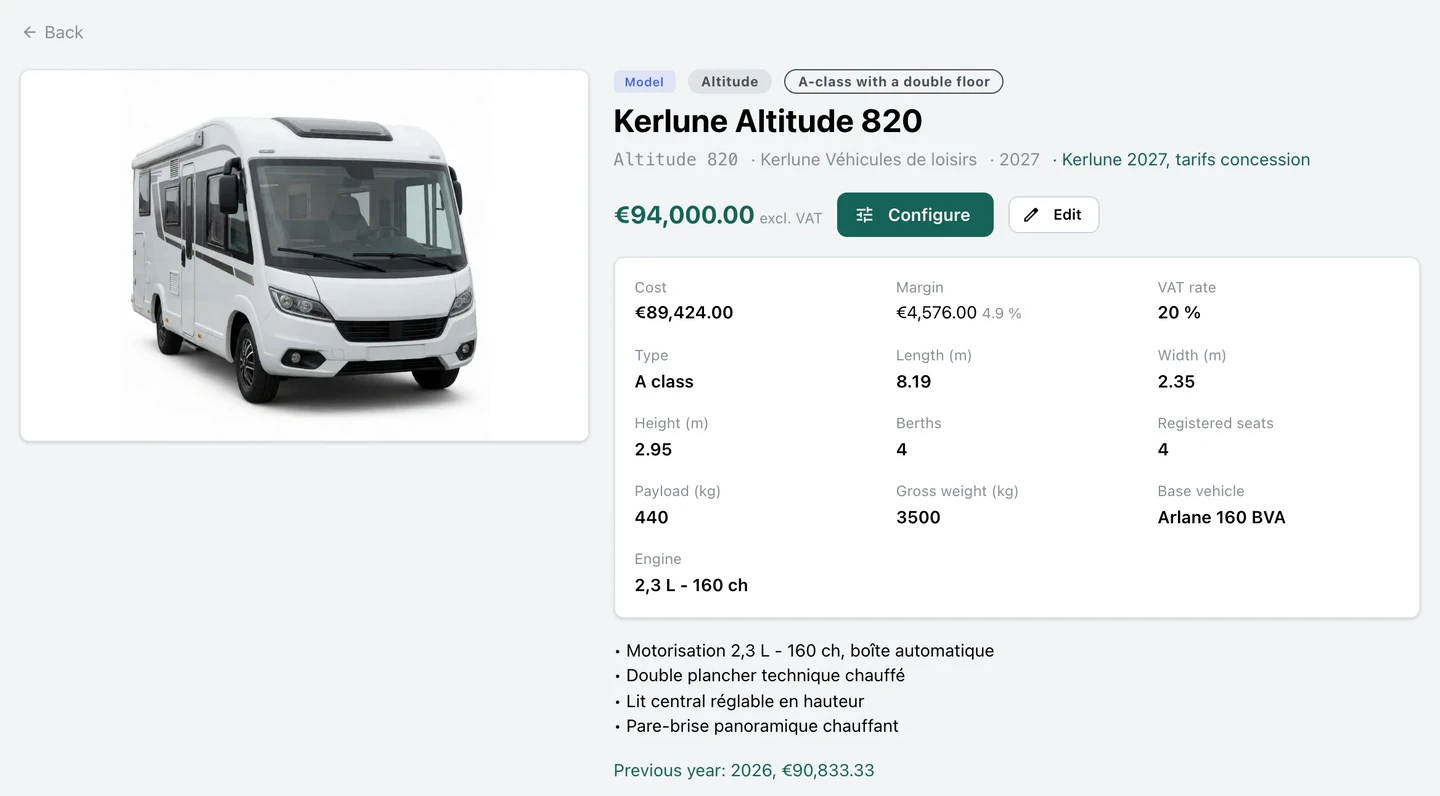
All a salesperson needs before talking to the customer: the model's photo, its price, its cost and the margin it leaves, its sizes, berths, payload and base vehicle, and the same model's price the year before. See the screens.
- Cost and margin shown to those allowed to see them
- « Configure » one click away
NewStandard equipment and options, model by model
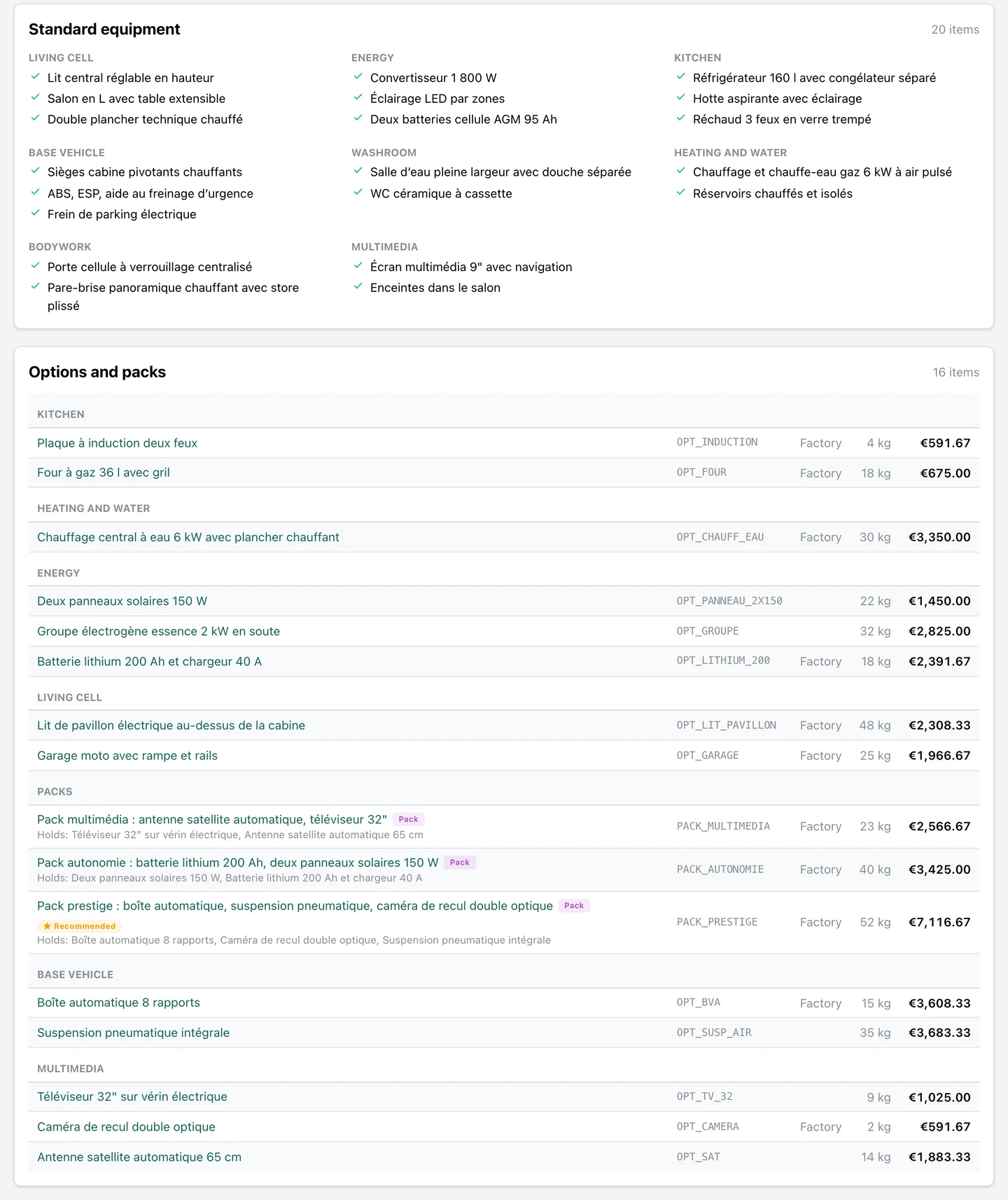
On each model's page, what comes as standard by family, then every option and pack it takes, with its weight, its price on this model and who fits it, the factory or the dealer. A recommended pack says what it holds. See the screens.
NewOne price list per maker and model year
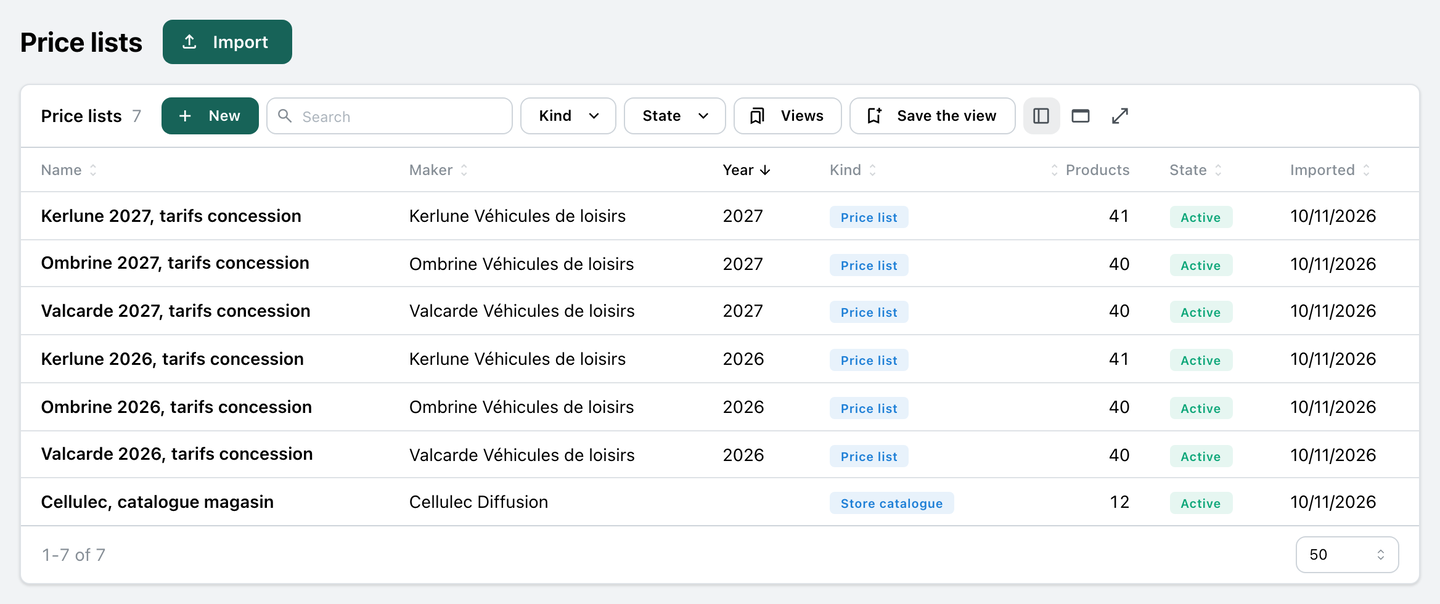
Each maker's price list for a year is one source in the app, beside the accessory supplier's catalogue: what each holds, its state and when it came in. Each model is linked to the same model of the year before, and an archived list leaves the configurator. See the screens.
- A price list's page: its products, its files such as the maker's PDF, and « Archive »
NewImport a price list, checked before anything is written
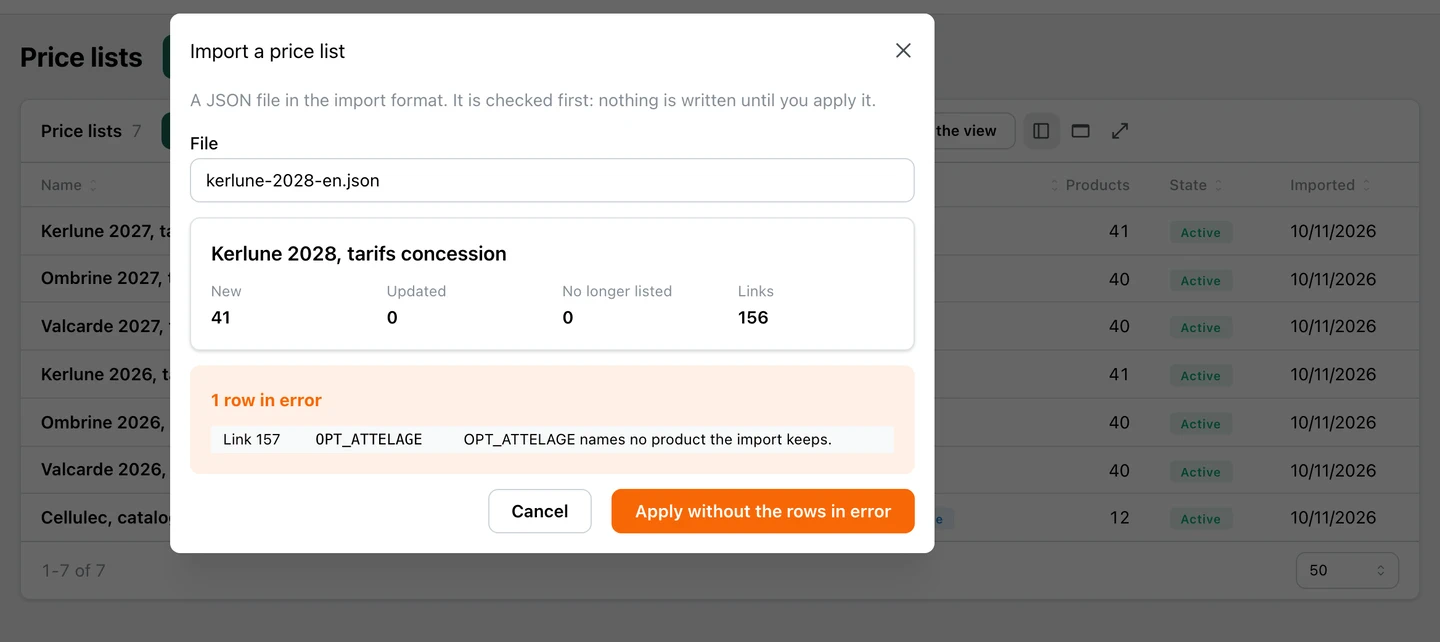
A new price list comes in as a file. The app checks it first and shows what it adds, changes and removes, and each row that does not hold; nothing is written until you apply it, whole or without the rows in error. See the screens.
- A new import changes only what moved
- A product the new file no longer holds leaves the catalogue without being deleted, since a quote may name it
NewPrice on request, never €0
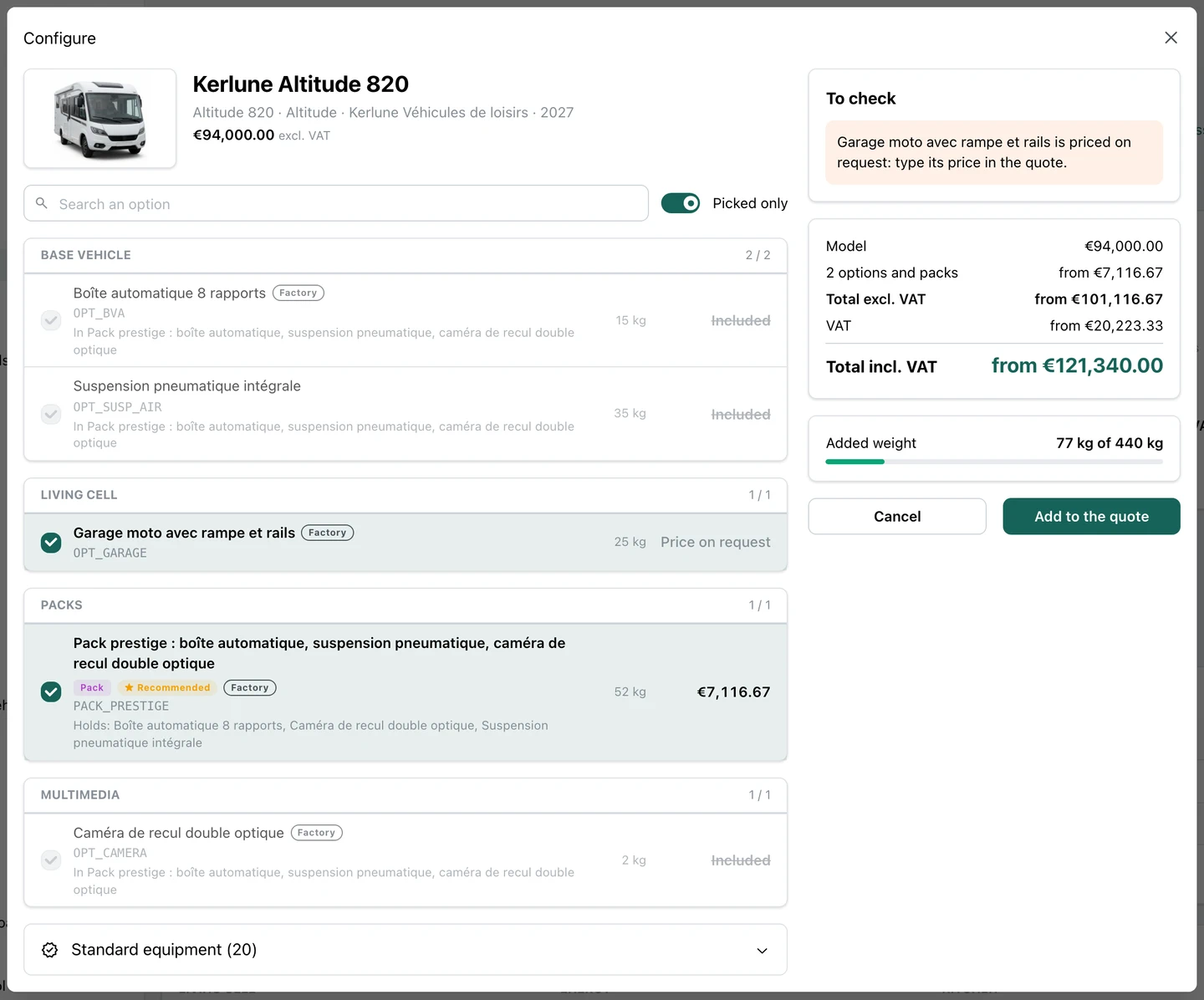
Some makers print no prices. Their models and options read « Price on request » in the catalogue and the configurator, never €0, and the totals say « from ». The line still goes into the quote, where its price is typed. See the screens.
NewOptions and packs with their margin
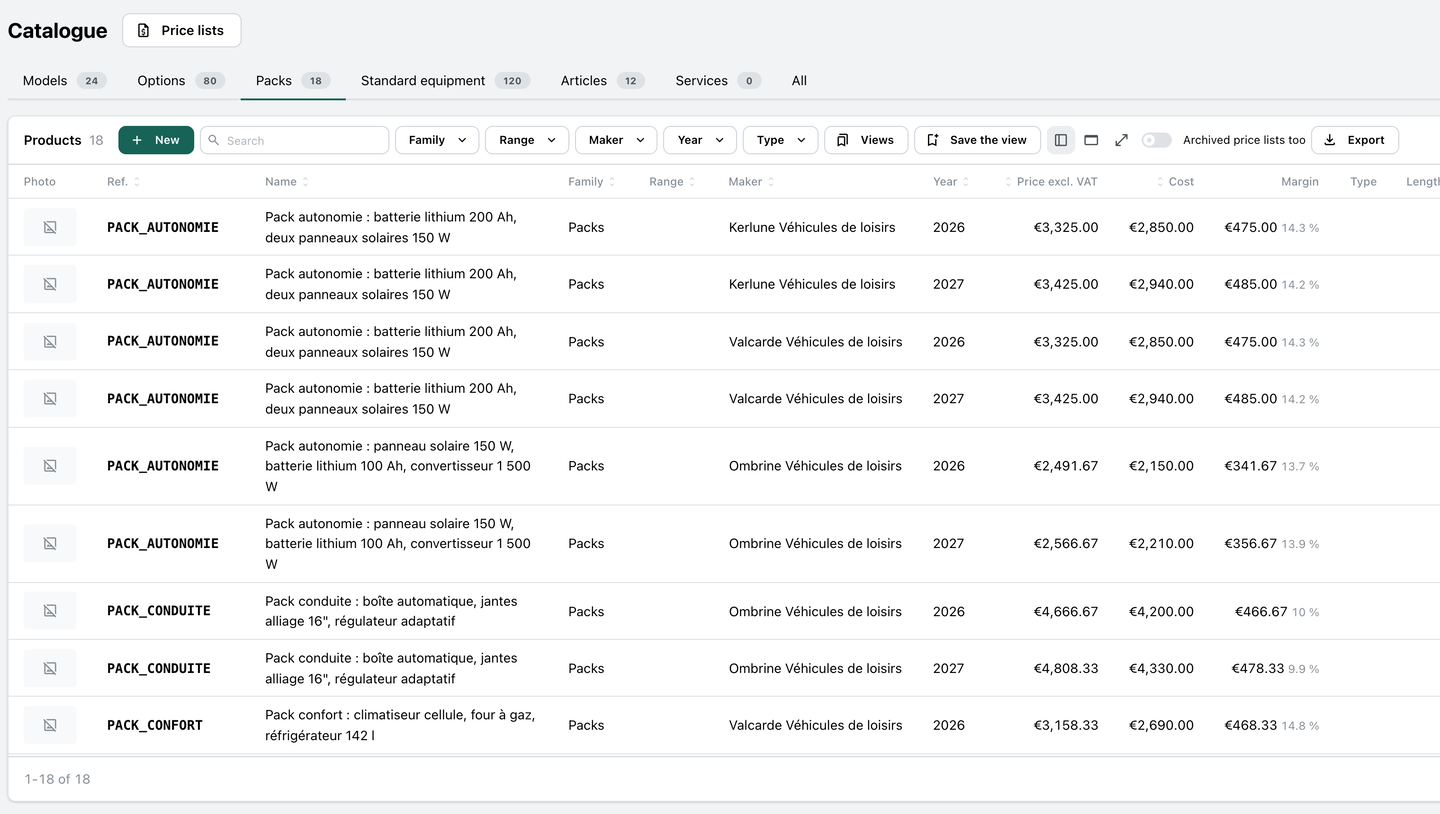
The options and the packs as tables: each with its maker, its model year, its price, its cost and the margin it leaves in euros and as a percentage, ready to sort, filter and export. See the screens.
ImprovedFilter the catalogue by maker, year or range
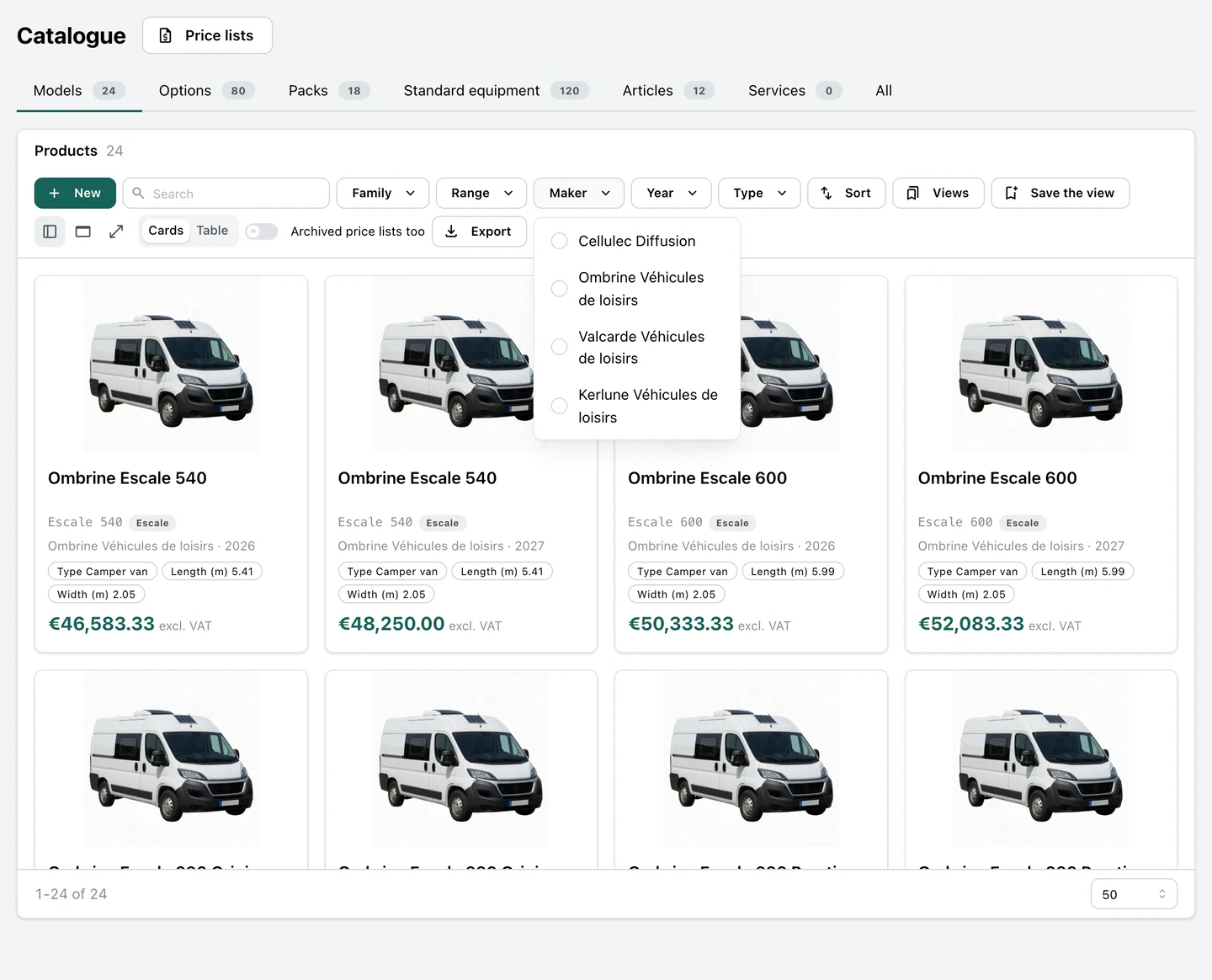
One click narrows the catalogue to a maker, a model year, a range, a family or a type, and the view is saved for next time. See the screens.
ImprovedThe deal follows the configured quote
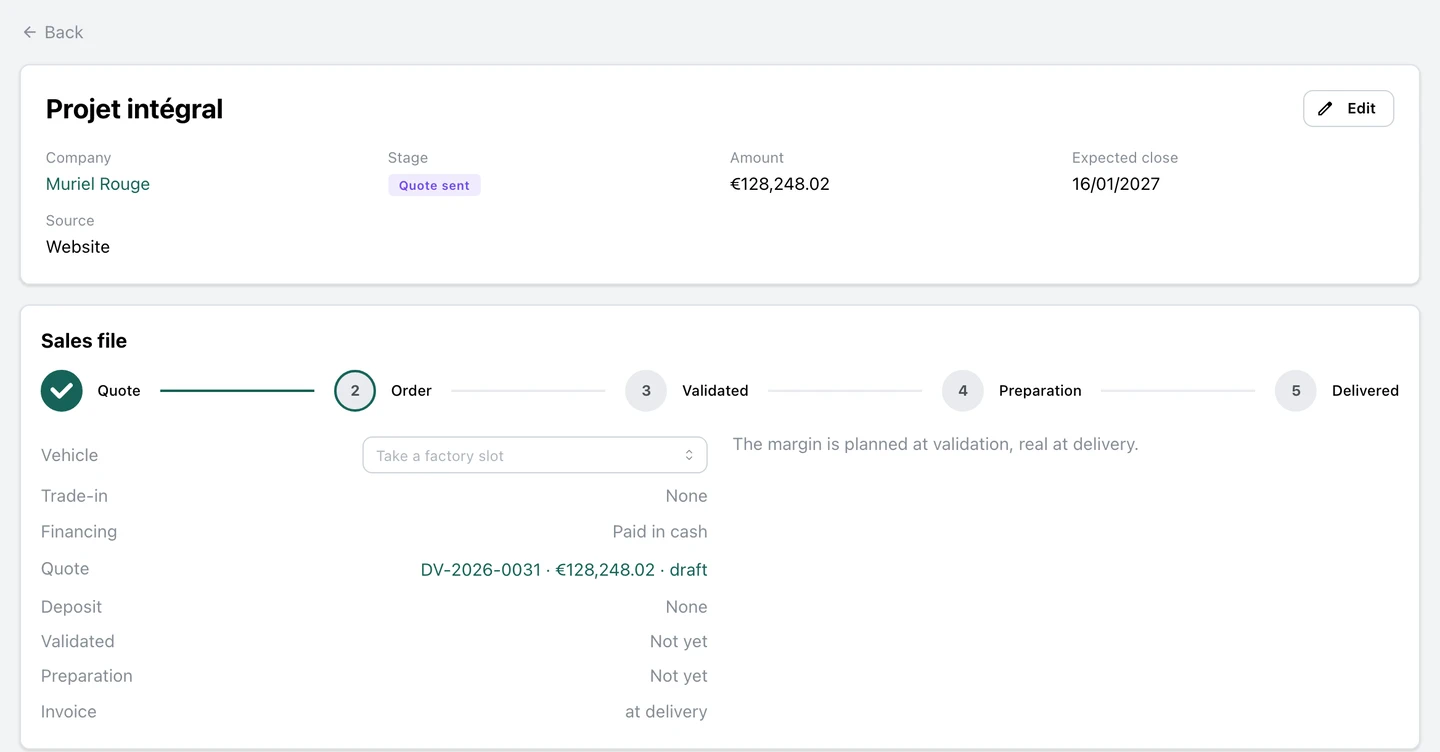
The customer's deal takes the quote written from the configuration: its amount, and its sales file naming the quote with its number and total. See the screens.