 GoLocomotive
Your website and your forms
Your business's public website, served by your app. Your stock, live on your site. Edit your site in your app, see it as you type. Your own domain, with HTTPS…
Website
MajorYour business's public website, served by your app
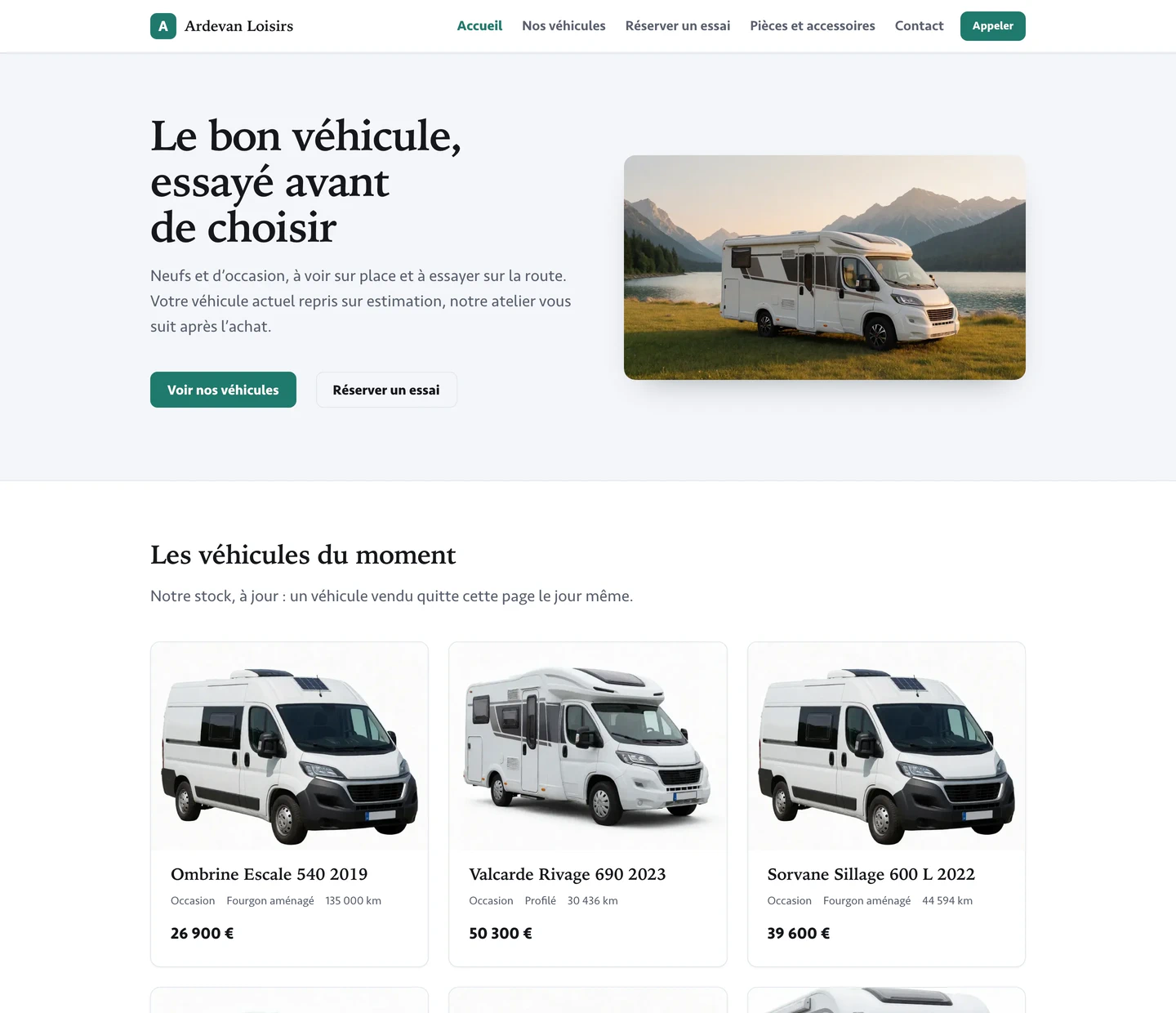
Your app now serves your business's own website: your pages, your photos, your colours and logo, the vehicles you sell and your forms. It is fast on a phone, made for search engines, and sets no cookie, so your visitors get no banner to accept. See the screens.
- A starting site per trade: dealers, field service
- A page per vehicle with its photos, price and details in words
- Search engines get a title per page, the site plan and your business's address, phone and hours
NewYour stock, live on your site
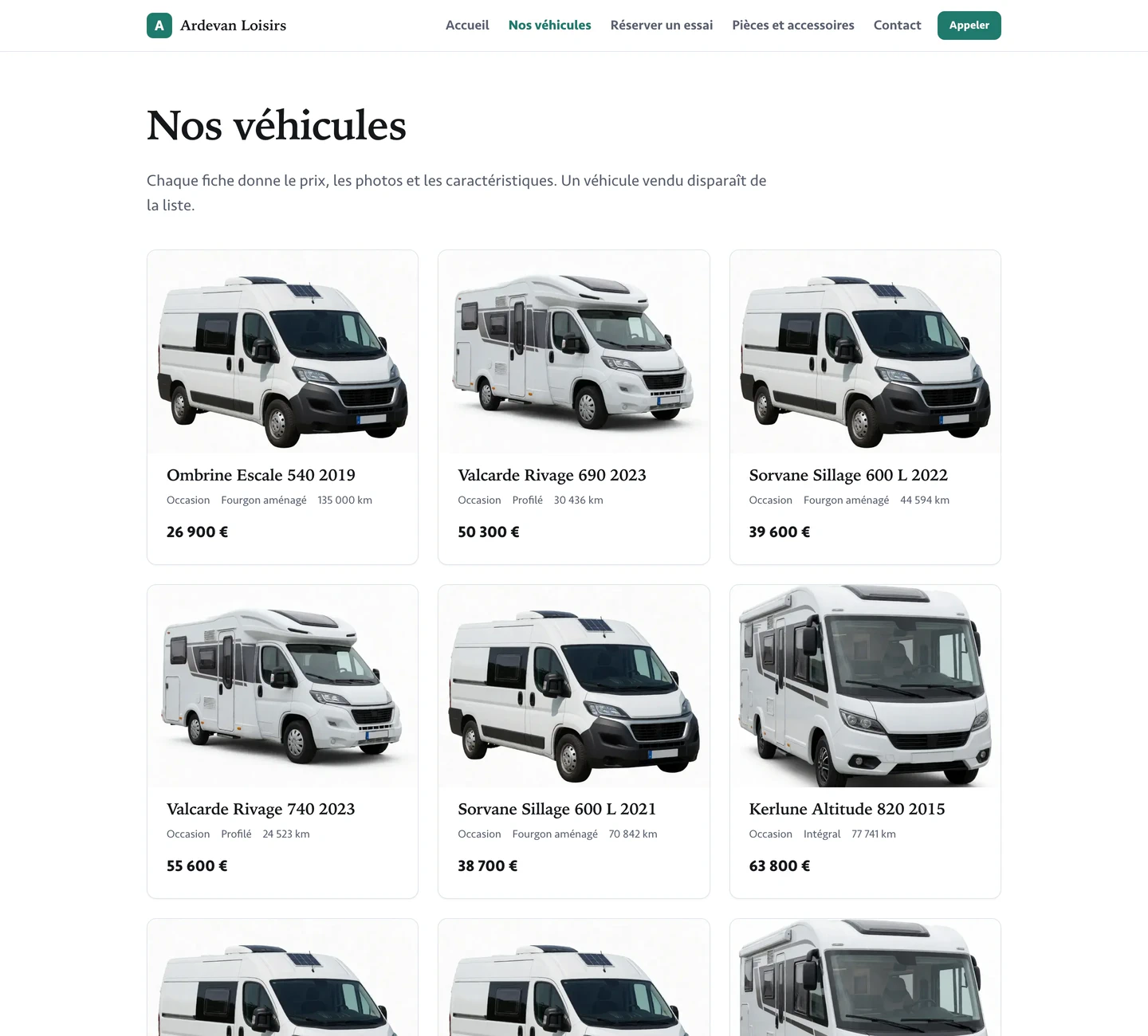
What you sell comes straight from the app's stock. A vehicle sold or withdrawn leaves the site at the next visit, and a price changed in the app is the site's price at once: nothing is typed twice. See the screens.
- Each vehicle's details as your team wrote them: condition, type, mileage
- A sold vehicle's page says it is no longer for sale
NewEdit your site in your app, see it as you type
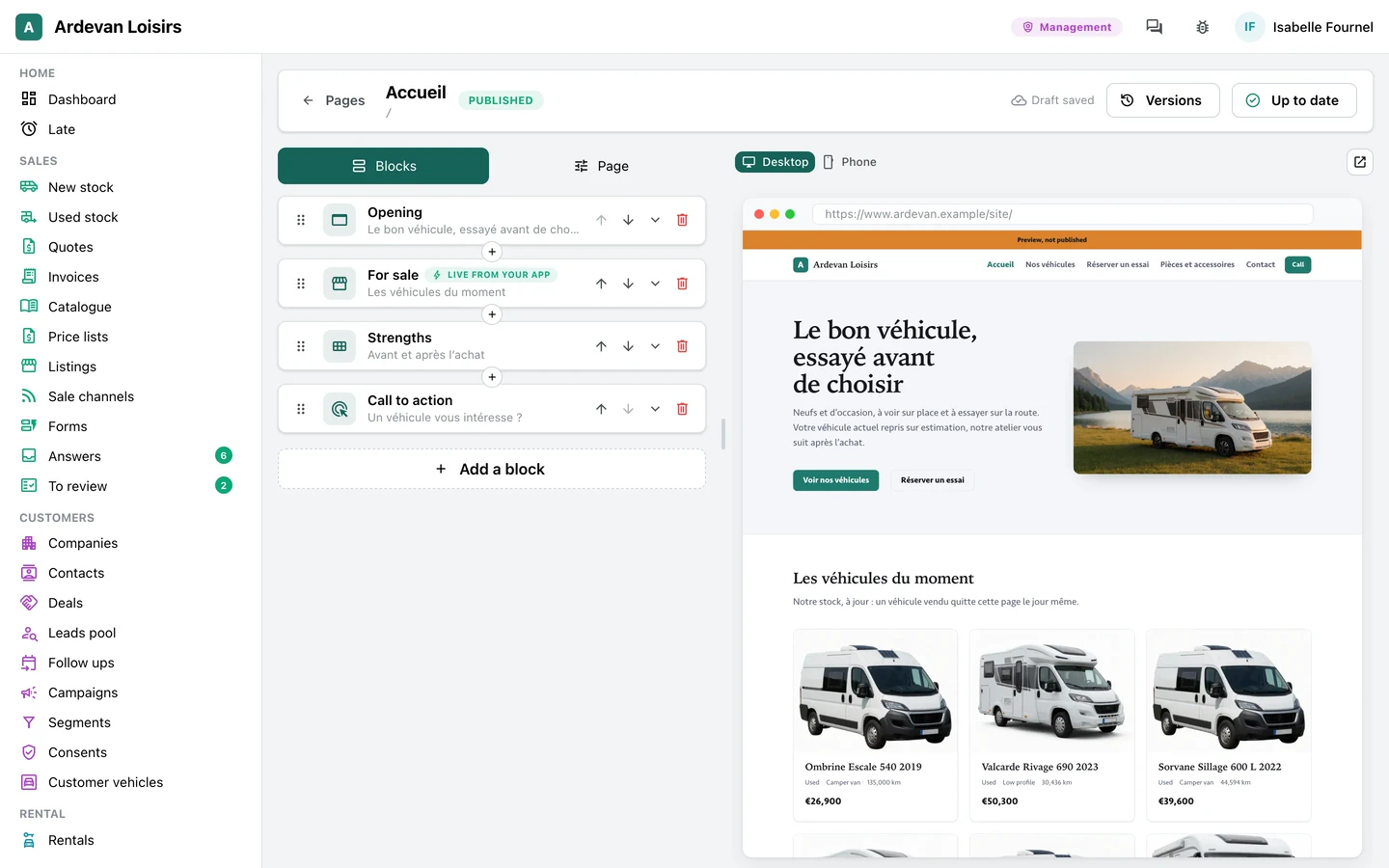
You change your words and your photos yourself: the page's sections on the left, the real page on the right at desk or phone width. Drafts save themselves, publishing keeps a version, and any version comes back in one click. A new section or a new look is a request to us. See the screens.
- Add, move and remove sections, by drag or by keyboard
- « Up to date » when nothing waits to publish
NewYour own domain, with HTTPS
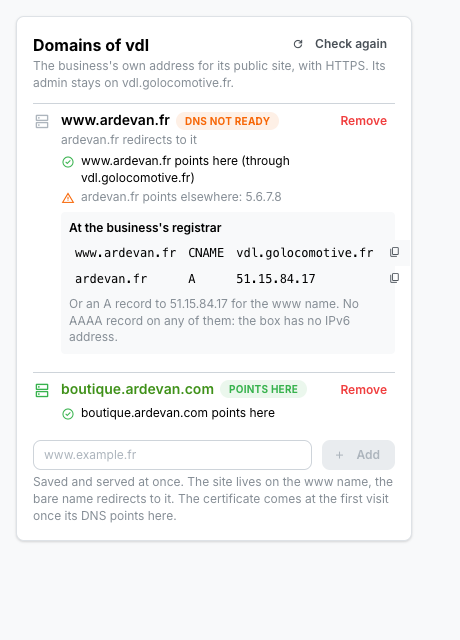
Your site and your forms answer on your own address, www.yourbusiness.fr, with its certificate made at the first visit. The app tells you the two records to set at your registrar and checks when they point to us; your app's admin stays on its own address.
- The bare name sends its visitors to www
- A certificate only for a domain one of our apps holds
Forms
MajorForms your customers fill, every answer in your app
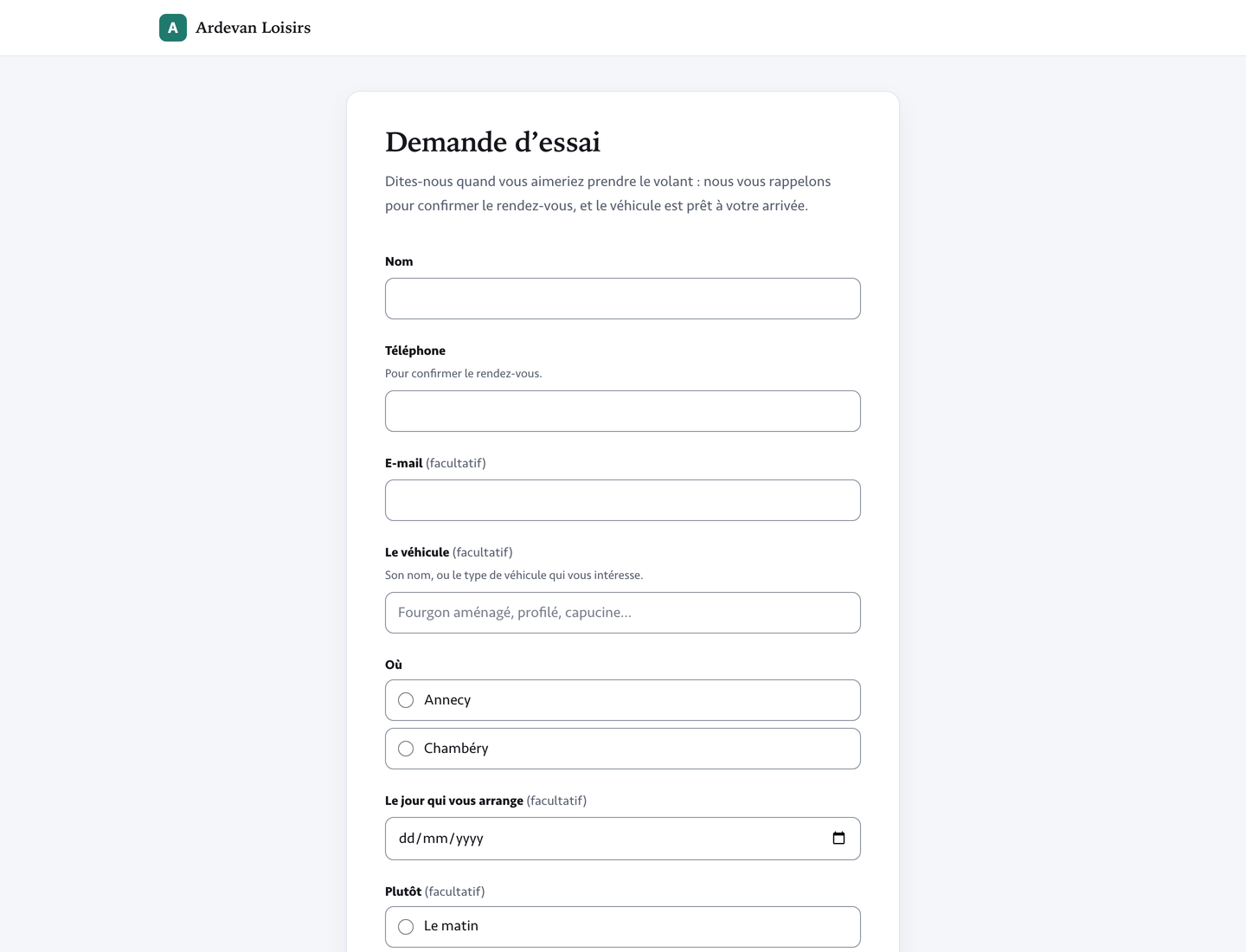
A contact form, a test drive request, a parts request: your customers fill them on a phone with no account, and each answer lands in your app's « Answers », with a mail to the team who handles it. An error shows under its question as they leave it, and the legal notice sits under the button, always. See the screens.
- Three ready forms to start from: contact, demo request, parts request
- Works with the keyboard, with screen readers, and when the browser blocks scripts
NewBuild a form beside its real page
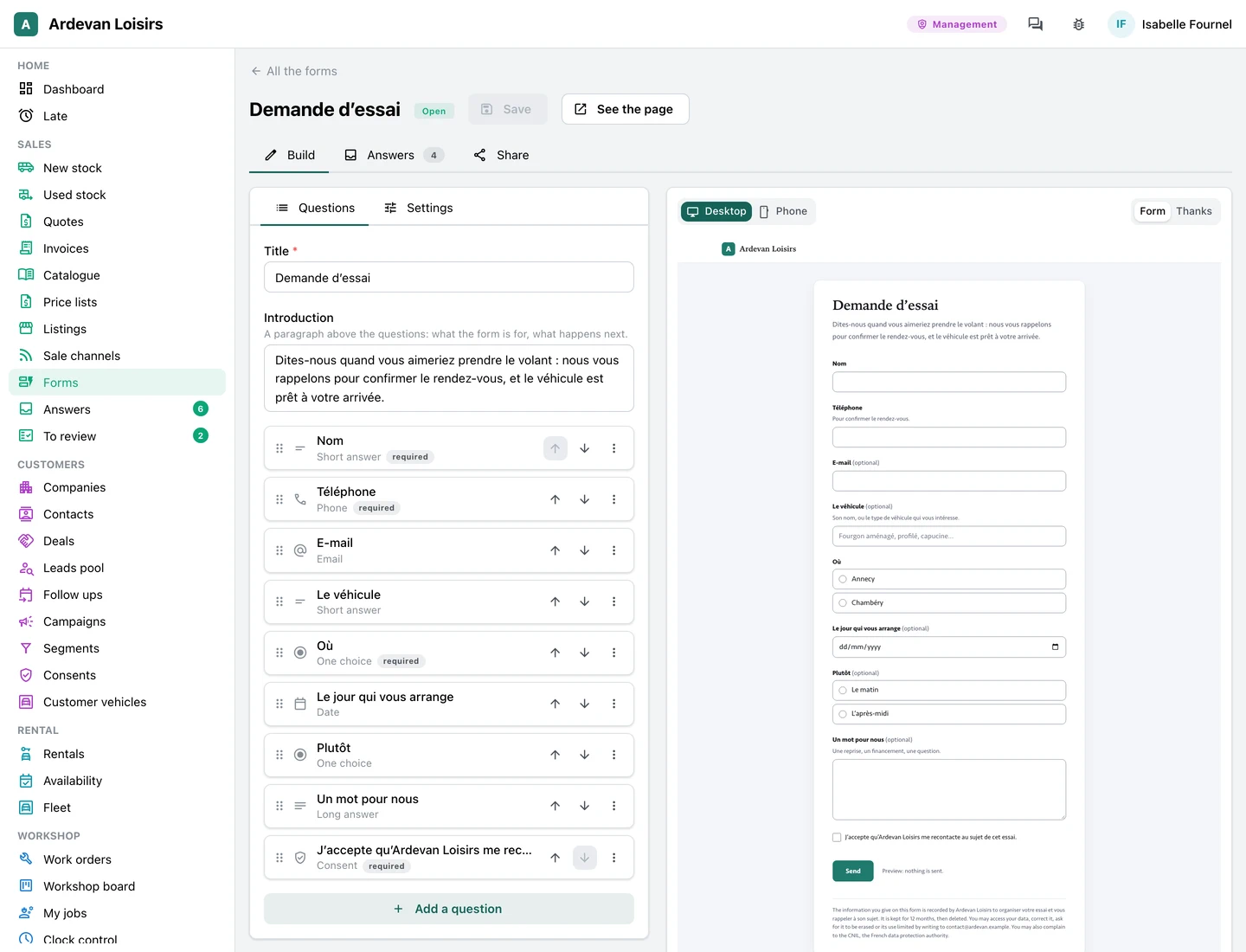
The questions on the left, the page your customers will see on the right, at desk or phone width, following each keystroke. Short and long answers, choices, dates, numbers, a consent box, and a question that shows only after a given answer. See the screens.
- Answers in a grid with saved views, an export to CSV or Excel
NewShare a form: a link, a QR code, your own site
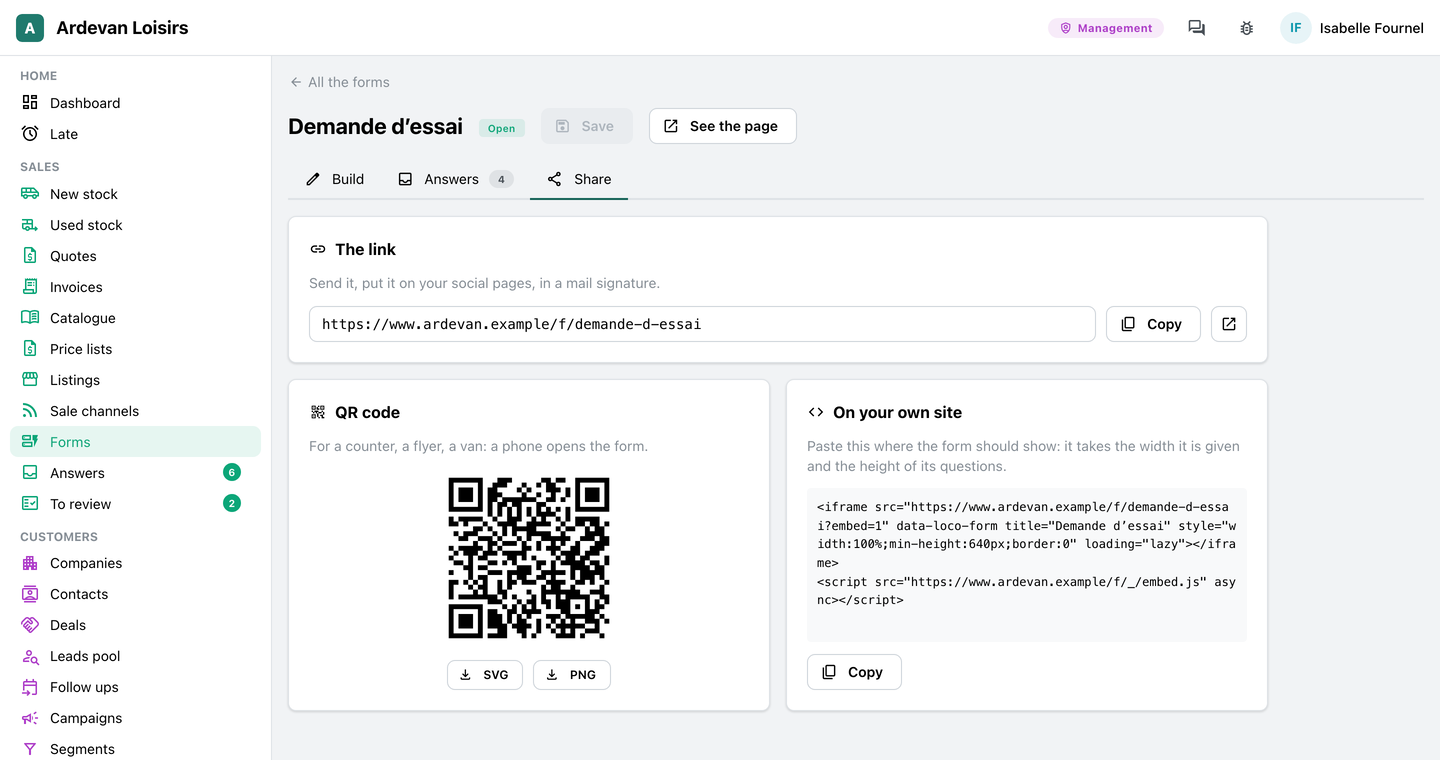
Each form has its link and its QR code for a counter or a flyer, and a snippet that puts it in the site you already have. On your GoLocomotive site, a form sits inside any page. See the screens.