 GoLocomotive
What your app can do
Your app is made for your business, but it does not start from nothing. Every app sits on one shared toolkit, and the parts below are ready in it today. You ask for the result (“export the order list”), and the agent puts the right part in your app.
The parts
Each part links to its page in the docs, with what it does and what it does not do yet.
Lists, records and forms
Lists with search, filters, sort, pages and export to CSV. A page per record. Forms that check what you type.
Lists, records and forms →Sign in and accounts
Password sign in, codes by email, a second step for sensitive roles, password reset, email change, alerts on a new device.
Sign in and accounts →The journal
Who changed what and when, with the before and after of each field, and every sign in.
The journal →Files and email
Attachments on any record, private files behind short lived links, emails with attachments, mail templates in English and French.
Files and email →Automation
Values computed on each change, tasks on a schedule, actions on a button, calls to other services.
Automation →Backups
A full copy of the app’s data on a schedule, kept on the server or in a storage bucket, and a restore.
Backups →What’s new
A short note at sign in with the changes since the user’s last visit, written by the agent in your app’s language.
Release and deploy →Two languages
The toolkit’s own screens and emails exist in English and French. Each user picks theirs. Your own screens follow your request.
What an app can do →Your own AI
Claude and other assistants that speak MCP work in the app as the signed in user, under the same rules.
Connect your AI →
One rule set behind every part
Every part goes through the same server rules: the screens, the journal, the exports, your own AI. A user who cannot see an order in a list cannot see it in an export, through the API, or through an AI either.
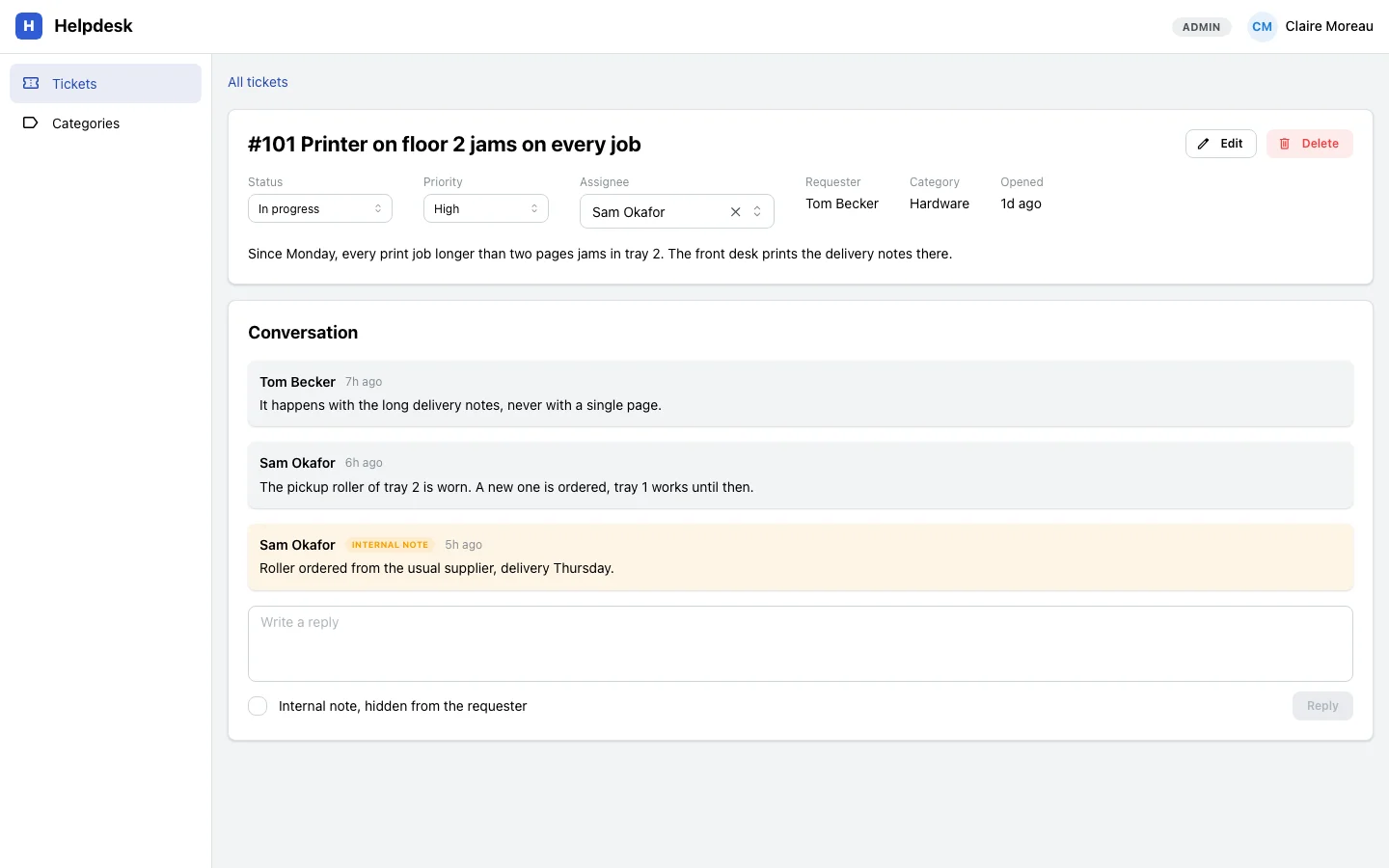
In the ticket below, the yellow note is internal. The person who opened the ticket never receives it: the server leaves it out of every answer to them.
In the browser, on any screen
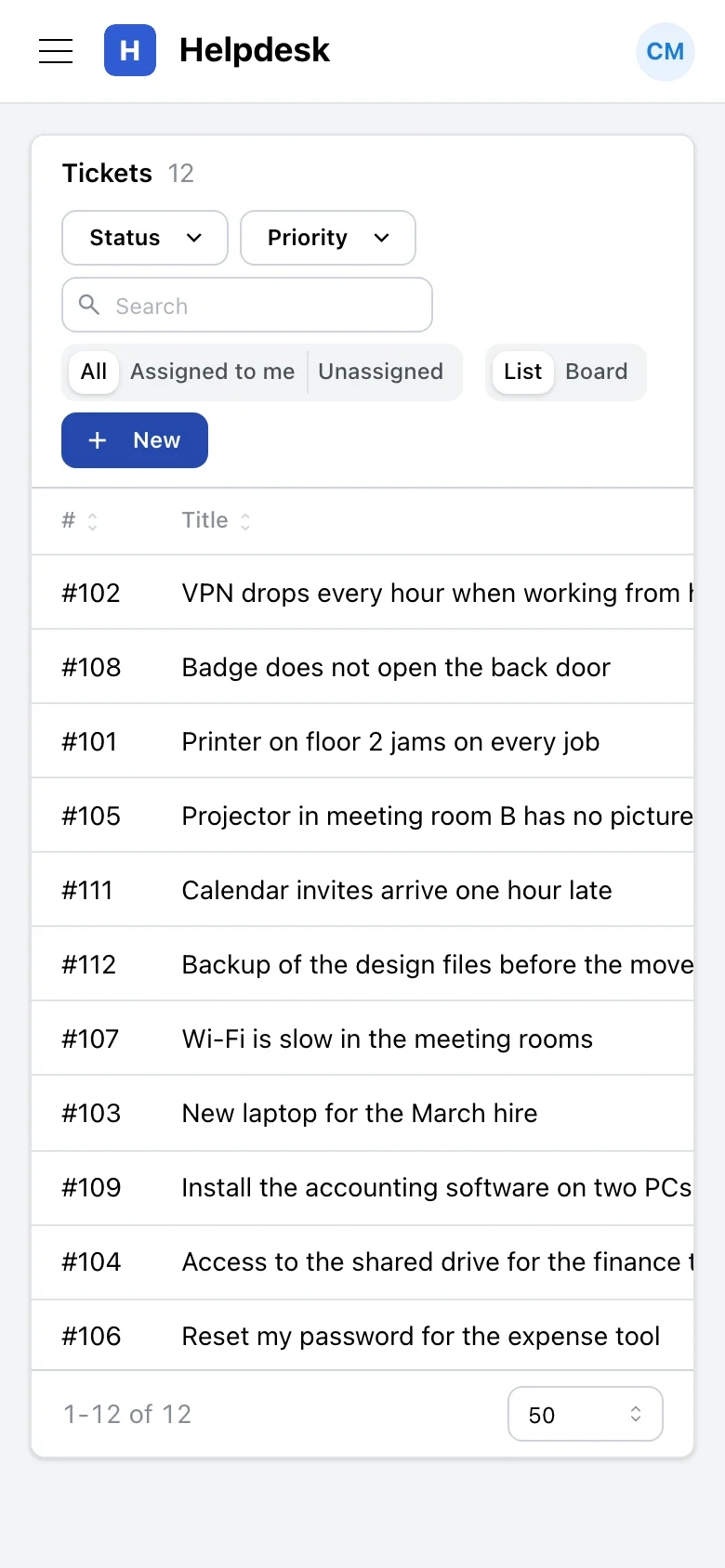
Your app runs in the browser, on a computer or a phone. Its screens adapt to the size of the screen. There is nothing to install.
Not there yet
- Phone apps from the app stores, and a desktop program.
- Chat apps: WhatsApp, Slack, SMS or phone calls.
- Live updates on screen: a change made by someone else shows after a refresh.
- Sign in with an outside account (Google, Microsoft and others).
- A marketplace of ready made apps: each app is built for one business.
None of these has a date. The full list is in Not available yet. If one matters for your business, tell us: it helps us choose what GoLocomotive does next.
Tell us what your app must do
GoLocomotive is in private testing. Access is by invitation. Once you are invited, we tell you what the toolkit covers today and what your app needs on top.